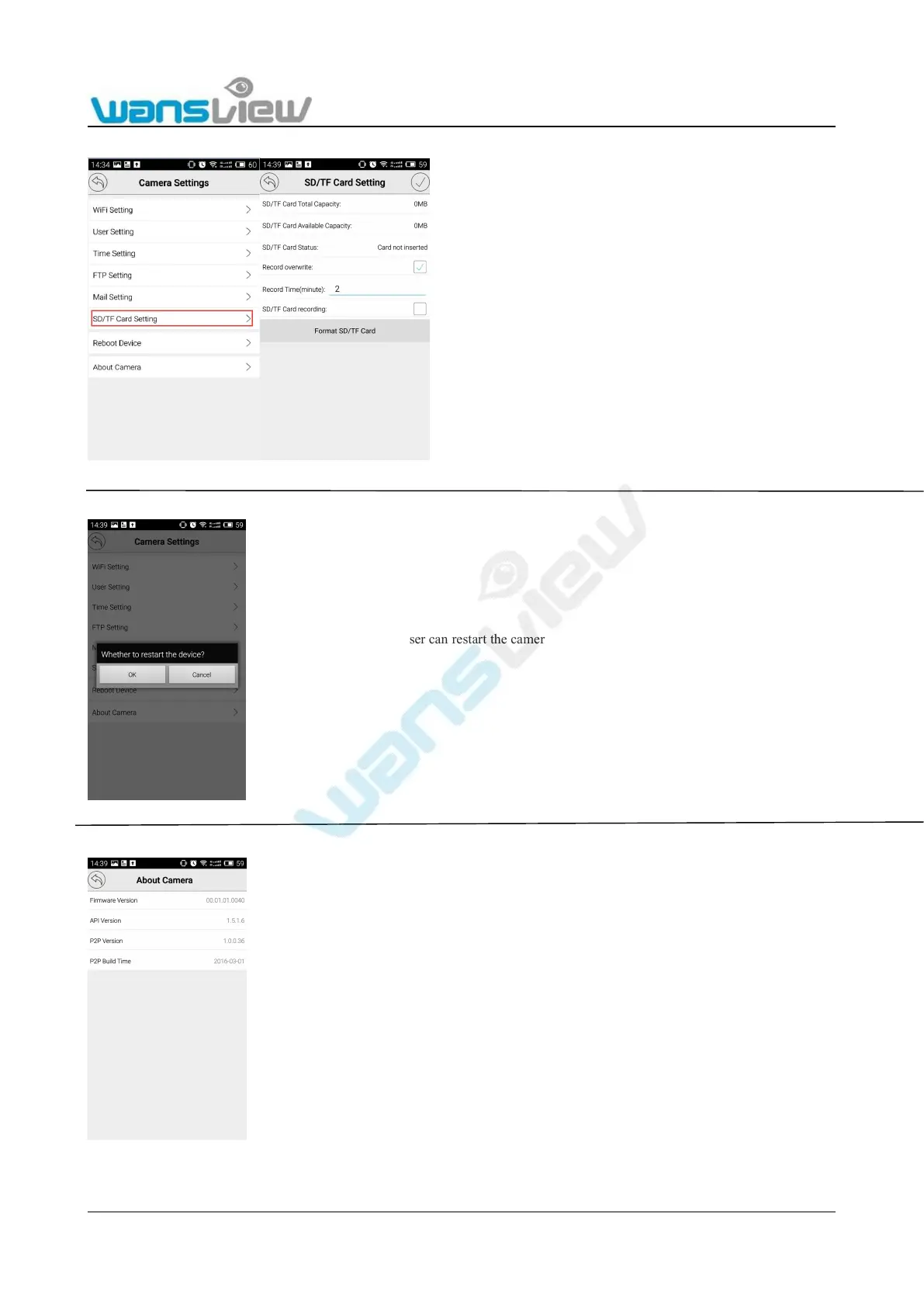
Click to enter "SD/TF Card Setting". User can check the SD card capacity and status.
Enable the “record overwrite”, the new recorded files will overwrite the old files
automatically.
The record time length can be set between 2-15 minutes
Enable the SD card recording, the camera will record constantly. For example, if the record
time set at 2 minutes, the camera will record every 2 minutes.
Reminders:
1. Please perform SD card formatting before SD card recording.
2. If SD card formatting is required during video recording, please stop SD card recording
first. The duration of SD card formatting is about 20s.
3: The camera is built in a 8GB SD Card. And support max.64GB



 To Next Page