Support Email/ Skype: service2@wansview.com 36
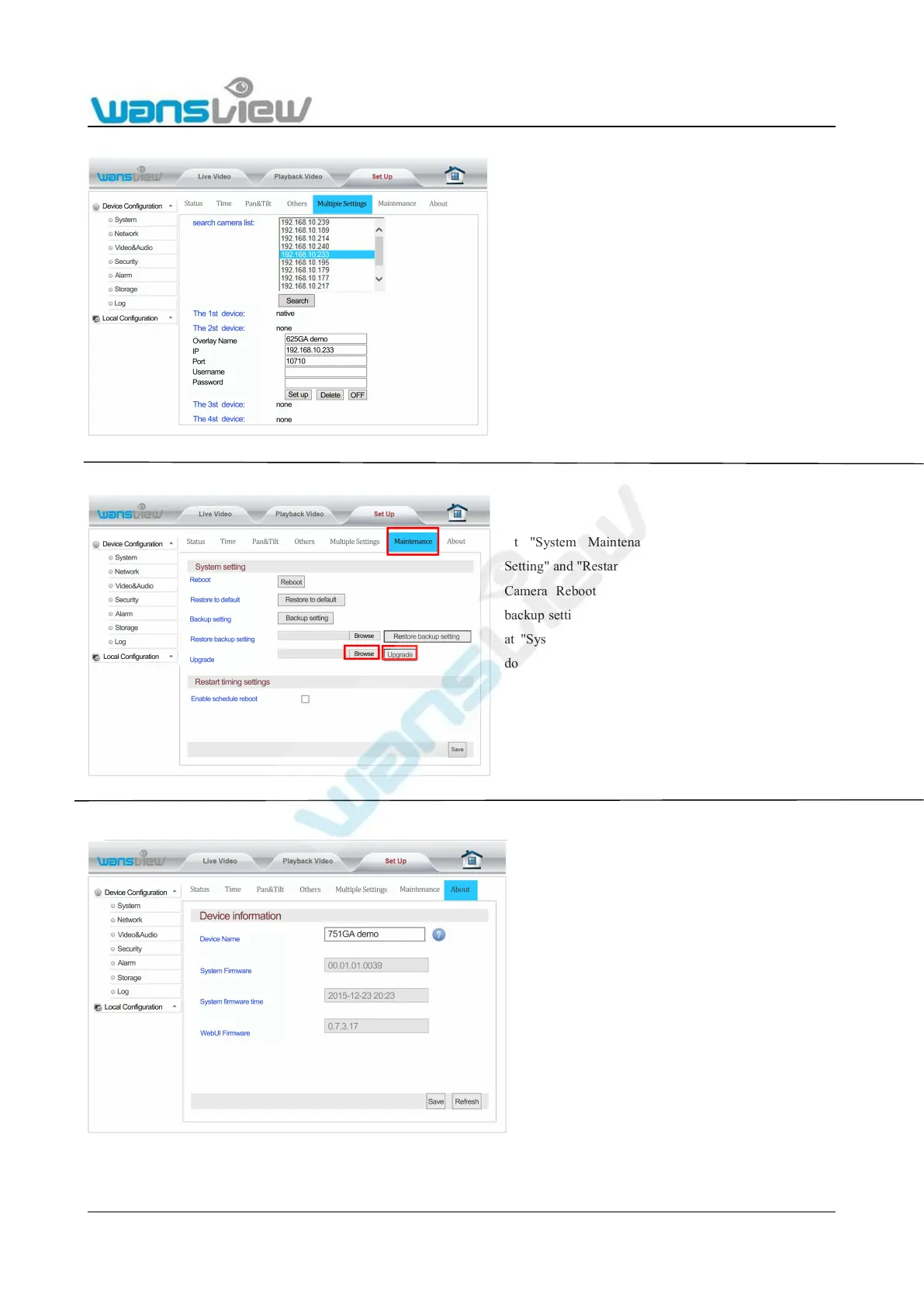
5.3.1.5 Multiple Settings
5.3.1.6 Maintenance
5.3.1.7 Device Information
Equipment can be added at "Multiple Settings". The 1st
device is the native. A maximum of three devices can
be added. Only at multiple settings can one or four
images be reviewed at the Live Video interface.
Multiple settings supports adding extranet IP addresses
or dynamic domain names.
At "System Maintenance", you can perform "System
Setting" and "Restart Timing Setting";
Camera Reboot/Restore to default/Backup setting/Restore
backup setting and System Upgrade of the camera can be set
at "System Setting" (Firmware for system upgrade can be
downloaded from the official website of the company:
http://www.wansview.com/Service/).
At "Restart timing settings ", the timing restart function can
be set for date and time settings.
Enter “About” bar, Device name can be
modified, and system firmware version/system
firmware time /WebUI firmware version etc. can
be checked at "Device Information". The device
name will be showed at the searched information
when using the SearchPro tool.



 To Next Page