Support Email/ Skype: service2@wansview.com 52
7.4 iSmartViewPro 2.0 Operation
7.4.1 Interface
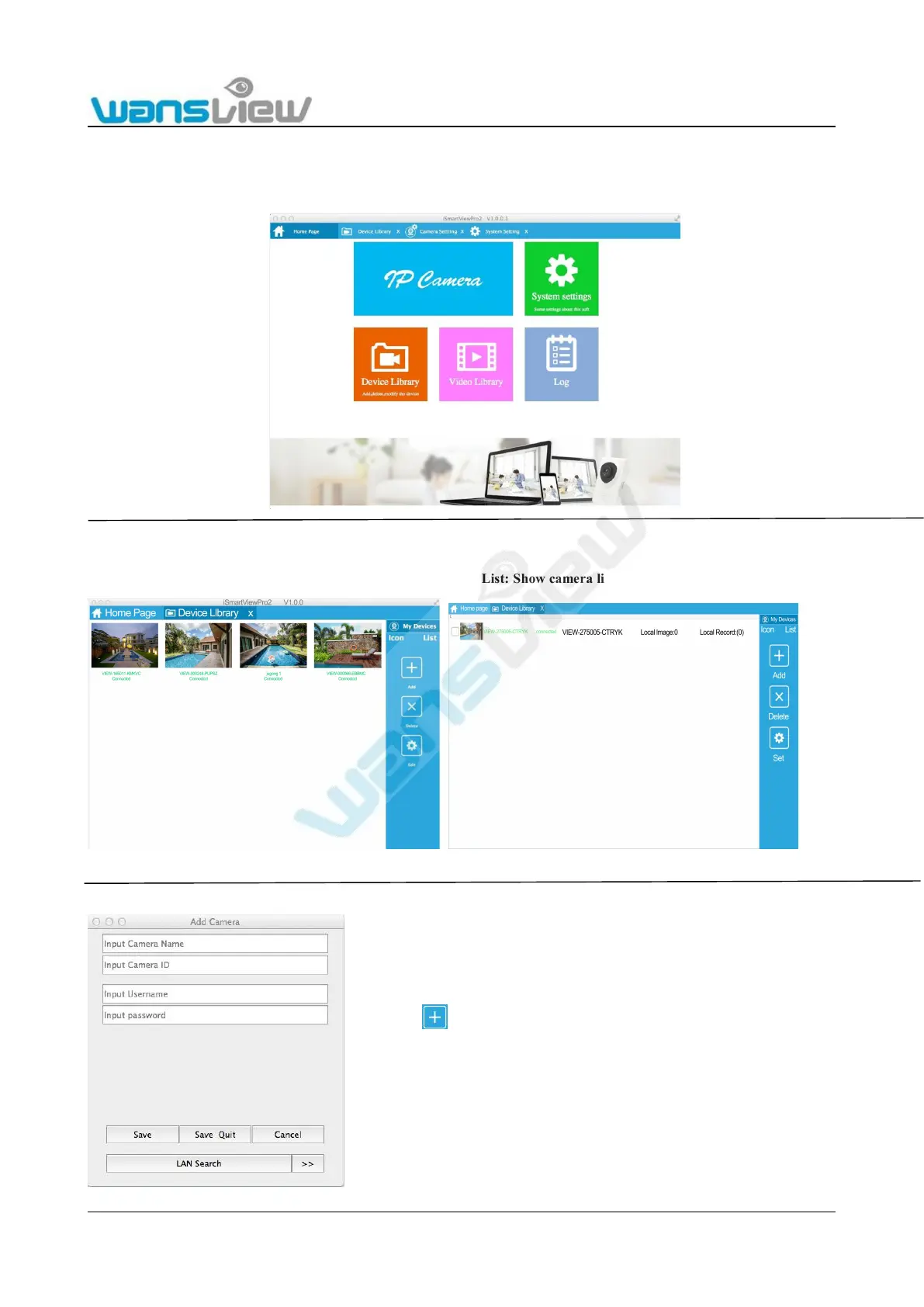
Run iSmartViewPro2.0 client software on the computer as shown in the figure below:
7.4.2 Device Library
Check setting list, add, delete and advanced settings of the camera
Icon: Show camera list by Icon List: Show camera list by List.
Add



 To Next Page