Support Email/ Skype: service2@wansview.com 59
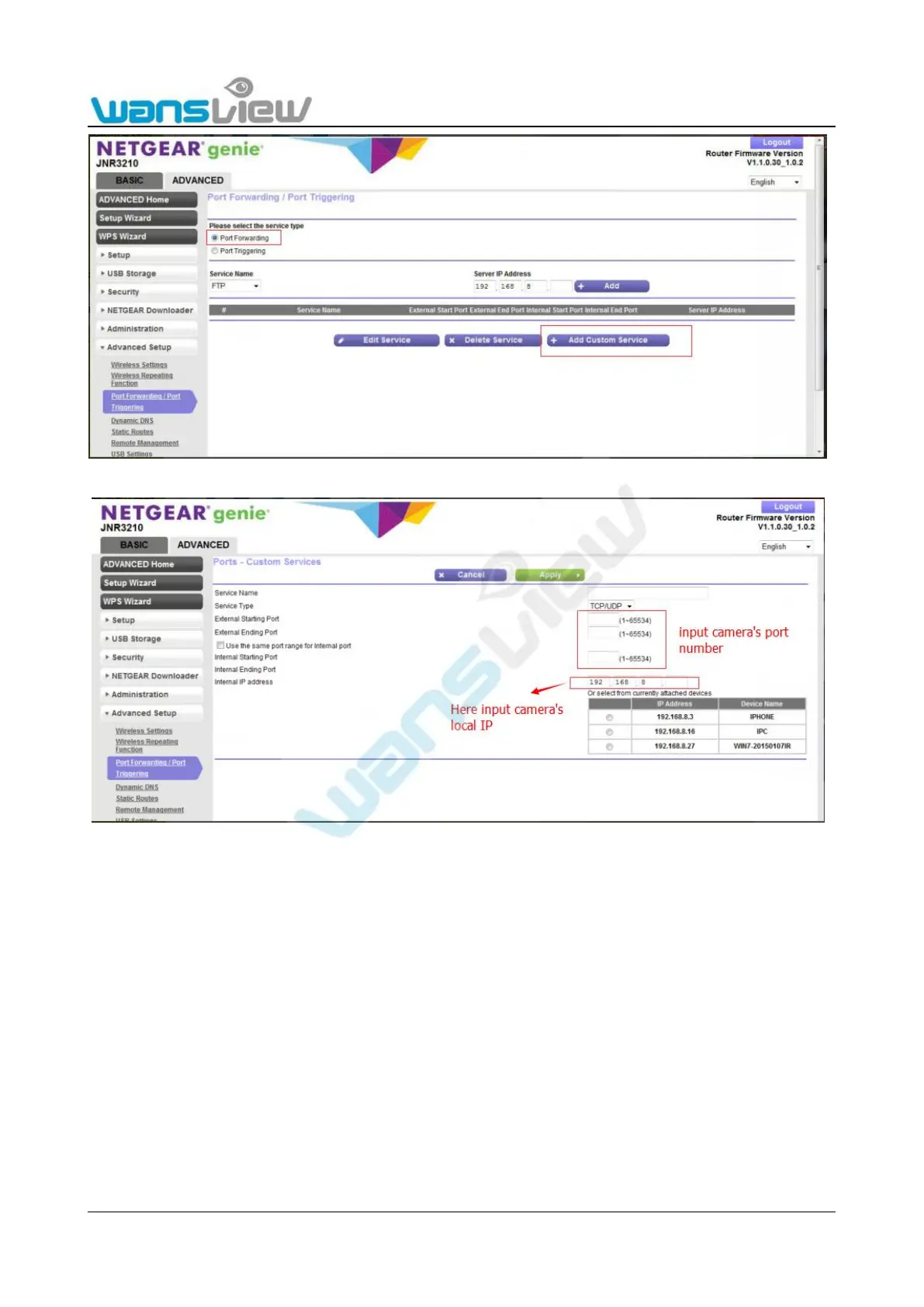
Figure 8.5.1
Figure 8.5.2
2 .Multiple routers connected (there are 2 or more routers being used, and your camera is not directly connected to the
router that is connected to the WAN port)
For example, there are two routers . Router 1 is directly connected to the WAN port, and router 2 is connected to router 1. The
camera and computer are connected to router 2.
Router 1 Local IP: 192.168.0.5
Router 2 Local IP: 192.168.10.12
WAN IP: 192.168.0.10
Camera IP : 192.168.10.14 Port :255
First, please log on to router 2, find port forwarding, then add the camera’s IP and port.
Second, please log on to router 1, find port forwarding, then add the Router 1 IP and camera’s Port number.
Note: Because each brand of router is different, port forwarding methods may be different, please consult the user manual
of your router to carry out port forwarding.



 To Next Page