2 Sengupyourcameraforaccessvia
theInternet
Up to now, we have covered seng up your WatchBot camera on your local network (LAN).
Here, we will look at accessing the camera from the Internet, so that wherever you are, you
can access the live video feed from your camera.
2.1 SengupNetworkSengs
Your WatchBot camera needs an IP (Internet Protocol) address in order to appear on your local
network and subsequently to be accessed via the Internet.
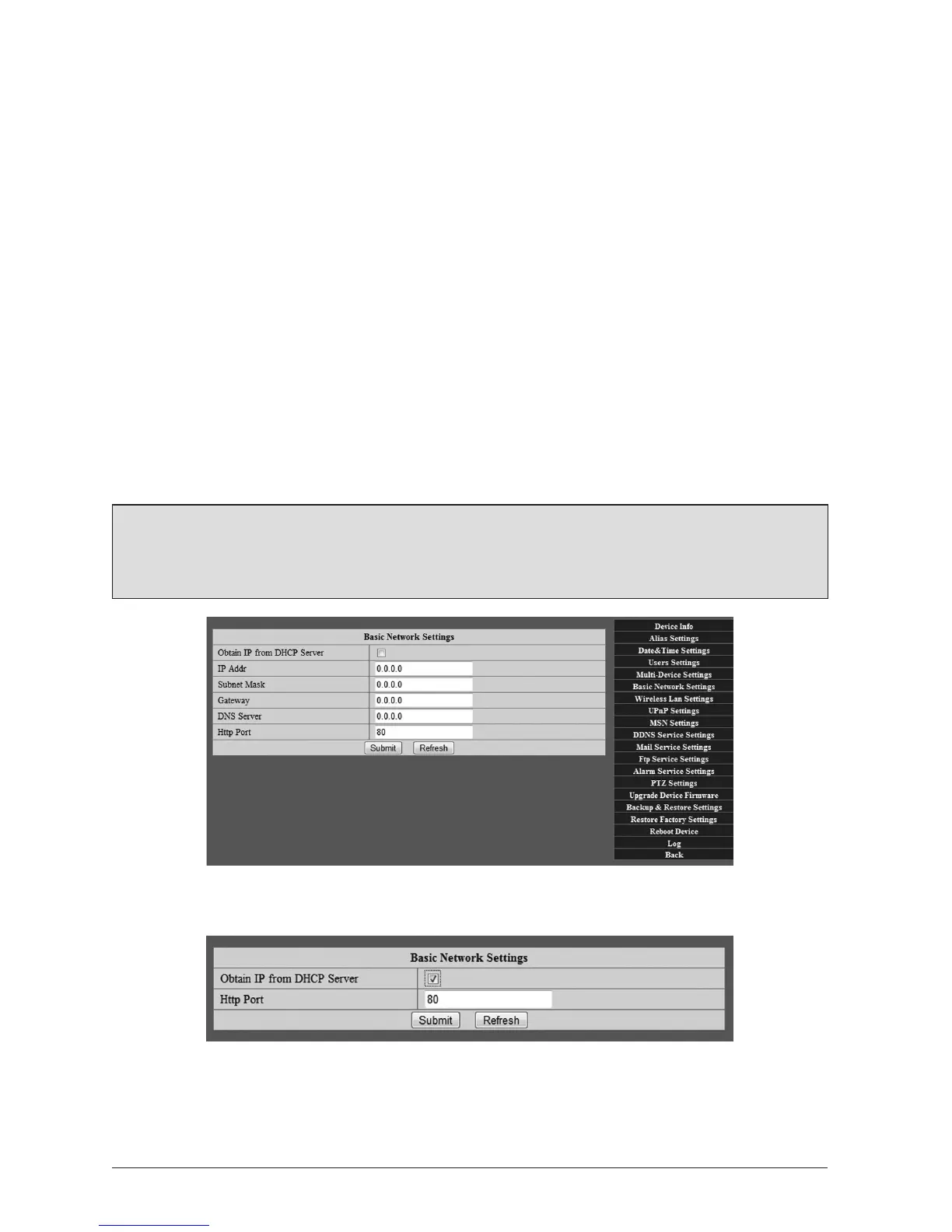
2.1.1 Click‘Administrator’tabonright,thengoto‘BasicNetworkSengs’
This page allows you to either manually enter the network details (these would be available
from your Internet Service Provider), or in most cases, obtain these details from the DHCP
(Dynamic Host Conguraon Protocol) server.
Note: If in doubt, try DHCP rst, as in many cases this will work by assigning your camera
an IP address automacally. Please contact your Internet Service Provider if you are sll
experiencing any diculty.
Once DHCP box is checked:
2.1.2 Oncethisisset,thengoto‘UPnPSengs’
Check the box next to ‘Use UPnP to Map Port’, then click ‘Submit’. On compleng these steps,
your camera is now available to be accessed over the Internet.



 To Next Page