3.2 WindowsLiveMessenger(MSN)Sengs
Set up a Windows Live Messenger account for your WatchBot camera for quick and easy
access to a link to your live video feed. To setup MSN, follow the steps below:
3.2.1 CreateanMSNaccountforyourcamera
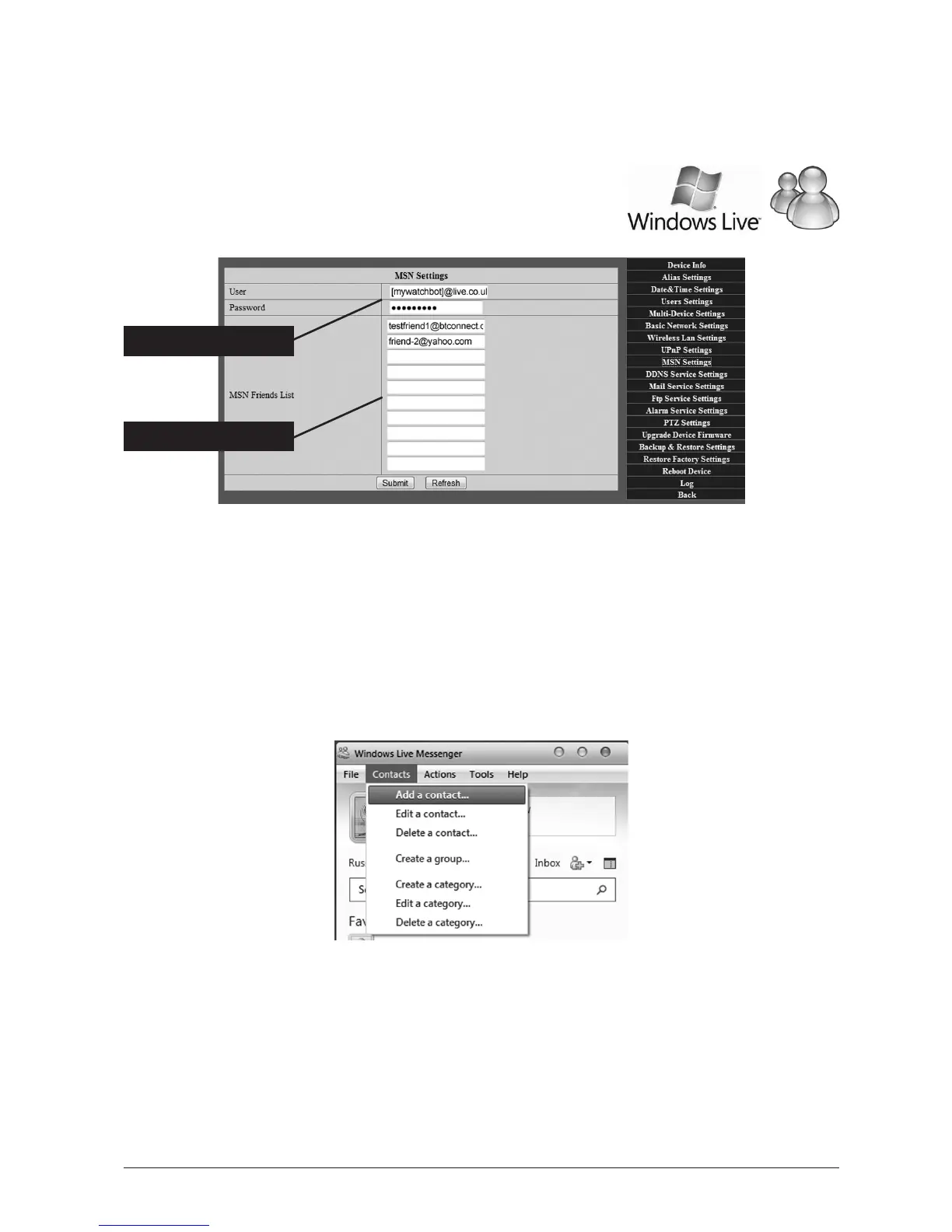
Sign up for a new Hotmail or Live ID account for your camera, then
complete User/Password elds with this new account informaon.
3.2.2 Addcontacts’details
In the elds below, add the MSN details of those accounts you want to appear in the camera’s
Contacts List in Messenger. Tip: If you are Administrator, include your own MSN Account here.
3.2.3 AddthecameraasacontactinMSN
Login to YOUR MSN account, click ‘Add Contact’ and send a Contact Invite to the WatchBot account
(you will also need to log in to your WatchBot’s MSN account to approve the invite). Once set up,
the WatchBot will appear as a Contact in your Messenger Contact’s List and you can interact with it.
CameraMSNacct.
Camera’sContacts



 To Next Page