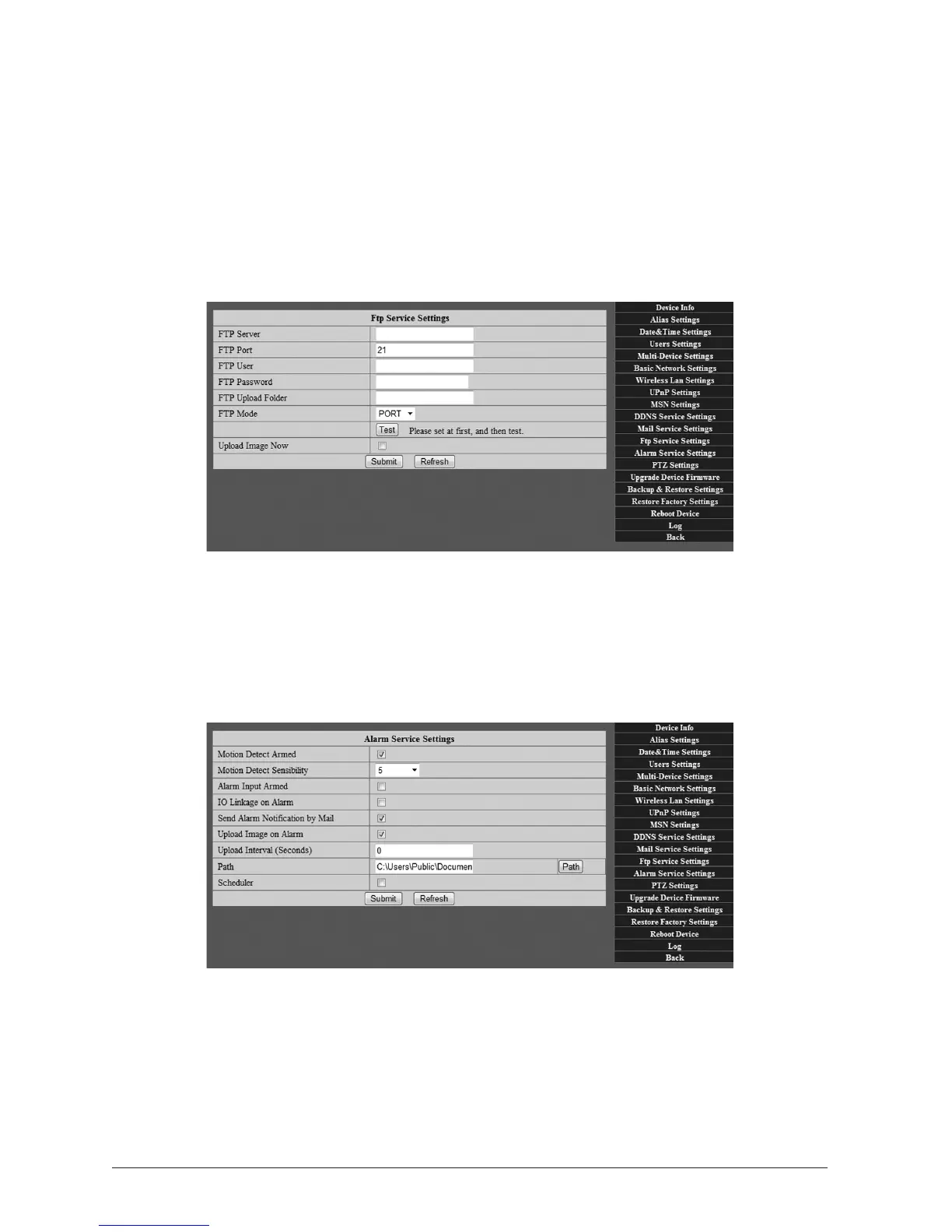
3.5FTPServiceSengs
If you have access FTP access to a server provided by your Web Hosng Provider etc., you can
congure your WatchBot camera to upload images to the server when moon is detected (also
see Secon 3.6 - Alarm Service Sengs). Enter your FTP server details in the elds provided.
If unknown, they can most likely be obtained from your Web Hosng Provider.
3.51 SaveandTestsengs
Once sengs are entered, you must click on ‘Submit’ rst, then click on ‘Test’.
3.6AlarmServiceSengs
Your WatchBot camera has a built-in moon sensor and can be congured to sound an alarm,
send email alerts and upload images should moon be detected. (Also see Secon 3.4 - Mail
Service Sengs and Secon 3.5 - FTP Service Sengs).
3.6.1 Armingmoondetecon
Check the box next to ‘Moon Detecon Armed’
3.6.2 MoonDetectSensivity
Set the sensivity of the moon detector. A seng of ‘5’ is usually adequate.



 To Next Page