3.6.3 AlarmInputArmed
If sound is enabled on the viewing PC, an audible alarm will sound and the interface light next
to the camera number which has detected movement will ash red.
3.6.4 I/OLinkageonAlarm
If checked, the alarm signal will also be sent to any other alarm systems you have connected to
the camera. (See Secon X for details).
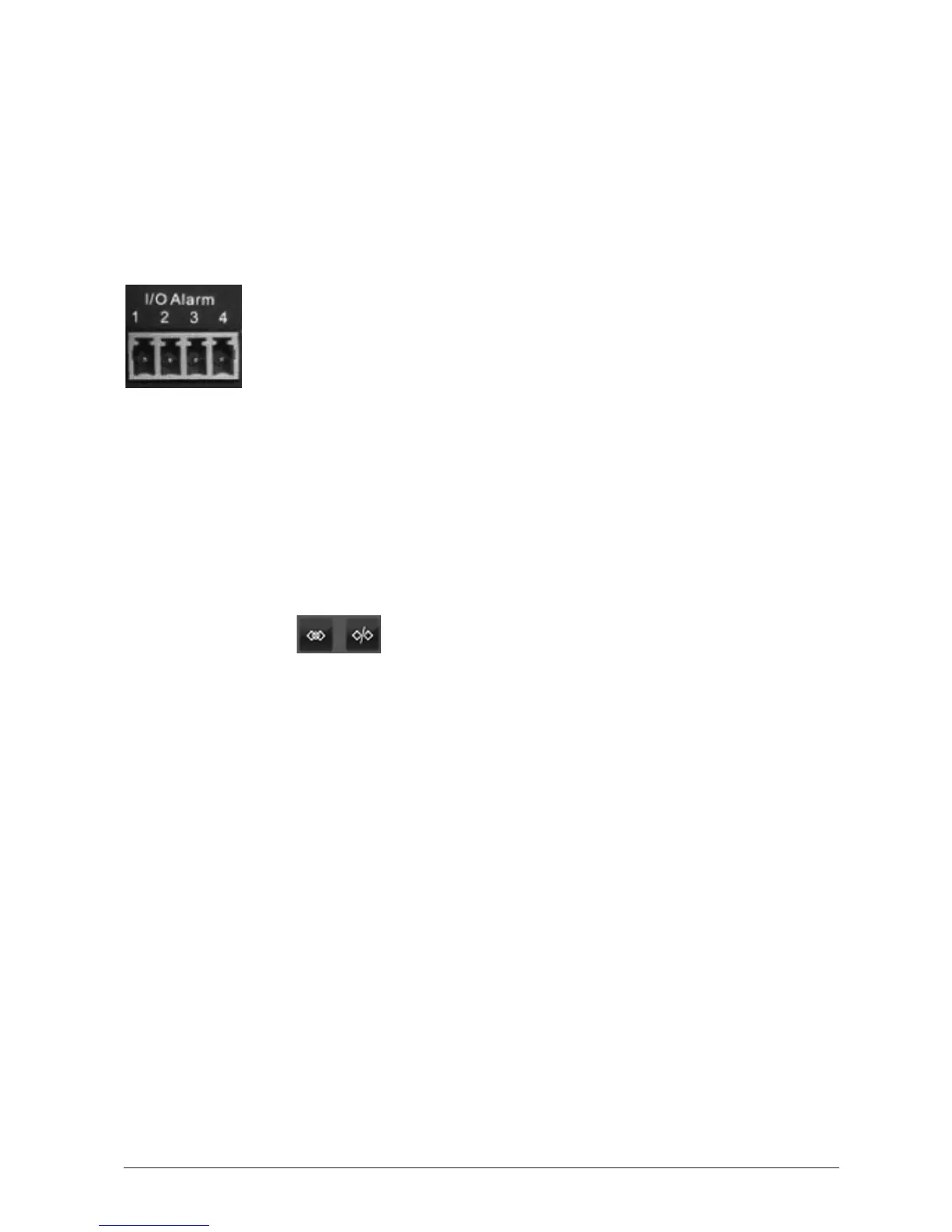
3.6.4 SengupI/Olinkagehardware
I/OPINS: (1) Output (+5V)
(2) Output
(3) Alarm input
(4) Input (GND)
InputPins: The input pins can be used for 1-way external sensor input. For example, you may
connect a Passive Infrared Sensor (PIR) to it for moon detecon. When an external sensor
triggered, WatchBot can be programmed to send an email with picture, or control the internal
relay output. If you link an external alarm with Pin3 and Pin4, when alarm input is armed, the
external alarm is enabled.
I/OLinkageonAlarm: Pin1 will output +5V when alarm is triggered, and output LOW when
alarm is released automacally.
Switch On/O buons control Pin1 output manually.
3.6.6 SendAlarmNocaonbyMail
If checked, an email alert will be sent containing images, me and date details. (See Secon
3.4 - Mail Service Sengs).
3.6.7 UploadImageonAlarm
If checked, images will be uploaded to the Path set in the eld below.
3.6.8 Scheduler
Check to enter a me schedule for when the alarm is armed or dormant. Simply click on the
calendar elds to select, and once more to deselect.
3.6.9 Saveyoursengs
Don’t forget to click ‘Submit’ to save your sengs!



 To Next Page