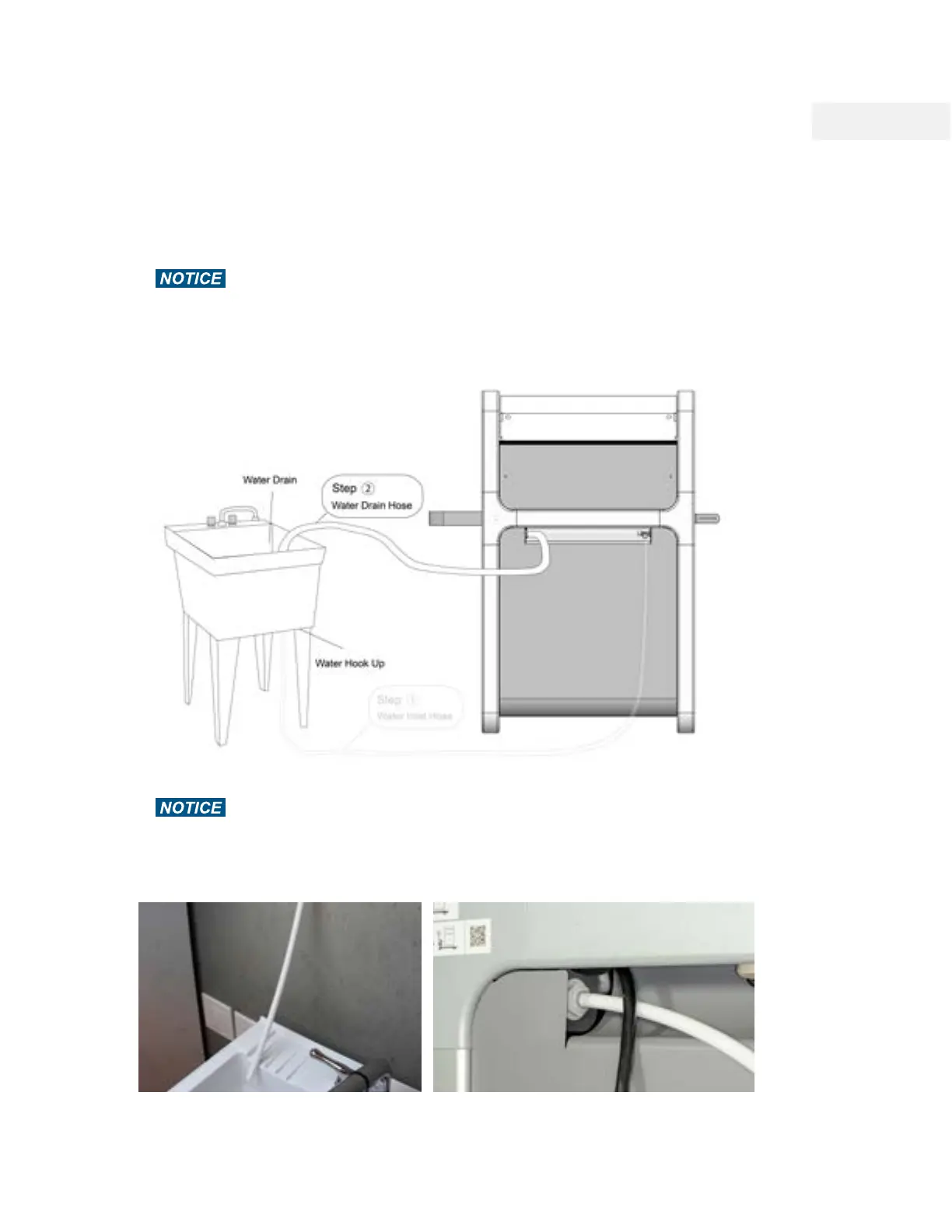
Hose 2: Install the Water Drain Hose
WAZER Pro Outputs a significant amount of water during cutting. The Water Drain Hose must be
connected to your drain before operation.
Make sure you are draining waste water appropriately. The water drained from
WAZER Pro is partially filtered. There will likely be some Used Abrasive and Material in the drained
water.
1. Connect the Water Drain Hose to WAZER Pro
In your Accessory Kit, you will find a Water Drain Hose (1/2” diameter White Hose). Connect
this hose to the Water Drain Hose Connection located in the back-right corner of WAZER Pro.
Make sure the drain is no more than 4 feet (1.2m) above WAZER Pro. Note that
WAZER Pro outputs a significant amount of water while cutting. An unsecured hose can
quickly spill large amounts of water. Tip: Draw a line 1" (25mm) away from the hose end will
help you seat the hose more easily
Note 3 Pg.17
38



 To Next Page