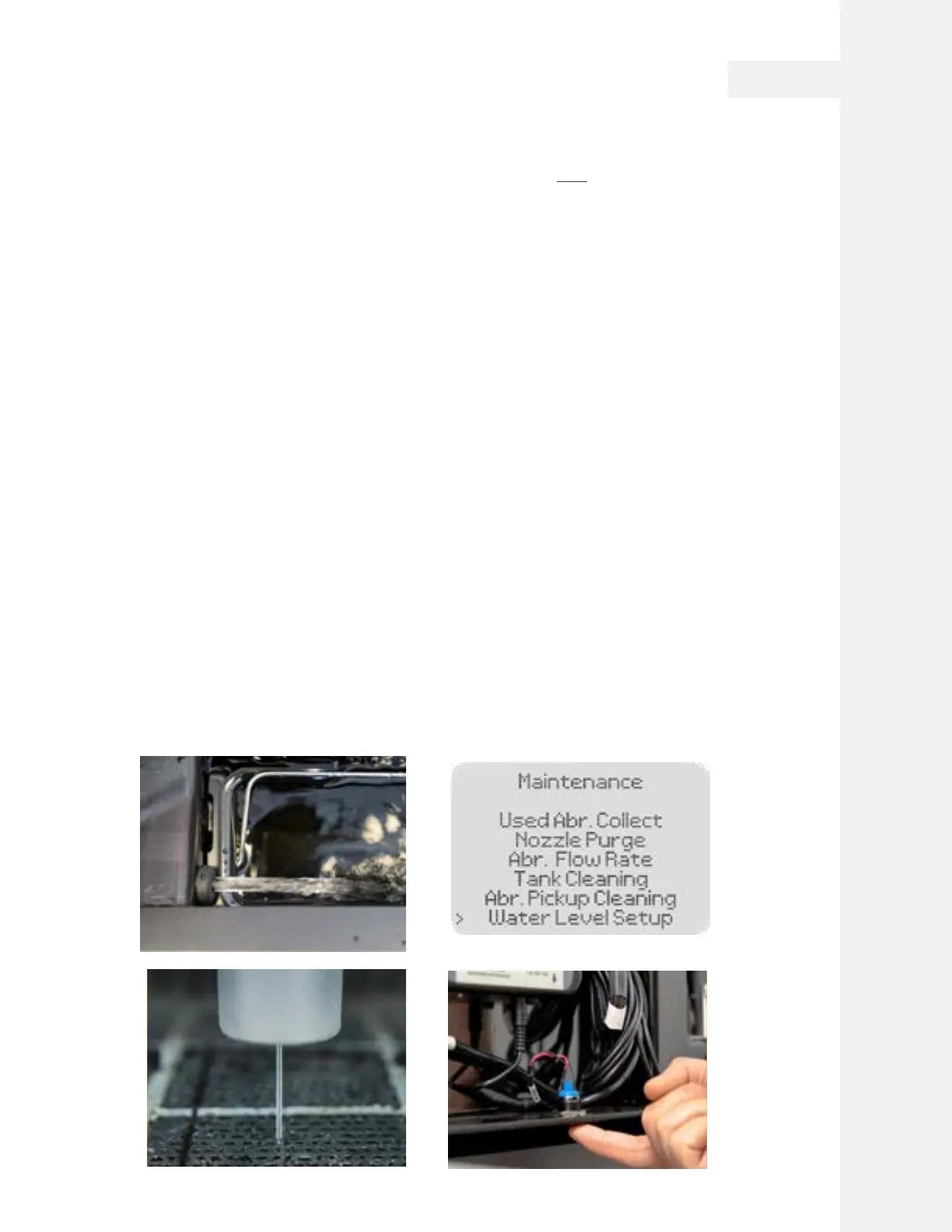
Establish Water Level
"Water Level Setup" is a useful feature in WAZER Pro. It can be used to check the status of High
Pressure System; it can also be used to check the Low Pressure and Drain System; its primary purpose
is to set the water in the tank to the optimum level.
It is advisable to perform this setup step whenever you have performed maintenance on the machine
that may have altered the water level. It just takes a few minutes but prevents interrupting your next
cut.
You can also quickly lower the water level by pressing the “Quick Drain“ Button. Upon pressing this
button, the Dump Pump and Drain Valve will work togather to pump water out from the tank.
Position of the submerge switch does not affect the water level resulted from Water Level Setup.
To Prime the High-Pressure System:
• Turn WAZER Pro on.
• Move the Nozzle assembly away from the Welcome Cut Material, onto a uncovered section of Cut Bed.
• Select “Setup & Maintenance” on the Control Panel. Go to “Maintenance”> “Water Level Setup”
• Remove the Abrasive Hose End from Cutting Head. This is critical, do NOT omit this step!
• Raise the cutting head approximately 0.5” (13mm) above the cut bed surface.
• Make sure door is closed. Press OK. The High Pressure and Drain systems will start alternately.
• Observe carefully as the trapped air is pushed out from the Nozzle by the water stream. This can be
both seen and heard as the water stream will change from a white irregular flow that makes a slight
hissing sound to a clear smooth stream that should be silent.
• Leave WAZER Pro to complete the "Water Level Setup". It may take the stream to be activated multiple
times to get all the air out of the system.
• During this time, you will notice the High Pressure Gauge needle slowly climbing up to the green zone.
• Wait for a few cycles, and check the high pressure gauge. The needle should stay in the green zone.
This indicates High Pressure system is primed and Pump is generating pressure.
• Contact WAZER support if any problems or abnormal observations appear.
• Put the Abrasive Hose back into the Nozzle after this step.
Note 5 Pg.18
Note 7 Pg.19
Note 4 Pg.17
Cutting With WAZER Pro |
SECTION 5
47



 To Next Page