www.wegener.com 800092-01 Rev. A 47
Unity 552 User’s Manual
APPENDIX 1 TERMINAL DIAGTERM COMMANDS
The iPump 562 provides command-line interface, Diagterm. The diagterm can be accessed
either using a RS-232 serial port or logging through LAN IP interface using Linux. The
diagterm commands are used to control or monitor the IRD operations. This method may be
used in conjunction other ways to control or monitor, namely,
Compel and OSD.
Apx 1.1 Diagterm Group Commands
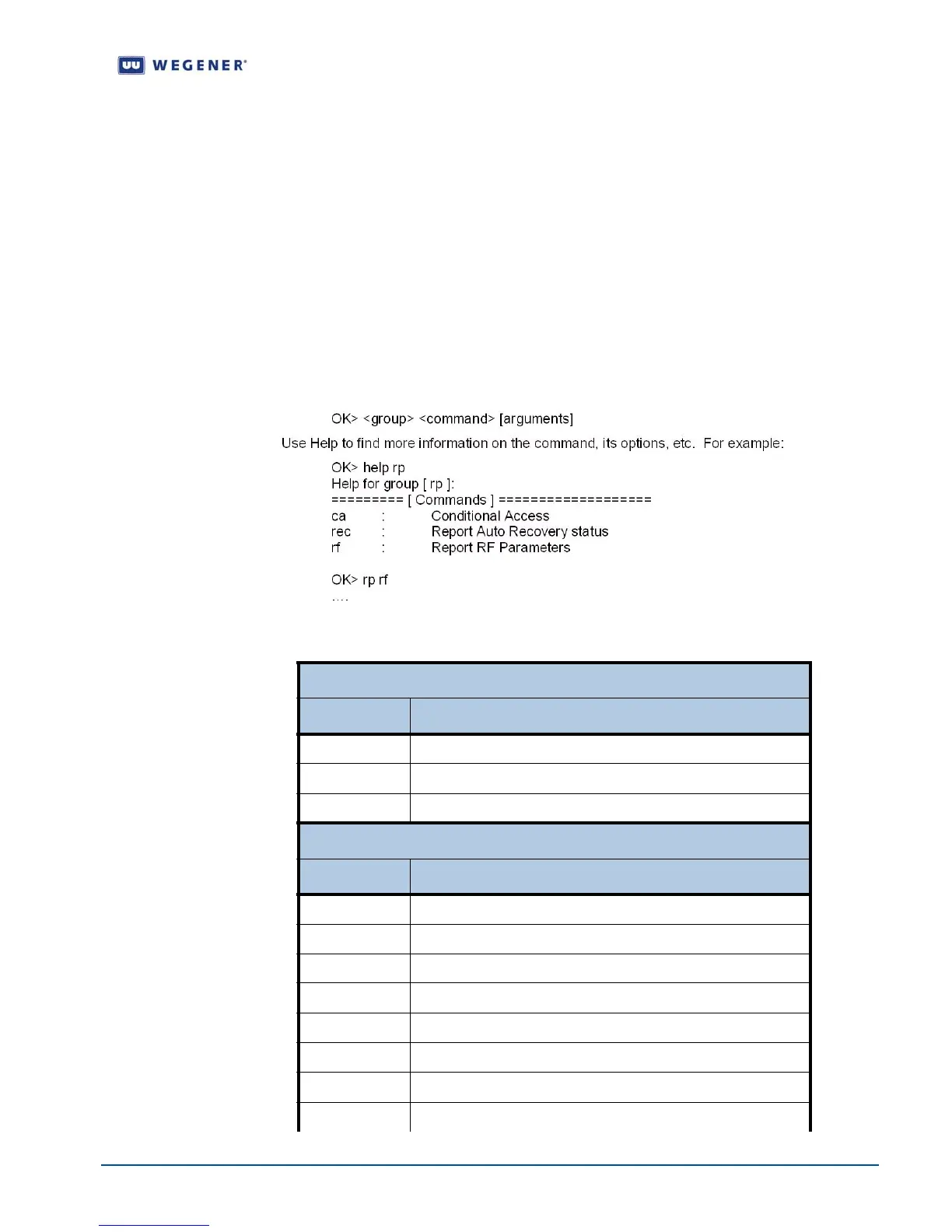
Some of the Diagterm terminal commands are grouped under common group name. The
commands belonging to a group perform related functions. Following is a list of groups and
their commands along with synopsis for each. A general syntax for the group command is:
Table Apx 1.1: Diagterm Group Commands
Group Name: rp
Command Synopsis
ca Report Conditional Access Information
rec Report Recovery Status
rf Report RF Parameters
Group Name: r
Command Synopsis
c Report Carrier Status
st Report Preset Table
s Report Settings Status
p Report Configuration Information
ns Report Network Services Status
http Report HTTP Information
g
Report Compel Group Table
r Report Relays Status



 To Next Page