Manual R06-2016116 / 172
ROTARY INDEXING TABLE CONTROLLER EF2...B
OPERATION / DESCRIPTION OF WEISS SOFTWARE | 8.5 Operation and Monitoring
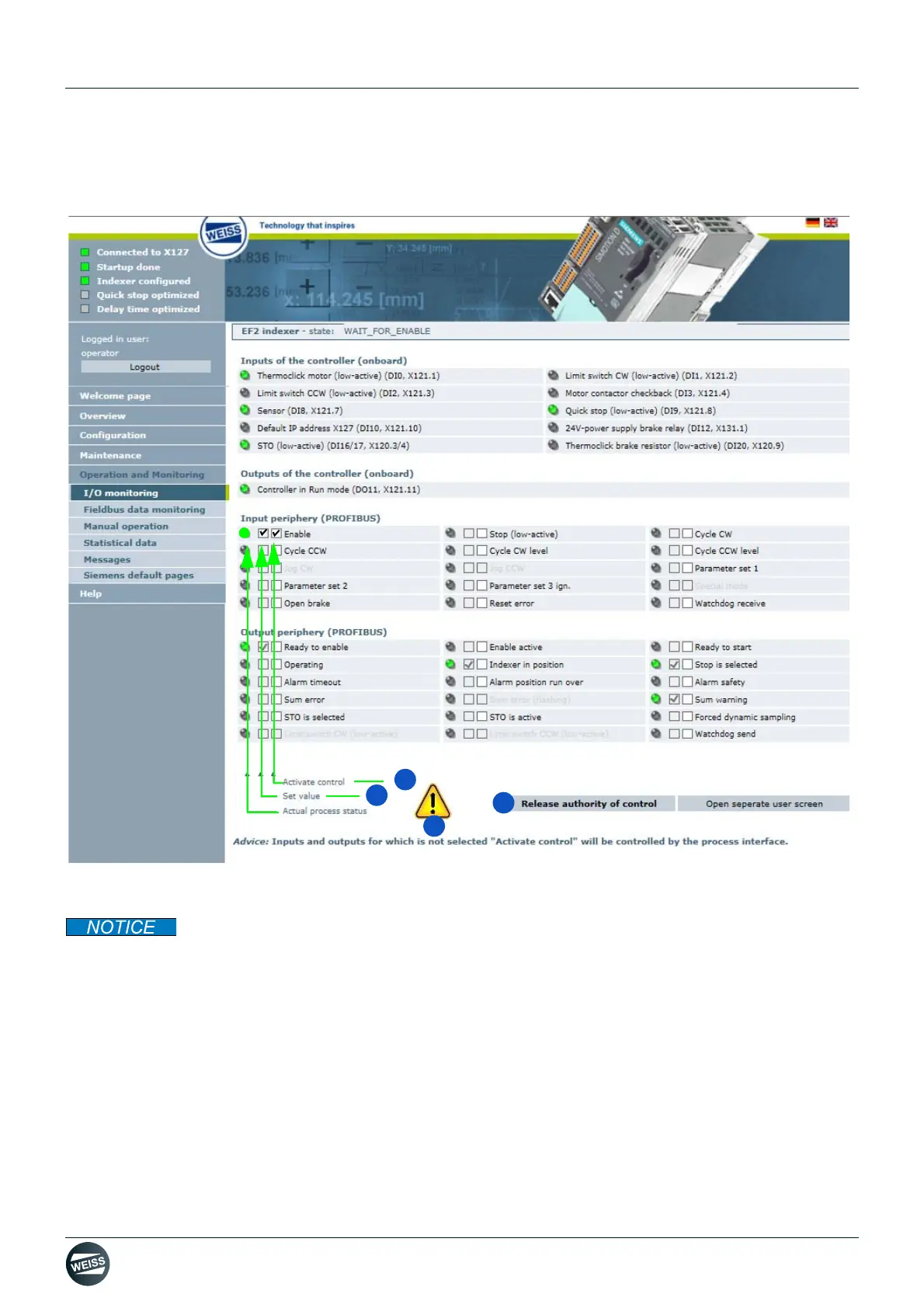
8.5.1.2 Forcing via the "Request authority of control" button
Fig. 67: Forcing via the "Request authority of control" button
With a separate user screen or second browser window open, forcing can only be carried out by
the browser window from which the operating option has been requested.
1. Request authority of control (indicated by the yellow warning symbol in the window).
The signals from a higher-level controller can be overwritten or forced - if there is no controller.
2. Activate forcing for an input or output.
3. Set the force value for the activated input or output.
The green light indicates that the process state is active.
4. Release authority of control after forcing is done.


 To Next Page