Manual R06-201678 / 172
ROTARY INDEXING TABLE CONTROLLER EF2...B
OPERATION / DESCRIPTION OF WEISS SOFTWARE | 8.1 Start page
8.1.1 User interface on the start page
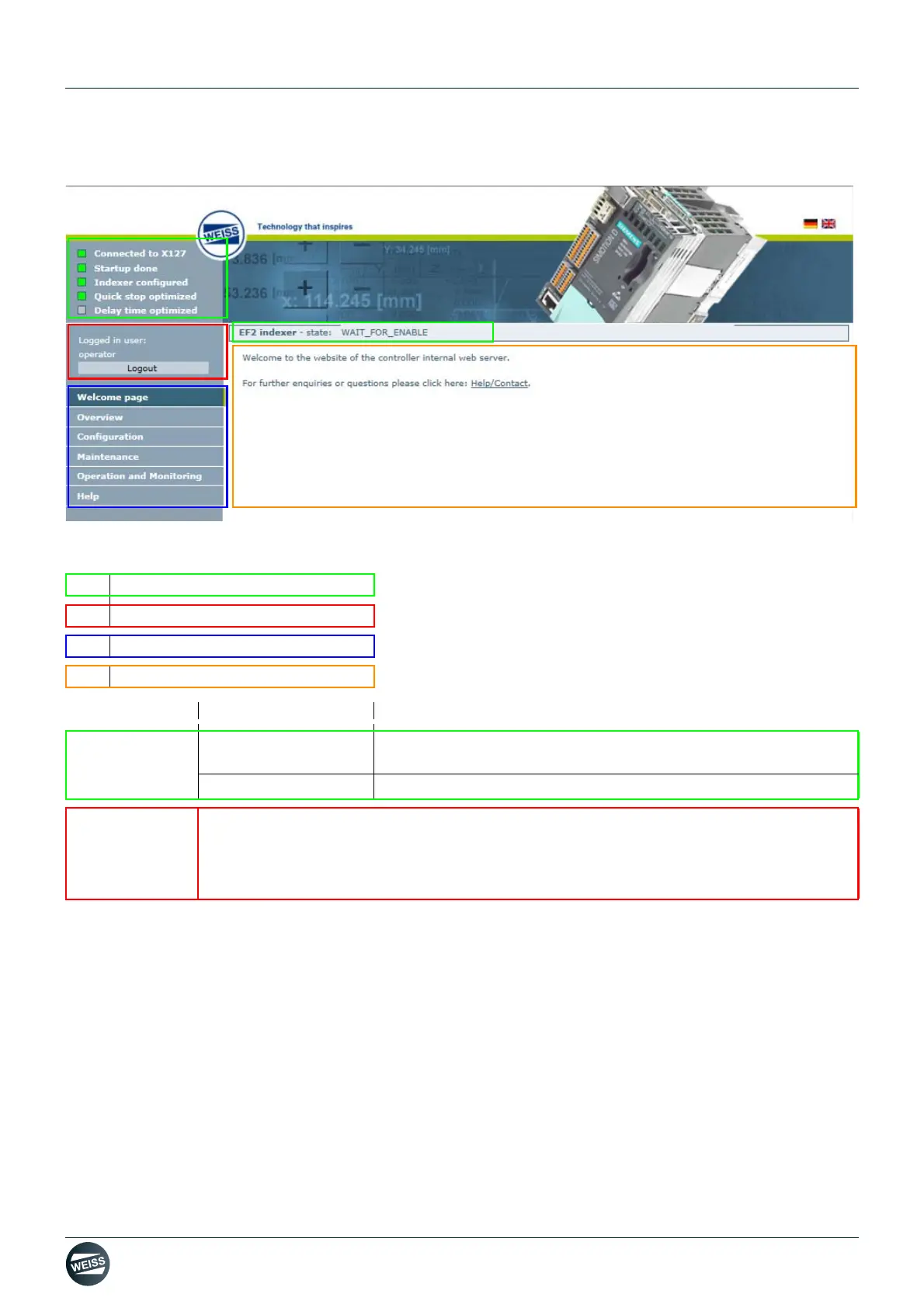
Fig. 51: Description of the user interface of the EF2 controller
[A] Status indicator
[B] Login
[C] Navigation
[D] Information / Selection
Area Topic Section
Status indicator Controller
Green: Action successfully completed
Grey: Action not executed yet
Rotary indexing table
Rotary indexing table state: e.g. WAIT_FOR_ENABLE
Login Certain sections in the user interface are reserved for authorized personnel.
A user name and password have to be entered to access these sections.
Each controller comes with a user name and password.
(chapter 8.1.2 „Login“ on page 79)


 To Next Page