Manual R06-201684 / 172
ROTARY INDEXING TABLE CONTROLLER EF2...B
OPERATION / DESCRIPTION OF WEISS SOFTWARE | 8.3 Machine configuration
8.3.4 Indexer configuration
1st section of a machine configuration: Indexer configuration.
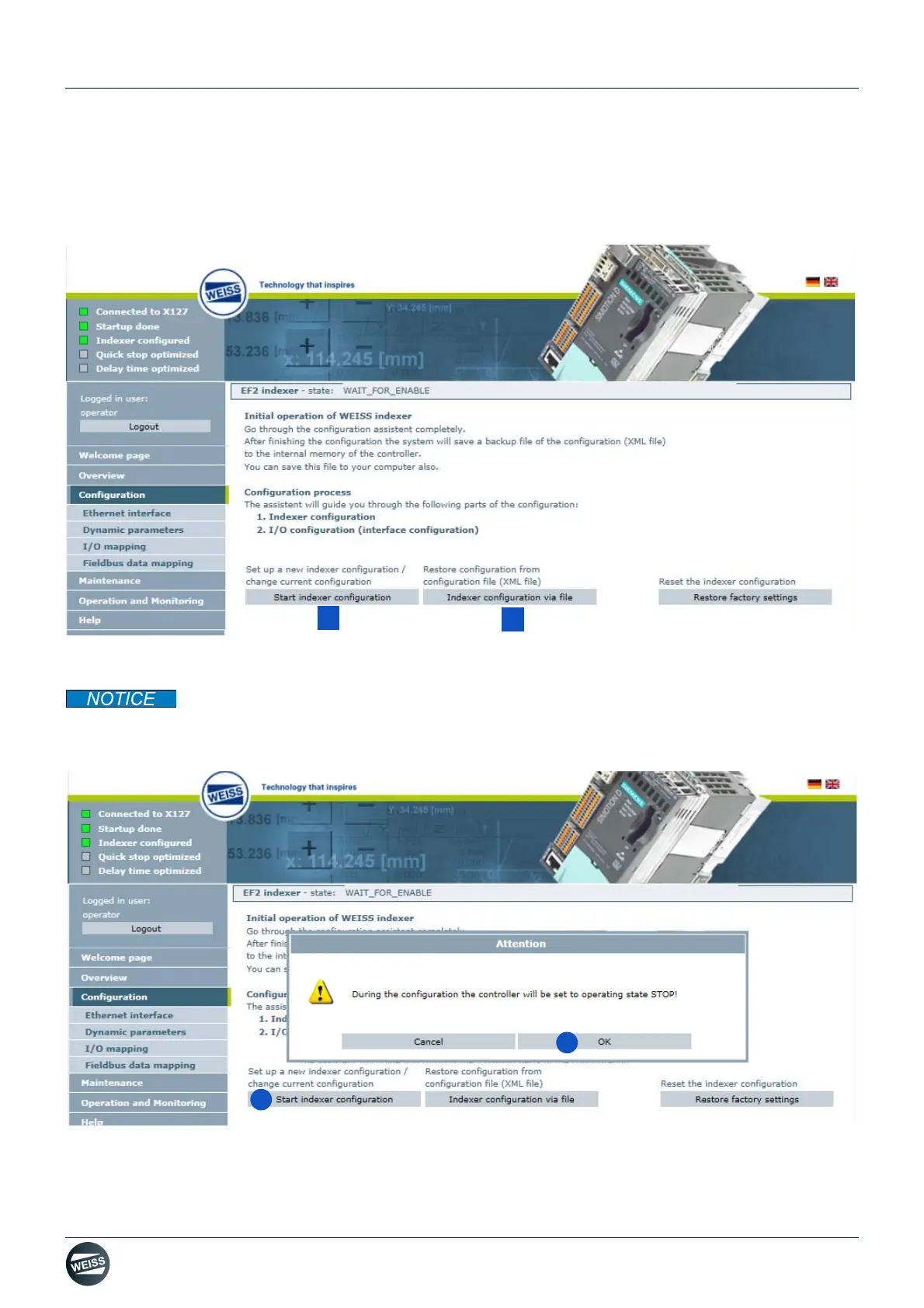
There are two different ways to configure a rotary indexing table.
[A] Start indexer configuration (chapter 8.3.4.1 „Start indexer configuration“ on page 84)
[B] Indexer configuration via file (chapter 8.3.4.2 „Indexer configuration via file“ on page 86)
The indexer configuration and/or the resetting of the factory settings can only be started after the
controller has successfully booted. A valid operation license must be available for the configuration of the table.
8.3.4.1 Start indexer configuration
1. Start indexer configuration.
2. Confirm the message with OK.


 To Next Page