14 GSM module (option)
Together with your Winterhalter service technician, you can define which fault messages should be
forwarded via text message or e-mail using the GSM module.
This involves the Winterhalter service technician making the following settings (P9928):
Data transfer via text message, or
data transfer via e-mail, or
data transfer via text message and e-mail
Examples:
An empty detergent or rinse aid drum causes a fault message to be generated, and the message is
automatically forwarded to your company technician.
As soon as the next service is due, your company technician receives a message and can contact the
Winterhalter service technician.
...
This system offers you the security of knowing that faults with a critical effect on hygiene can be quickly
detected and rectified.
How to define the mobile phone number for data transfer via text message:
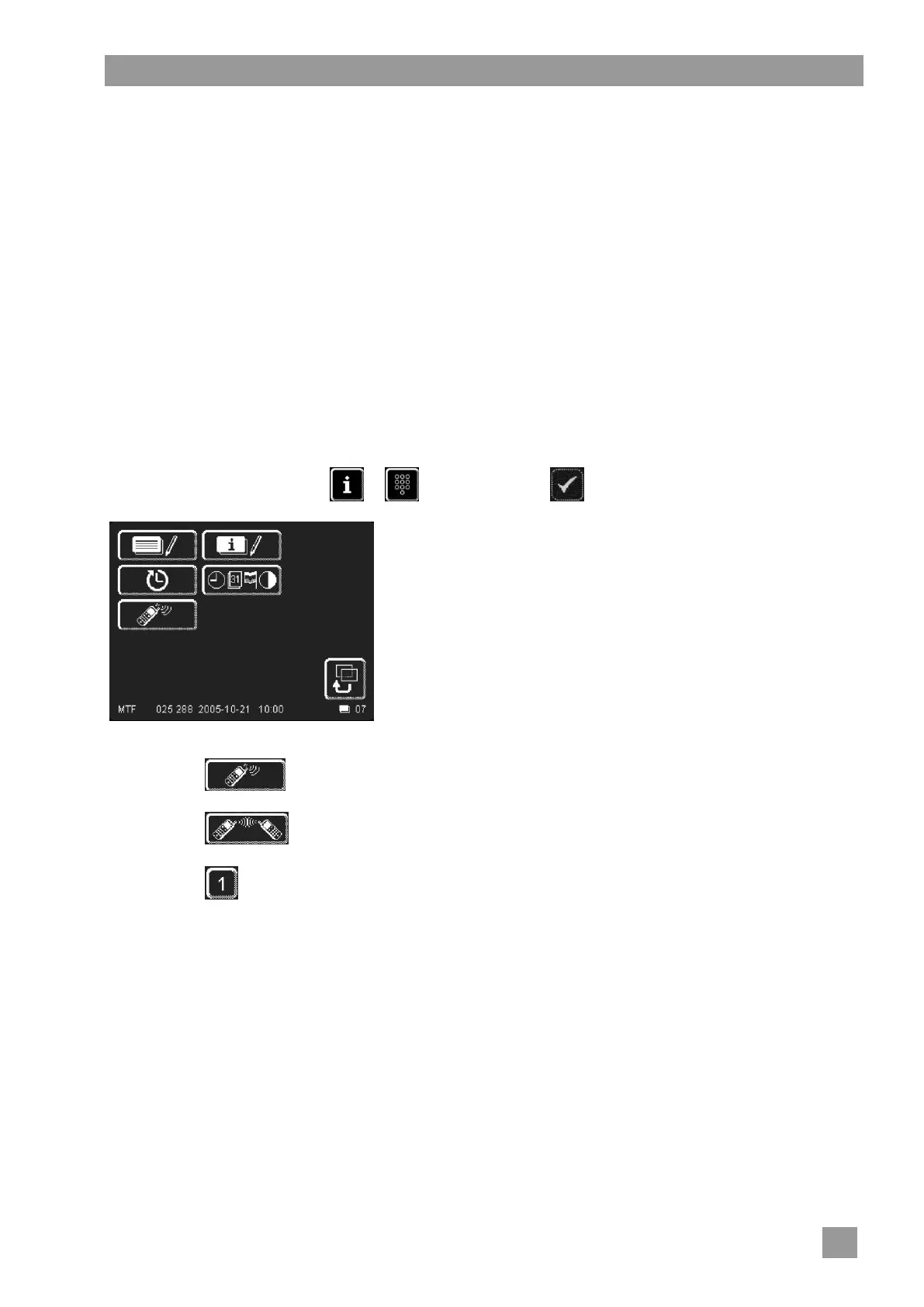
Access the PIN menu: PIN 1575
Touch the button.
Touch the button.
Touch the button.
Enter a mobile phone number using the numeric keypad.
Format:
International dialling code, omitting the “00” e.g. 44 for UK
Network prefix, omitting the “0” e.g. 170
Phone number of the mobile phone e.g. 787700
Result: 44170787700
Confirm with the button.
Touch the back button (13) to exit the menu.
The entered mobile phone number appears in full on the screen.




 To Next Page