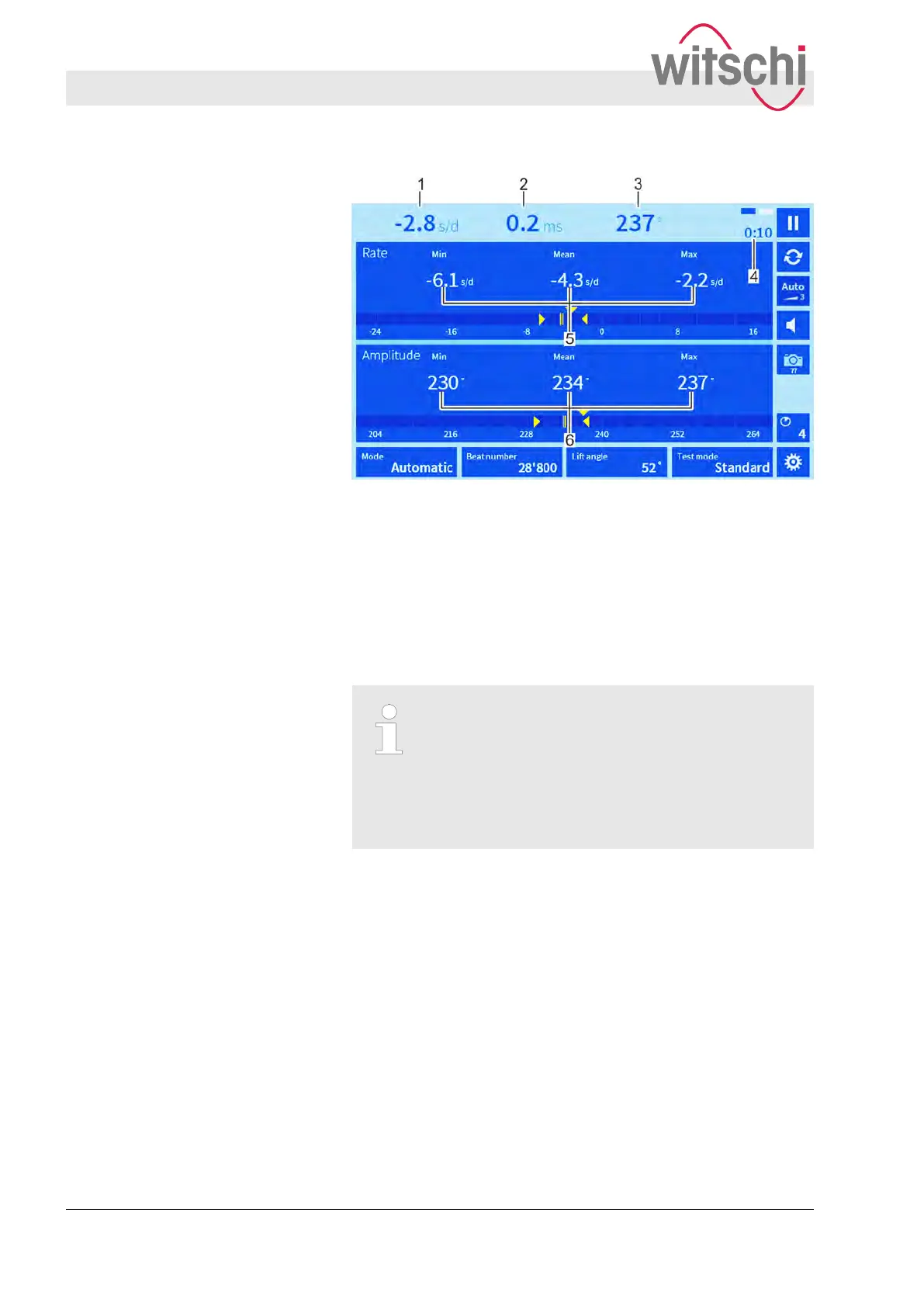
Fig. 27: VARIO display mode
In the VARIO display mode, the rate (Fig. 27/1), beat error (repère)
(Fig. 27/2) and amplitude (
Fig. 27/3) are illustrated numerically.
The flashing rectangles (Fig. 27/4) show that a signal is being
received. The elapsed measuring time is displayed underneath
(Fig. 27/4).
During the measuring procedure, the smallest, largest and
resulting mean measured values are shown for rate stability
(Fig. 27/5) and amplitude (Fig. 27/6).
Evaluation of rate quality and amplitude
– The difference between the smallest and
largest rate value (Fig. 27/5) is an indicator for
the rate quality of the watch. The smaller the
difference, the better the rate stability.
– The mean value is an indicator of the compar-
ison quality (control) of the clockwork.
VARIO display mode
Performing a measurement
Monitoring the measured results
27.02.2018Precision measuring device Watch ...48



 To Next Page