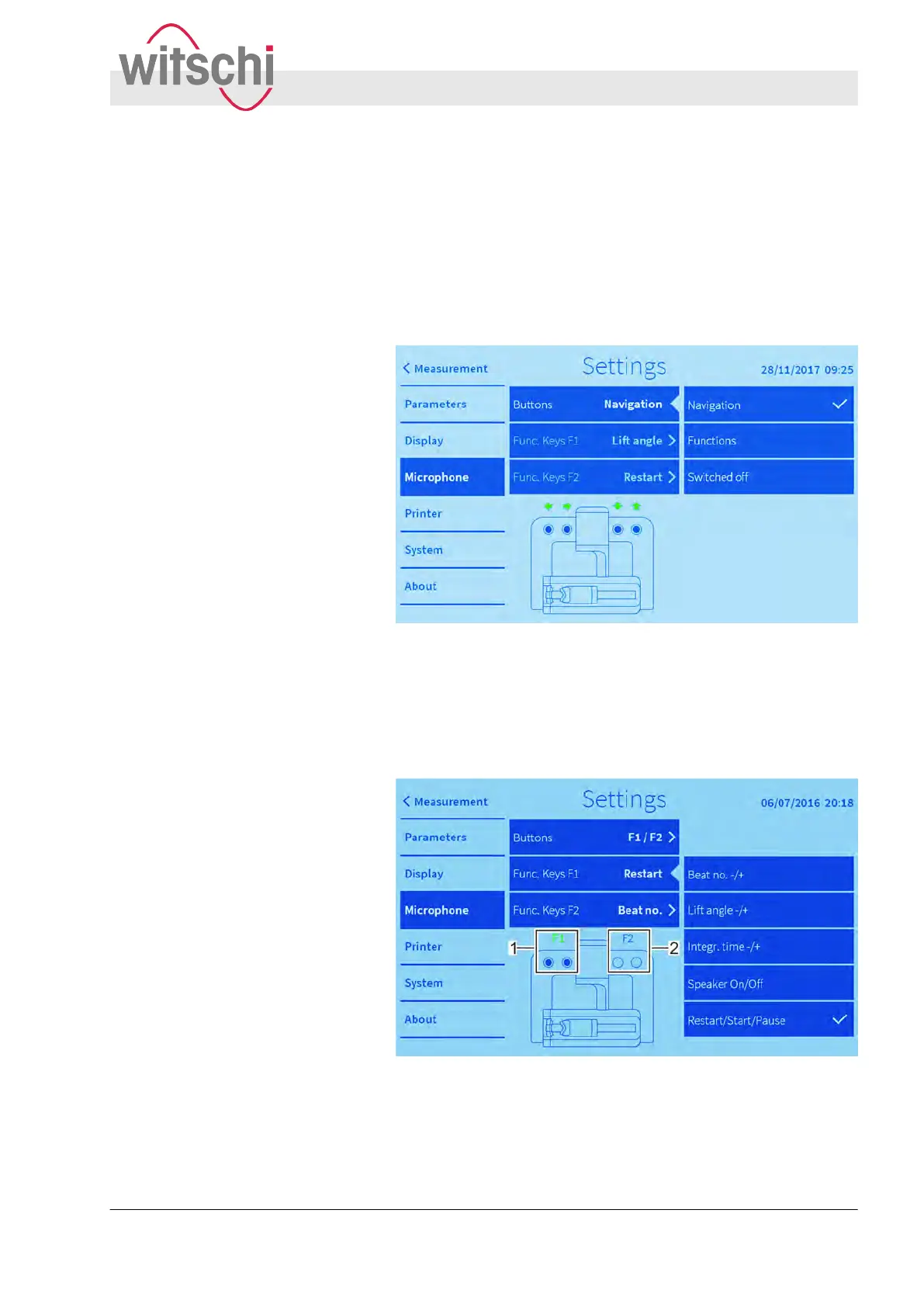
n Use the microphone buttons as navigation buttons in the dis-
play mode.
n Assign a function to both left microphone buttons.
n Assign a function to both right microphone buttons.
n Switch of
f the microphone buttons.
Fig. 35: Setting up navigation buttons
The two microphone buttons on the left can be used in the display
mode as arrow buttons (down/left and up/right). The two micro-
phone buttons on the right can be used to change parameters and
modes, depending on the touch button in question.
Fig. 36: Assigning functions
The two microphone buttons on the left (1) and two microphone
buttons on the right (2) can be assigned fixed functions which can
be used to control the touch buttons.
Use as navigation buttons
Assigning functions to microphone
buttons
Configuring the user interface
Configuring microphone buttons
27.02.2018 Precision measuring device Watch ... 59



 To Next Page