Operation
18 ES 7100 PLUS 10.2011
----CASH ACTION----
*Cash collected
Manual filling
^ v Sel Esc
SNavigation buttons
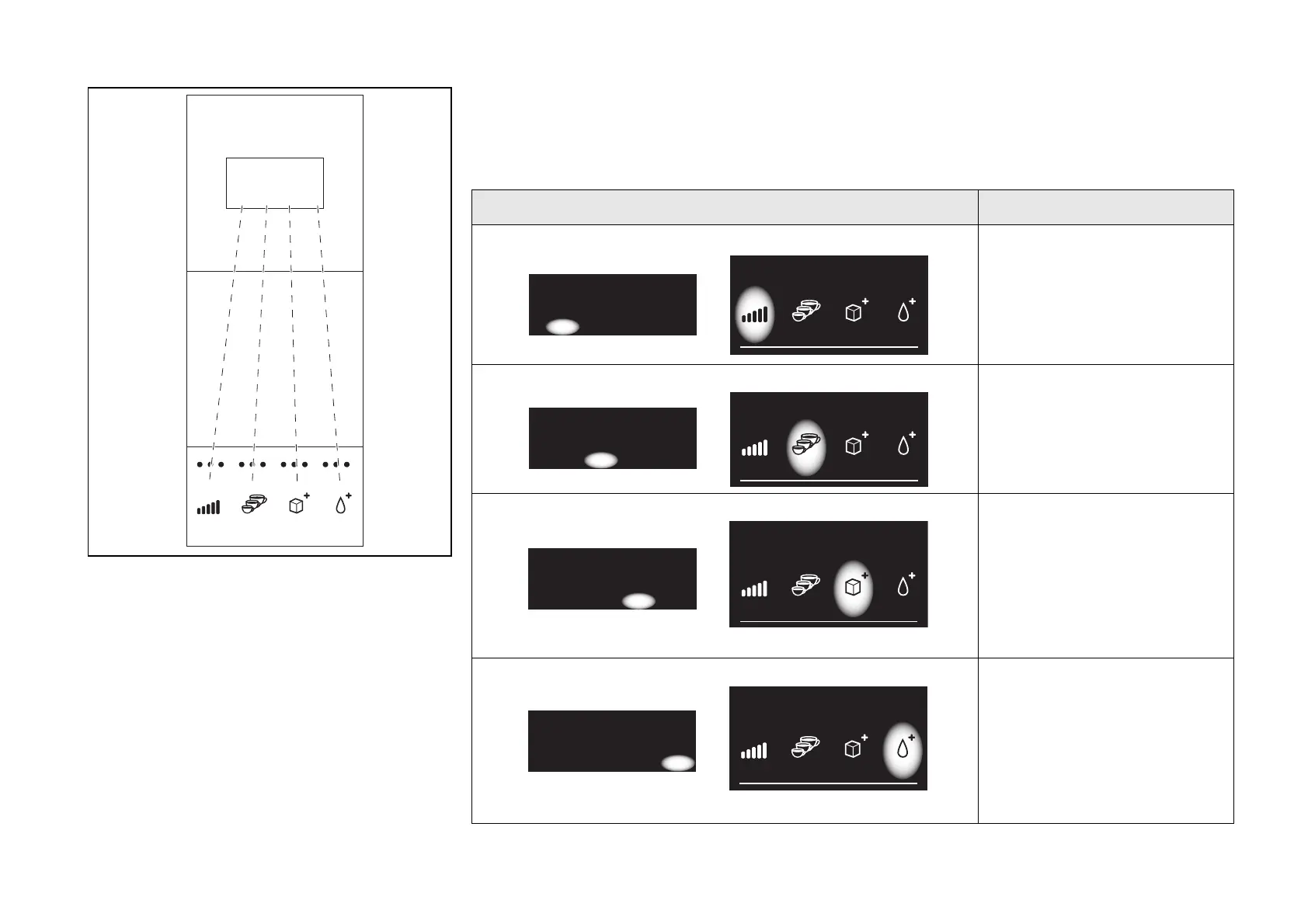
The four pre-selection buttons are used as
navigation buttons for retrieval of sales data,
settings, e.g. of prices, and activation of
service functions (fig. 8).
(See also diagram “Overview of Operator and
Technicians functions” on page 10.)
How to use the navigation buttons
This table describes how the four pre-selection buttons are used as navigation buttons.
Display Button Function
‘Up’ button
Press this button to move
up one step at a time
‘Down’ button
Press this button to move
down one step at a time
‘Sel’ button’
Press this button to
• move one step to the
right
or
• activate a function, eg.
rinsing.
‘Esc’ button
Press this button to
• move one step to the left
or
• jump to the top of a row,
e.g. from “Turnover per
drink” to “Total turnover”.
----SALES AUDIT----
*Total number
Total turnover
^ v Sel Esc
----SALES AUDIT----
*Total number
Total turnover
^ v Sel Esc
----SALES AUDIT----
*Total number
Total turnover
^ v Sel Esc
----SALES AUDIT----
*Total number
Total turnover
^ v Sel Esc
8



 To Next Page