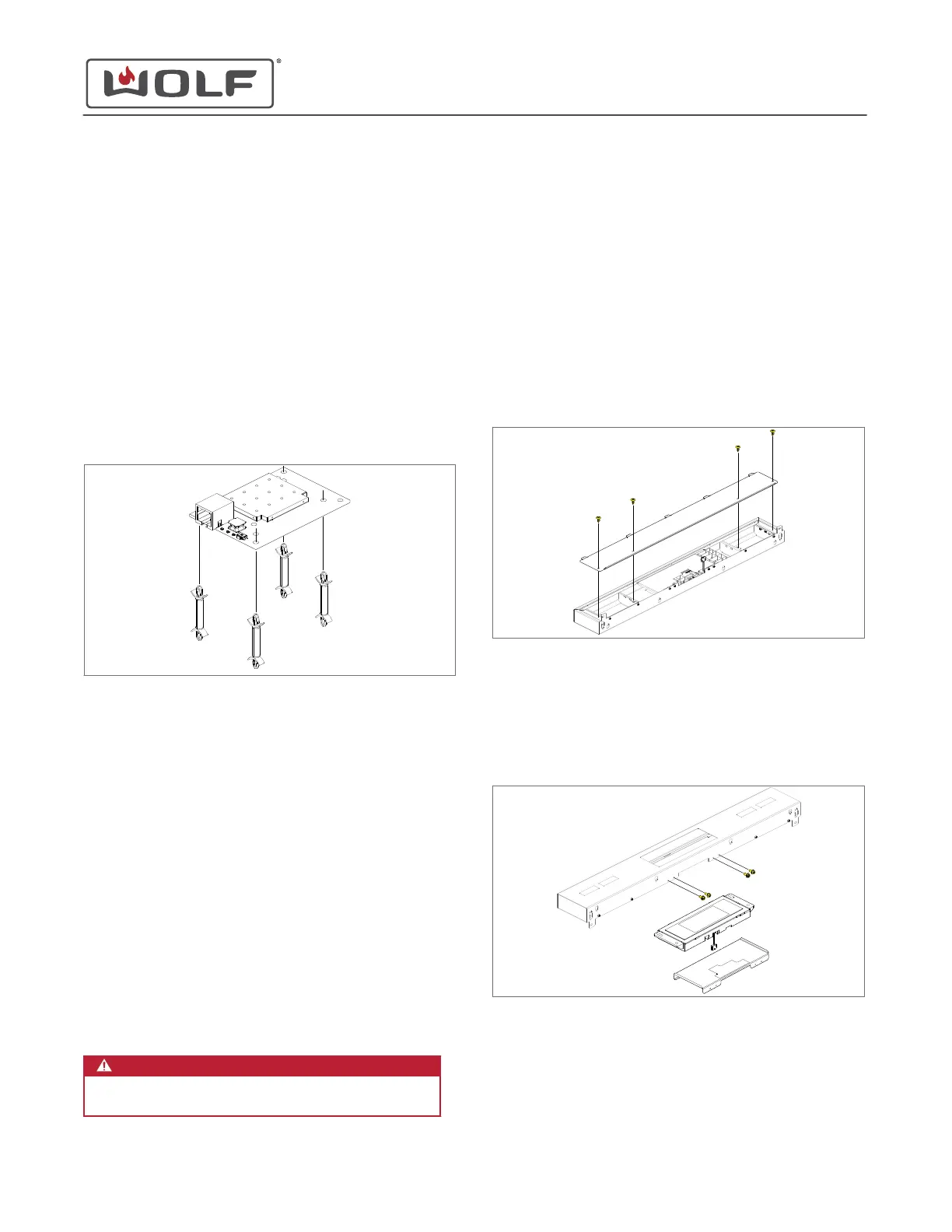
To remove the UIM, first remove:
1
Oven door
2
Skirt
3
Cover collar
Remove the User Interface Module (UIM)
TIP: The UIM is above the right-hand side of the oven. There is
only one UIM in each unit.
1 Compress the tabs of the standoffs. Lift the UIM from the
standoffs.
2 Pull the UIM forward.
3 Disconnect the wire harness from the UIM.
4 Remove the UIM from the unit.
USER INTERFACE MODULE (UIM) INSTALLATION
After installing the UIM, install:
1
Cover collar
2
Skirt
3
Oven door
Install the User Interface Module (UIM)
1 Install the wire connector onto the UIM.
2 Place the UIM onto the standoffs.
3 Push the UIM down, locking the UIM onto the standoffs.
DISPLAY CONTROL ASSEMBLY REMOVAL
WARNING
Disconnect the product from the power source
before starting this procedure.
To remove the display control assembly, first
uninstall the unit
.
Then remove:
1
Cooktop
2
Oven door
3
Skirt
4
Cover collar
5
Bullnose
Remove the Display Control Assembly
1 Use a T-20 Torx bit to remove the screws from the lower
bullnose cover.
2 Remove the lower bullnose cover from the bullnose.
3 Use a T-20 Torx bit to remove the screws from the display
mounting support.
4 The display control assembly is attached to the display
mounting support with double-sided tape. Separate the
display control assembly from the display mounting
support.
5 Remove the wire harness from the display control assembly.
30" and 36" Induction Range
Electronic Component Removal and Installation
service.subzero.com
829191 REVA
52



 To Next Page