25
1
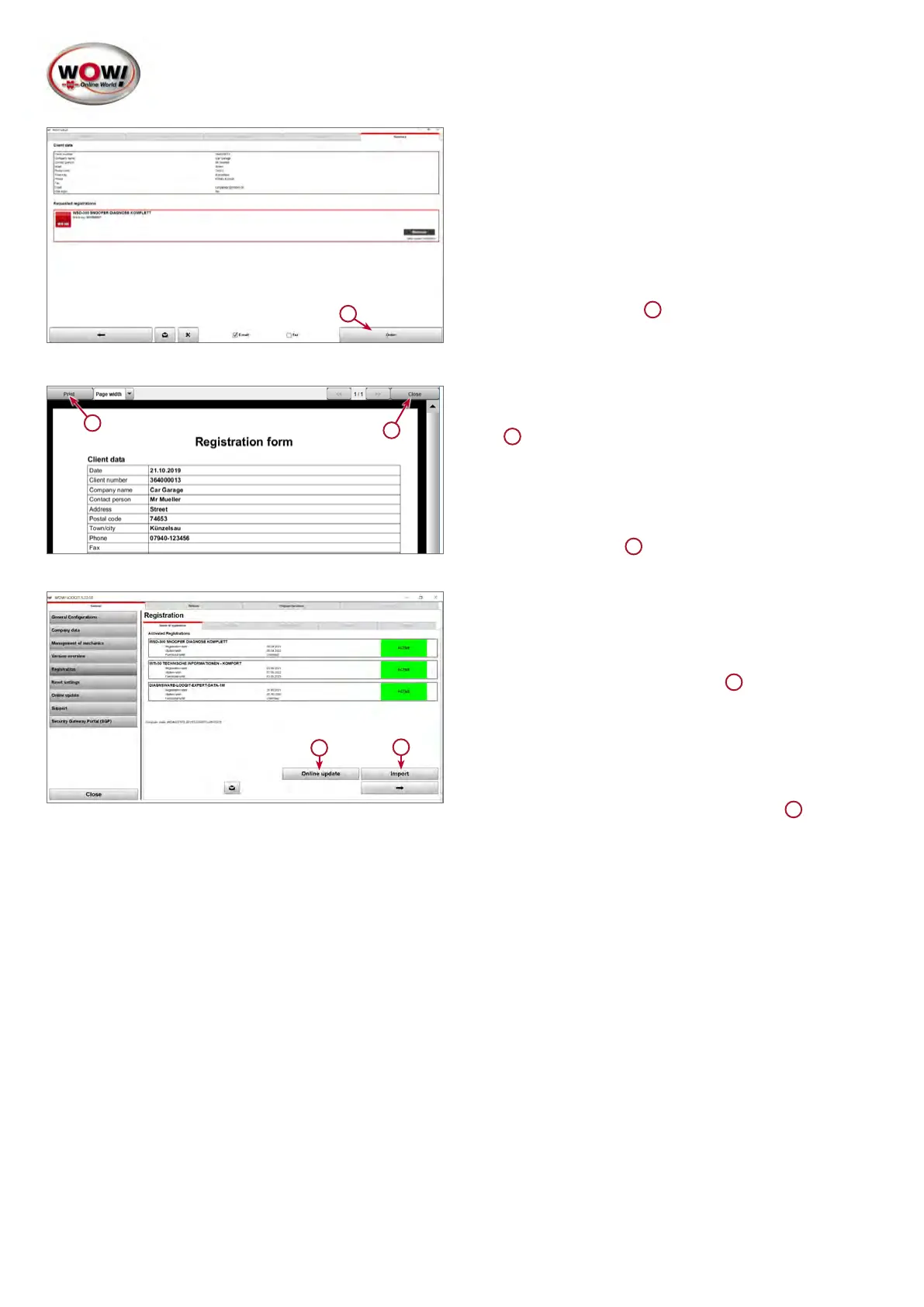
6. Submitting a registration request.
If your computer is online, the registration request is
sent to the server.
Click Order to continue.
1
1
2
7. If the computer is not online, the request must be prin-
ted out and sent by fax to your WOW! service partner.
1
Print out the form by clicking Print. The contact de-
tails and the fax number can be found on the delivery
note or invoice and will be displayed in the software in
the next window.
Continue with Close.
2
1
2
8. The requested registrations are shown in the tab Sta-
tusofregistration. If the computer is online, enabling
thedevicecanbenalisedwithanonlineupdate.
To do this, click Online update.
1
If there is no internet connection, a licence can be
requested by phoning the hotline of the respective
WOW! service partner.
Thelicencelesentbyemailcanbecopiedtothe
software by means of the Import option.
2


 To Next Page
 Loading...