Current weighing result (net weight) in a current unit.
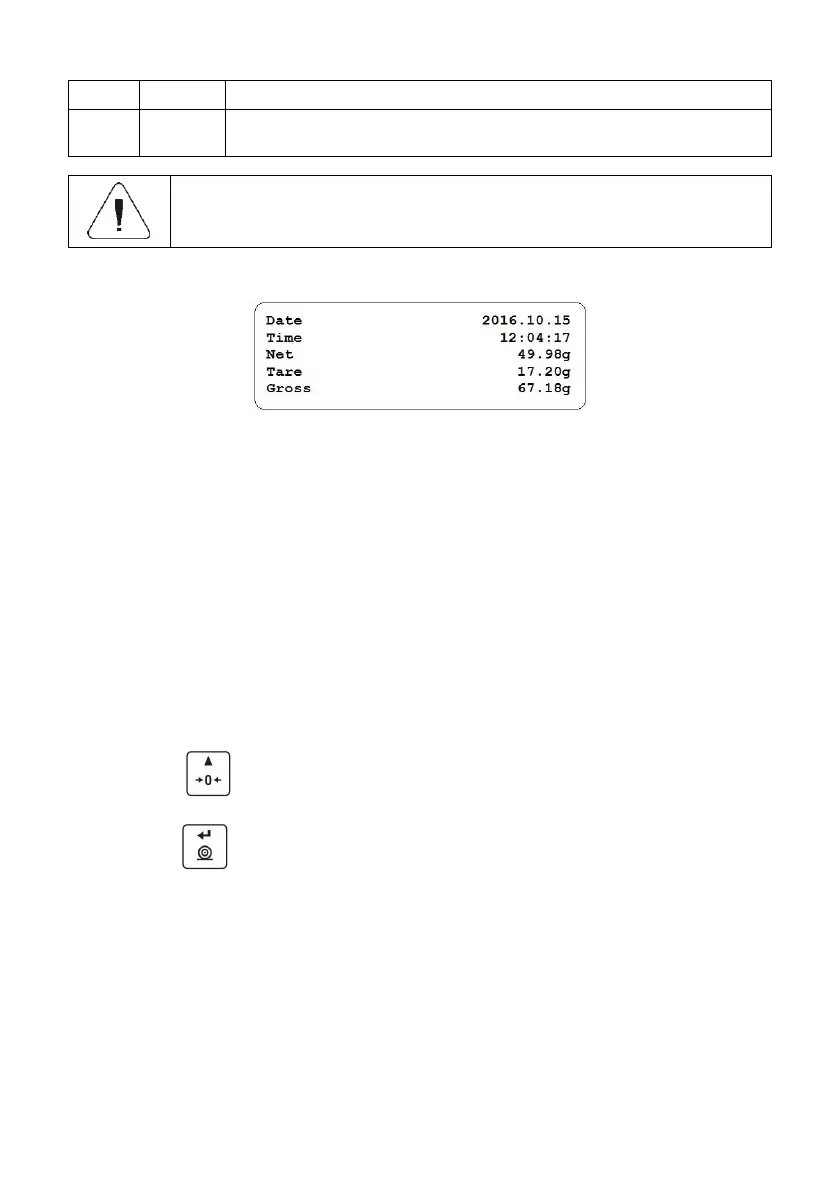
The last adjustment report generated in accordance with settings declared
for the adjustment report printout.
Printouts are generated exclusively in English.
Report example:
17. MISCELLANEOUS PARAMETERS
<P7.Othr> is a group of parameters enabling you to adapt the scale
to individual needs.
17.1. Automatic Backlight Switch-Off
Parameter allowing to set time interval, in [min], after which display backlight
goes off. If the indication is stable during the declared time interval, the screen
backlight goes off automatically.
Procedure:
Enter <P7.Othr / 7.1.bl> submenu.
Press key, parameter values are displayed successively one by
one: nonE – function disabled, 0.5, 1, 2, 3, 5.
Press key to confirm, next go to the home screen.
17.2. Display Brightness
Parameter allowing to change display brightness, the brightness can be
changed within 0% - 100% range.
Procedure:
Enter <P7.Othr / 7.2.bLbt> submenu.



 To Next Page