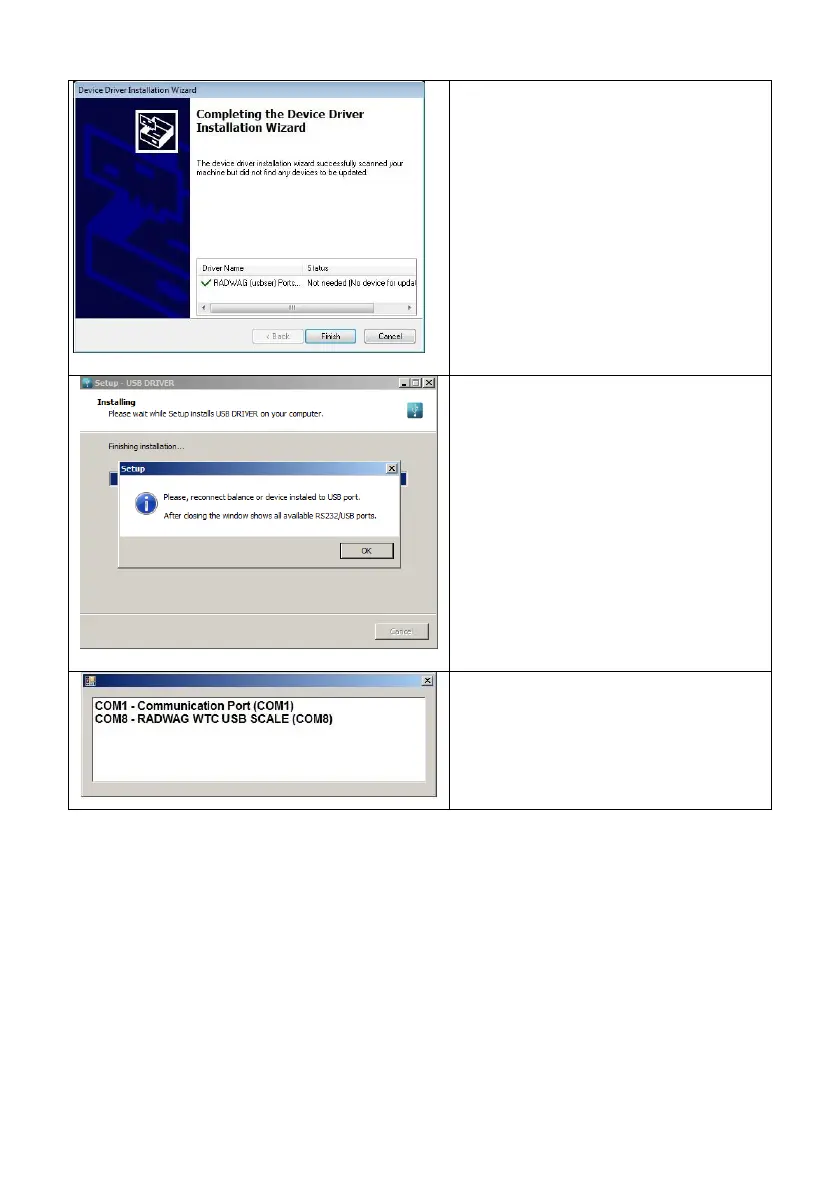
Connect the scale to a computer
again, use 1.8-meter long USB A/B
cable maximum. Respective message
box is displayed, press OK button for
confirmation.
„COM ports Screen” automatically
displays number of installed COM port.
In this very case it is COM8.
2. Enter < P5.ducE / 5.1.PC / 5.1.1.Prt> submenu and set <USbb> value.
3. Run program for measurements readout.
4. Set communication parameters – select COM port that was installed in the
course of drivers installation (in this very case it is COM8).
5. Start cooperation.
14.4. Wireless communication module
Optional design
Enter <P4.Conn / 4.3.UUF> submenu and set respective transmission
parameter values:



 To Next Page