25.1. Local Settings
To go to local settings enter <3.6.Add> submenu.
Working mode accessibility
For detailed description read section 19.2.1.
For detailed description read section 19.2.2.
For detailed description read section 19.2.3.
For detailed description read section 19.2.4.
25.2. Totalizing Operation
Enter <Add> working mode (Totalizing), blinking „▲” pictogram
is displayed.
If the ingredients are to be weighed in a container, first put the container
on a weighing pan and tare it.
Load the weighing pan with the ingredient no.1. When the indication
is stable ( pictogram is displayed), press key to confirm the mass.
Total mass value is displayed, now the „▲” pictogram is displayed
continuously.
Unload the weighing pan, ZERO is displayed, „▲” marker starts blinking
again.
Load the weighing pan with the ingredient no.2, wait for a stable weighing
result and press key.
Total mass value of ingredient no. 1 and 2 is displayed, now the „▲”
pictogram is displayed continuously.
In order to finish the process, press key, text <Prnt?> (Print?)
is displayed.
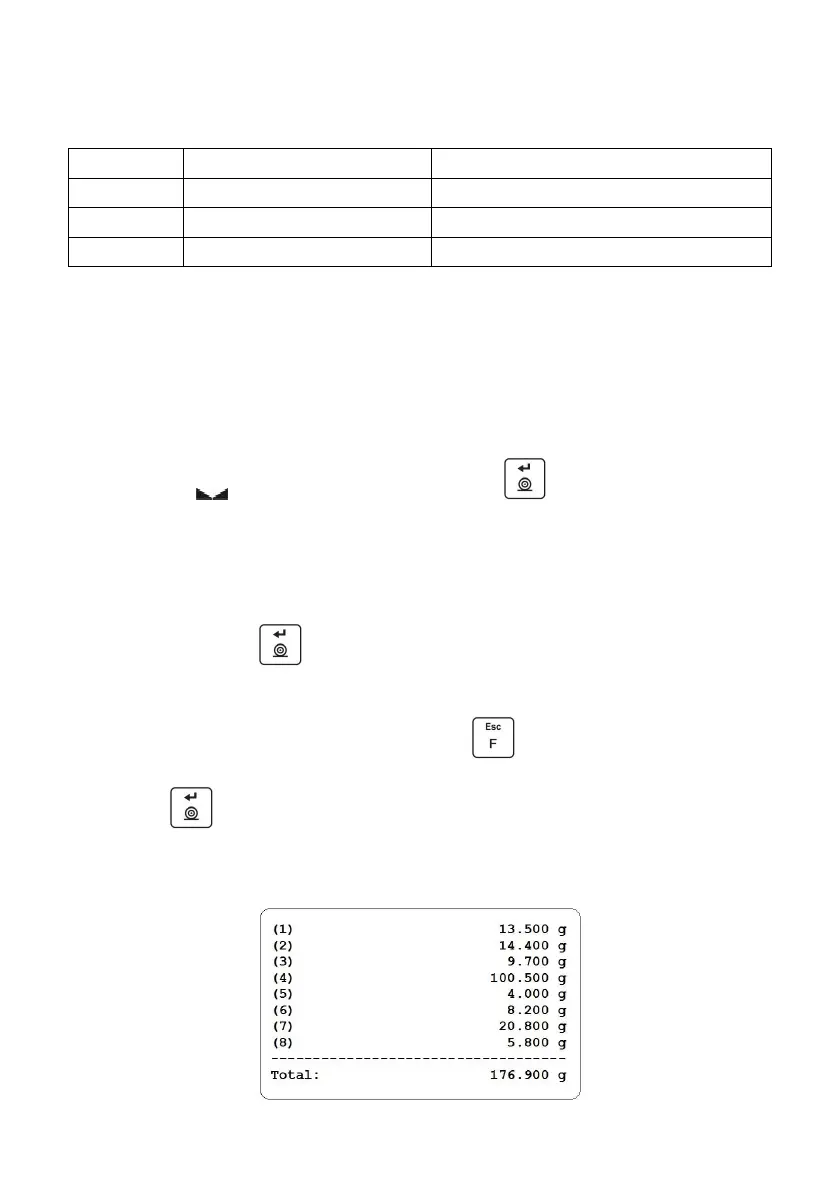
Press key, total mass value of all recorded weighings is printed on
a scale-connected printer.
Report example:



 To Next Page