Data memory pH/Cond 3320
68 ba77054e03 03/2018
Settings You can configure the automatic data storing function with the following
settings:
Starting the auto-
matic storing func-
tion
To start the automatic storing function, select Continue with <>< > and con-
firm with <ENTER>. The meter switches to the measured value display.
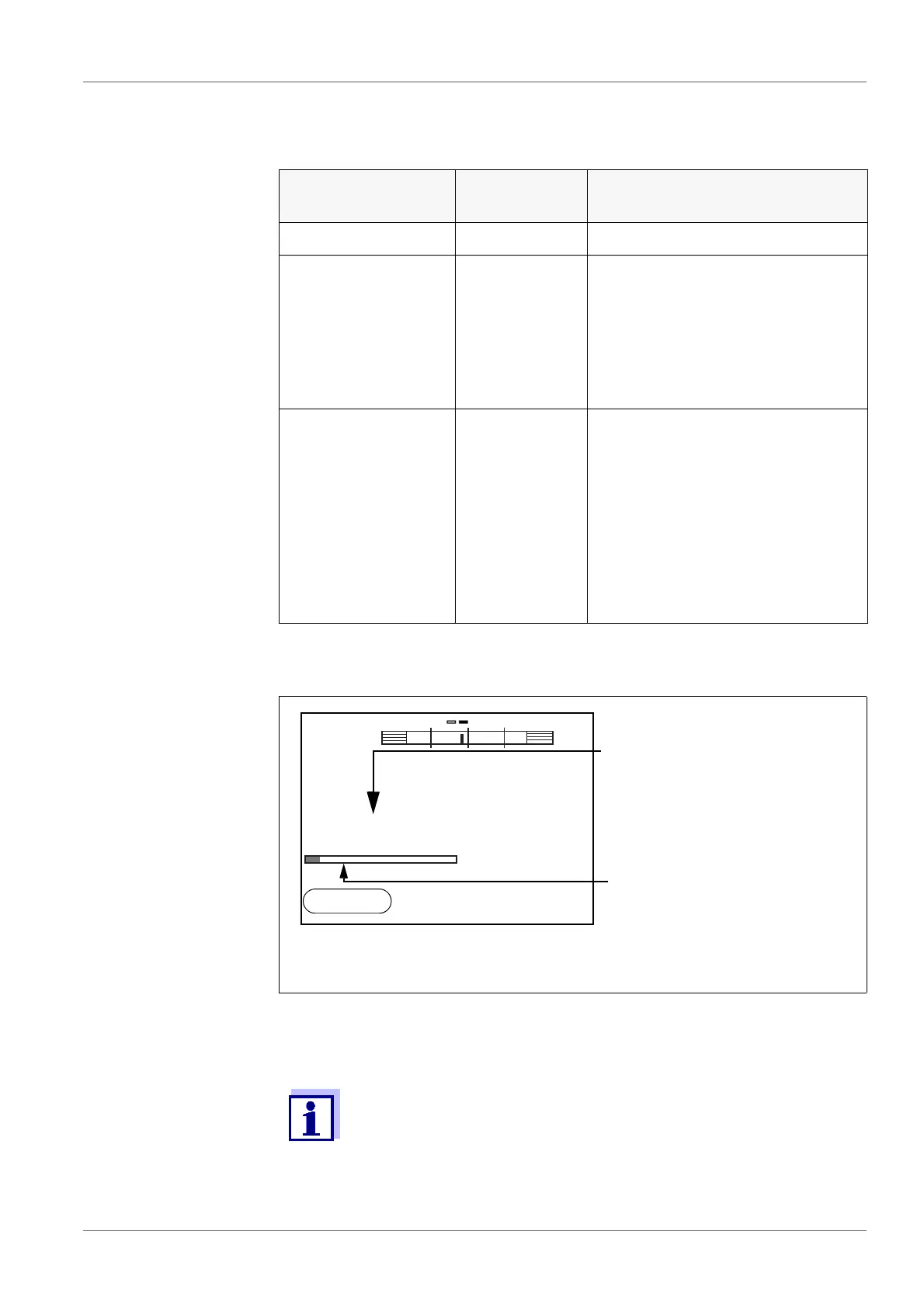
The active automatic storage function can be recognized by the progress bar
in the function display. The progress bar indicates the remaining storage dura-
tion.
Energy saving mode
([Eco mode])
If the automatic storing function is active, the meter provides an energy saving
mode ([Eco mode]) to avoid unnecessary energy consumption. The energy
Menu item Possible set-
ting
Explanation
ID number 1 ... 10000 ID number for the dataset series.
Interval 1 s, 5 s, 10 s,
30 s, 1 min,
5min,
10 min,
15 min,
30 min,
60 min
Storing interval.
The lower limit of the storing inter-
val can be restricted by the num-
ber of free memory locations.
The upper limit is restricted by the
storing duration.
Duration 1 min ... x min Storing duration.
Specifies after which time the
automatic data storing should be
terminated.
The lower limit of the storing dura-
tion is restricted by the storing
interval.
The upper limit is restricted by the
number of free memory locations.
1 Remaining storing duration
2 Graphical display of the storing duration
If the automatic storage function is activated, only the following
keys are active: Softkeys, <M>, <STO
_ > and <On/Off>. The
other keys and the automatic shut-off function are deactivated.
1
2
pH
6.949
25.0
°C
0d03h00min
15.02.2014
14:15



 To Next Page