107
XAG AUSTRALIA
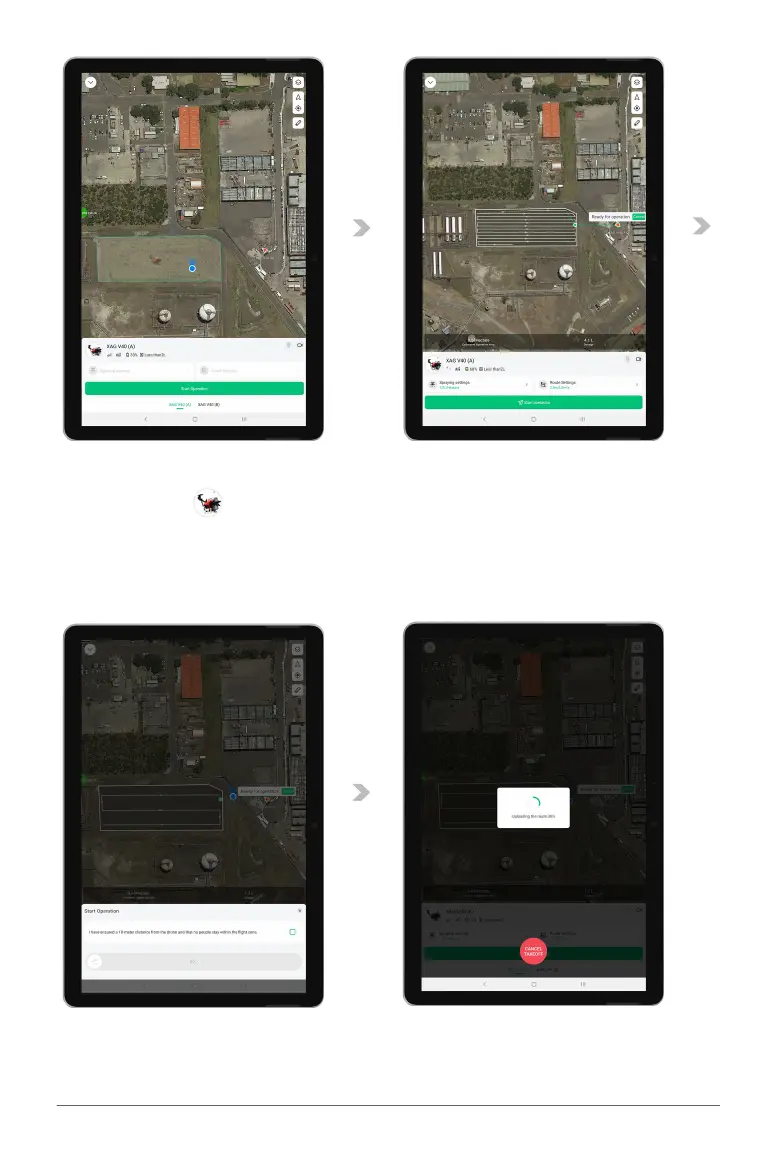
03. Press & Hold the Aircraft Icon for approximately 1 second until you feel a vibration, and the RPA
Identification “ ” will appear, then drag the aircraft to the Field.
04. Dragging the aircraft into the field will assigned the aircraft for the operation of this field, Spray
Settings & Route Settings is now available for setting. Review & adjust the settings (Refer to
Page 107 –108 for Spray Settings & Route Settings), then tap on Start Operation.
05. Complete the Start Operation checklist, then swipe “start” to begin.
06. The APP is now uploading route to the Aircraft & completing Self-check, upon completion, the
aircraft will take-off in 5 seconds.



 To Next Page