XAG AUSTRALIA
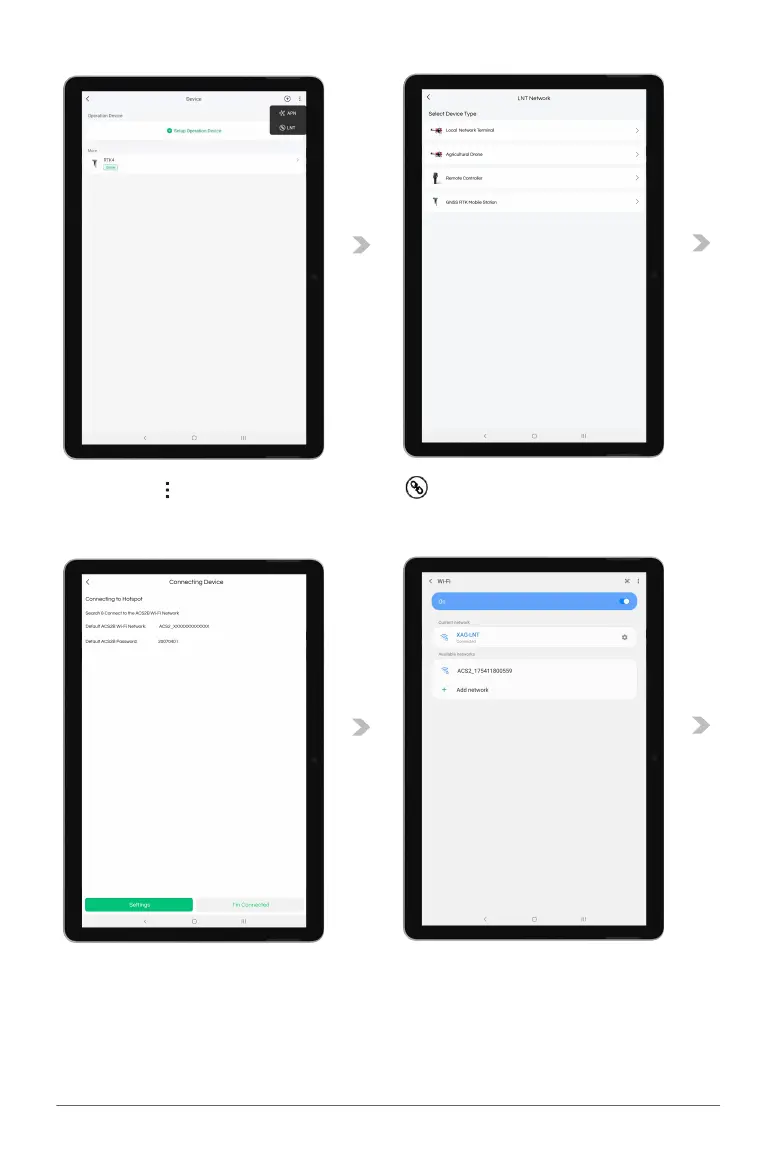
04. Tap on “ ” for more options, then Tap on “ ” for Device Binding.
05. Tap on “Remote Controller” to start Binding.
06. Tap on “Settings” to bring up the Available Wi-Fi List.
07. Select the corresponding ACS2 Wi-Fi.
Default ACS2G Wi-Fi Network: ACS2_XXXXXXXXXXXX
Default ACS2G Password: 20070401



 To Next Page