XAG AUSTRALIA
CHECK
Under Normal Circumstance, your Smart Device
(Mobile / Tablet) should have automatically re-
connected to the LNT Wi-Fi. Check & Ensure the
LNT Wi-Fi Network is connected.
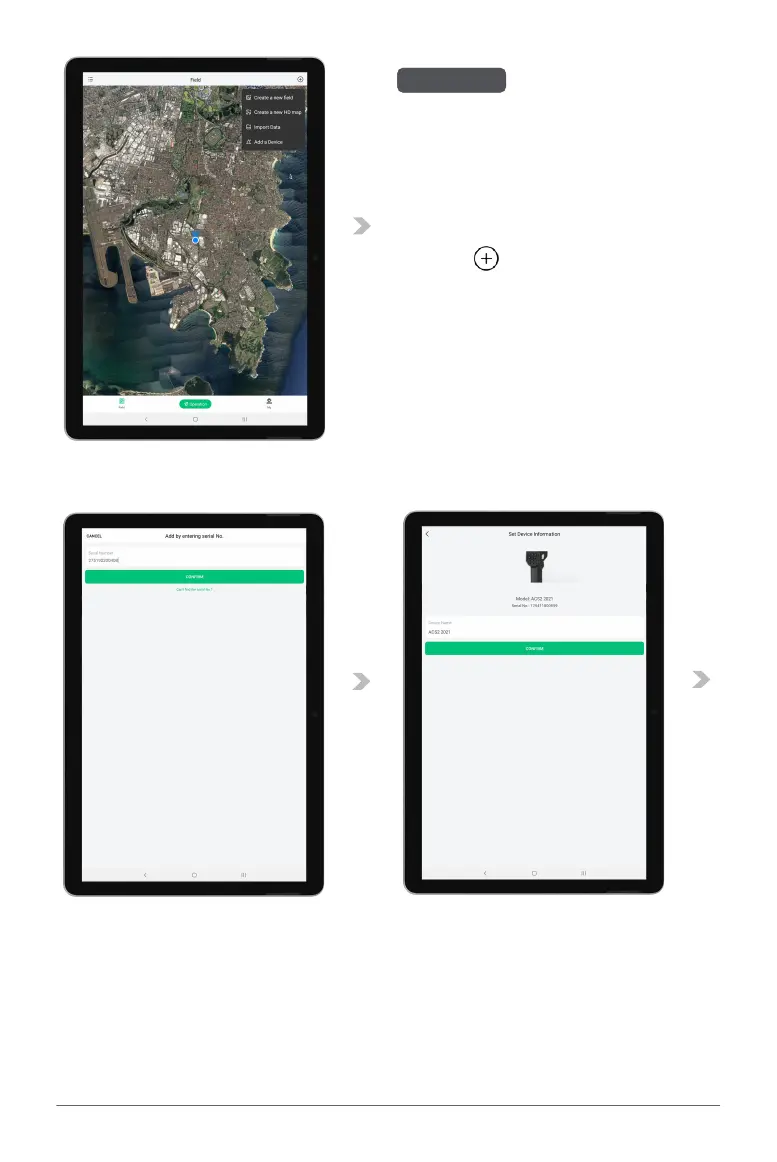
11. Return to the Main Page of the APP, Tap on
the “ ” and select “Add a Device”.
12. Press and hold the Power Button of the
Remote Controller for 6 - 10 seconds and
release after all indicators are flashing Red.
This indicates that the Remote Controller is
now ready to be added.
13. Add the Device by Scanning the QR Code on the Device or Enter the Device S/N Manually.
14. Rename the Remote Controller, and Tap “Complete” to Save.
CHECK



 To Next Page