Adjusting Settings in Configuration Mode
975-0822-01-01 47
Adjusting Settings in
Configuration Mode
The , Scroll , and buttons can be used to cycle
through the various settings:
1.
Press and hold the button for 3s to enter Configuration
mode and change general settings. Press the button to
enter sub-settings, if applicable.
2.
Press the Scroll button to scroll through the different
settings. Press and hold for 3s to scroll back one step.
OUTPUTBATTLOAD
kW
100%
25%
Hz
VA
%
kW
Hz
VA
%
C
INPUTBATTTEMP
AC
BYPASS
ERROR
OVERLOAD
CHARGING
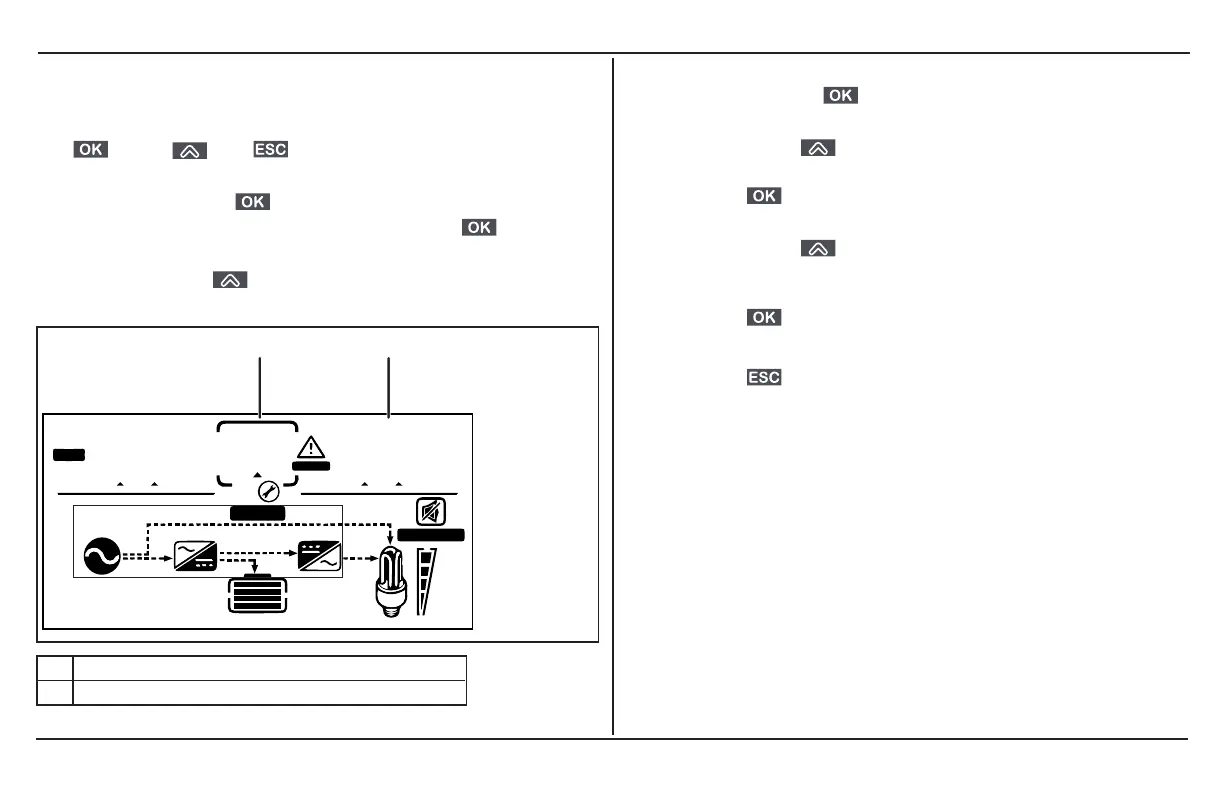
1 setting number is displayed here
2 setting value is displayed here
To change the default value to a different value:
1.
Press and hold the button for 3s to enter the
Configuration mode.
2.
Press the Scroll button to scroll through the different
settings. Press and hold for 3s to scroll back one step.
3.
Press the button to select a general setting and change
its value. Also press, to select a sub-setting, if applicable.
4.
Press the Scroll button to change the value until you
reach the desired value. Press and hold for 3s to scroll back
one step.
5.
Press the button to confirm the change.
6. Repeat the previous steps to set other settings.
7.
Press the button to exit the Configuration mode.



 To Next Page
 Loading...