Menu item
Description
SNMP Versions 1 and 2c
• Enabled
– Off
– On*
• Allow SNMP Set
– Off
– On*
• Enable PPM MIB
– Off
– On*
SNMP Community
Configure Simple Network Management Protocol
(SNMP) versions 1 and 2c to install print drivers and
applications.
SNMP Version 3
• Enabled
– Off
– On*
• Context Name
• Set Read/Write Credentials
– User Name
– Authentication Password
– Privacy Password
• Set Read-only Credentials
– User Name
– Authentication Password
– Privacy Password
• Authentication Hash
– MD5
– SHA1*
• Minimum Authentication Level
– No Authentication, No Privacy
– Authentication, No Privacy
– Authentication, Privacy*
• Privacy Algorithm
– DES
– AES-128*
Configure SNMP version 3 to install and update the
printer security.
Note: An asterisk (*) next to a value indicates the factory default setting.
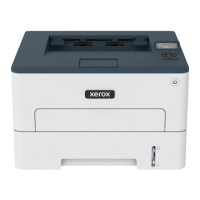
Xerox
®
B230 Printer
User Guide
79
Use printer menus



 To Next Page