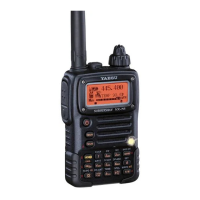
VX-6E OPERATING MANUAL 11
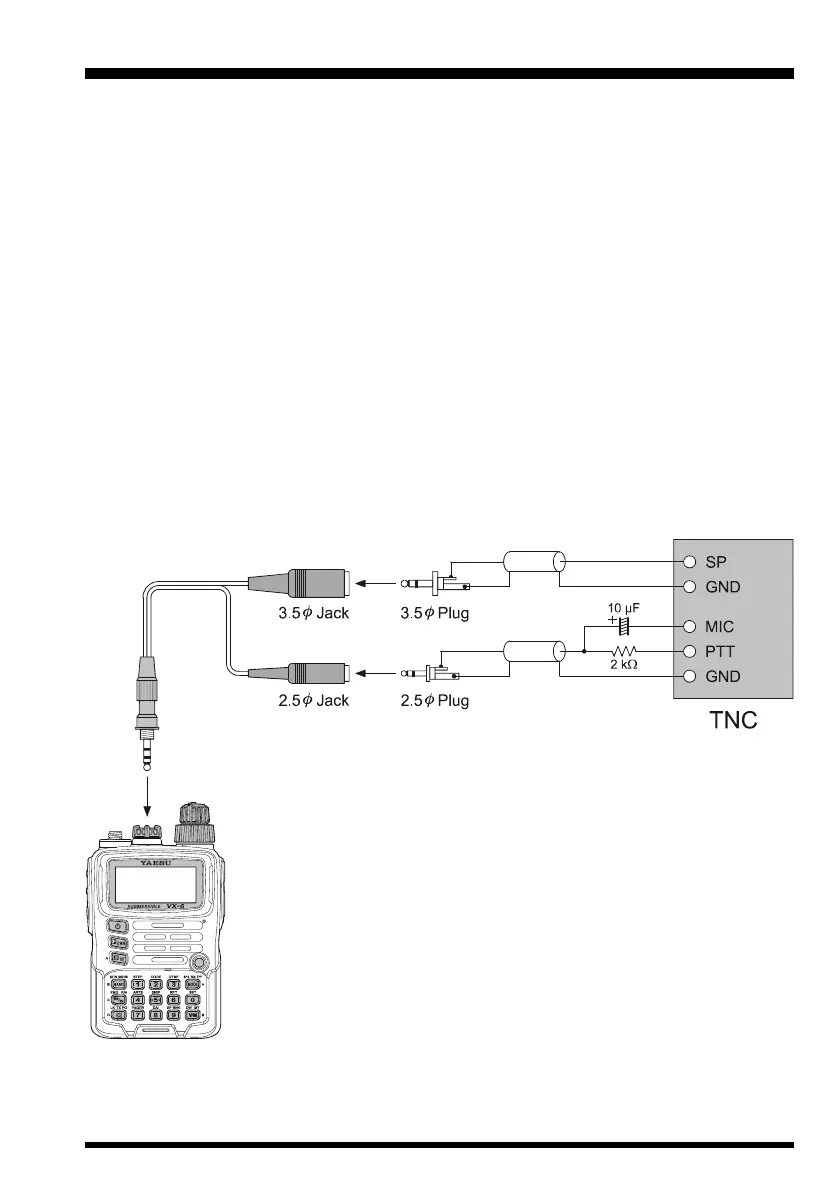
The VX-6E may be used for Packet operation, using the optional CT-91 microphone
adapter (available from your Yaesu dealer) for easy interconnection to commonly-avail-
able connectors wired to your TNC. You may also build your own cable, using a four-
conductor miniature phone plug, per the diagram below.
The audio level from the receiver to the TNC may be adjusted by using the VOL knob, as
with voice operation. The input level to the VX-6E from the TNC may be adjusted via Set
Mode Item 37:
MCGAINMCGAIN
MCGAINMCGAIN
MCGAIN; see page 18 for details.
Be sure to turn the transceiver and TNC off before connecting the cables, so as to prevent
voltage spikes from possibly damaging your transceiver.
When you are operating on Packet, switch the Receive Battery Saver OFF, as the “sleep”
cycle may “collide” with the beginning of an incoming Packet transmission, causing your
TNC not to receive the full data burst. See page 77 for details regarding Receive Battery
Saver setup. Remember to readjust the default microphone input level to “
LVL 5LVL 5
LVL 5LVL 5
LVL 5” (Set
Mode Item 37:
MCGAINMCGAIN
MCGAINMCGAIN
MCGAIN) when Packet operation is finished.
INTERFACE OF PACKET TNCS


 To Next Page