VX-6E OPERATING MANUAL 55
WEATHER ALERT SCAN
This feature allows you to check the Weather Broadcast Memory Channels for the pres-
ence of the NOAA Alert Tone while operating using VFO scan or Memory channel scan.
When the Weather Alert Scan feature is engaged, the VX-6E will check the Weather Broad-
cast Memory Channels for activity every five seconds while scanning. If you watch the
display carefully, you’ll observe the scanner periodically shifting to the Weather Broad-
cast bank, scanning the Weather channels quickly in search of the Alert Tone, after which
regular scanning will resume for another five seconds.
To enable the Weather Alert Scan feature:
1. Press the
[
F/W
]
key, then press the
[
0
(
SET
)]
key to enter the Set mode.
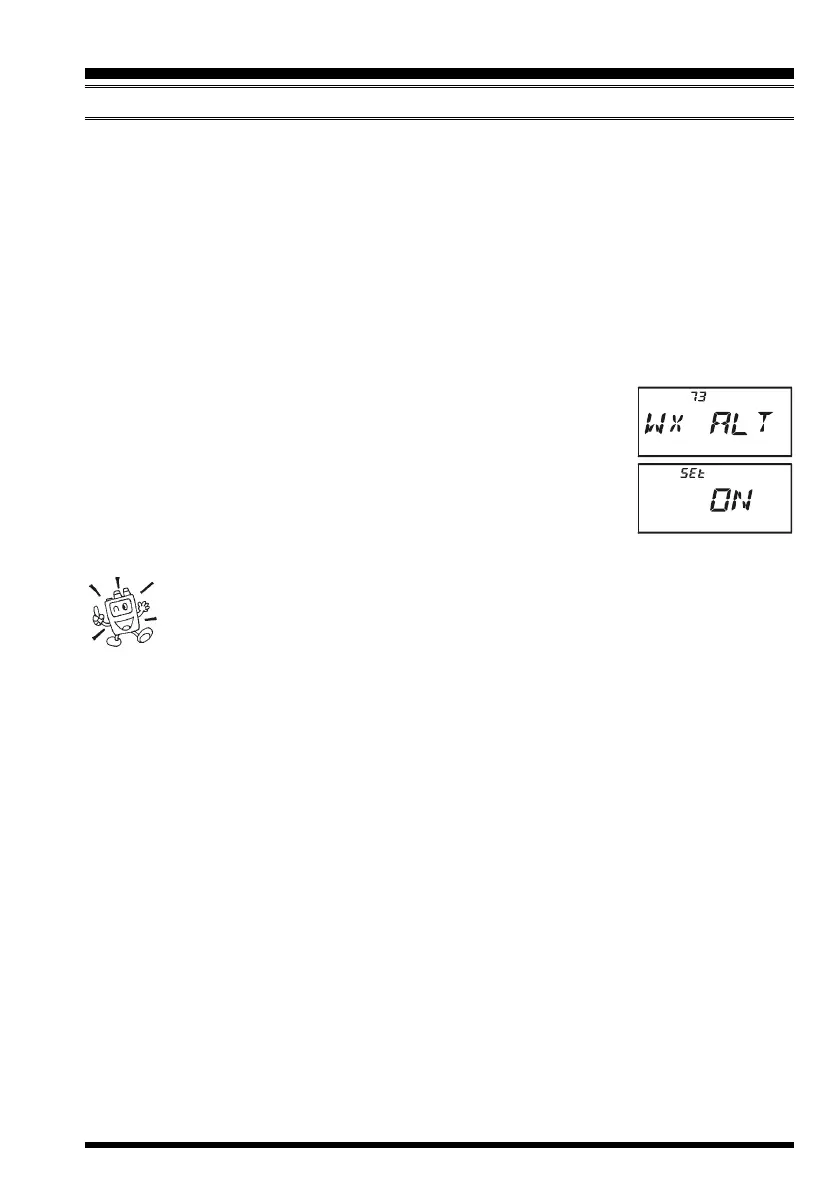
2. Rotate the DIAL knob to select Set Mode Item 73:
WX ALTWX ALT
WX ALTWX ALT
WX ALT.
3. Press the
[
0
(
SET
)]
key momentarily to enable adjustment of
this Set Mode Item.
4. Rotate the DIAL knob so as to select “
ONON
ONON
ON.”
5. When you have made your selection, press the PTT key to save
the setting and exit to normal operation.
6. To disable the Weather Alert Scan feature, select “
OFFOFF
OFFOFF
OFF” in step 4 above.
1) When the Weather Alert Scan feature is engaged, the Scan-Resume mode
is fixed to “TIME.”
2) If you are just scanning the Weather Broadcast Channels, the VX-6E’s
receiver will remain muted indefinitely unless the Alert Tone is received. This yields a
long period of monitoring time, as no power will be consumed via audio output while
scanning for the Alert Tone is in progress.
SCANNING


 To Next Page