VX-6E OPERATING MANUAL 75
The VX-6E provides a CW Training feature, which sends random Morse Code via the
sidetone (heard in the speaker), so you can inprove your CW proficiency.
1. Press the
[
F/W
]
key, then press the
[
0
(
SET
)]
key to enter the Set mode.
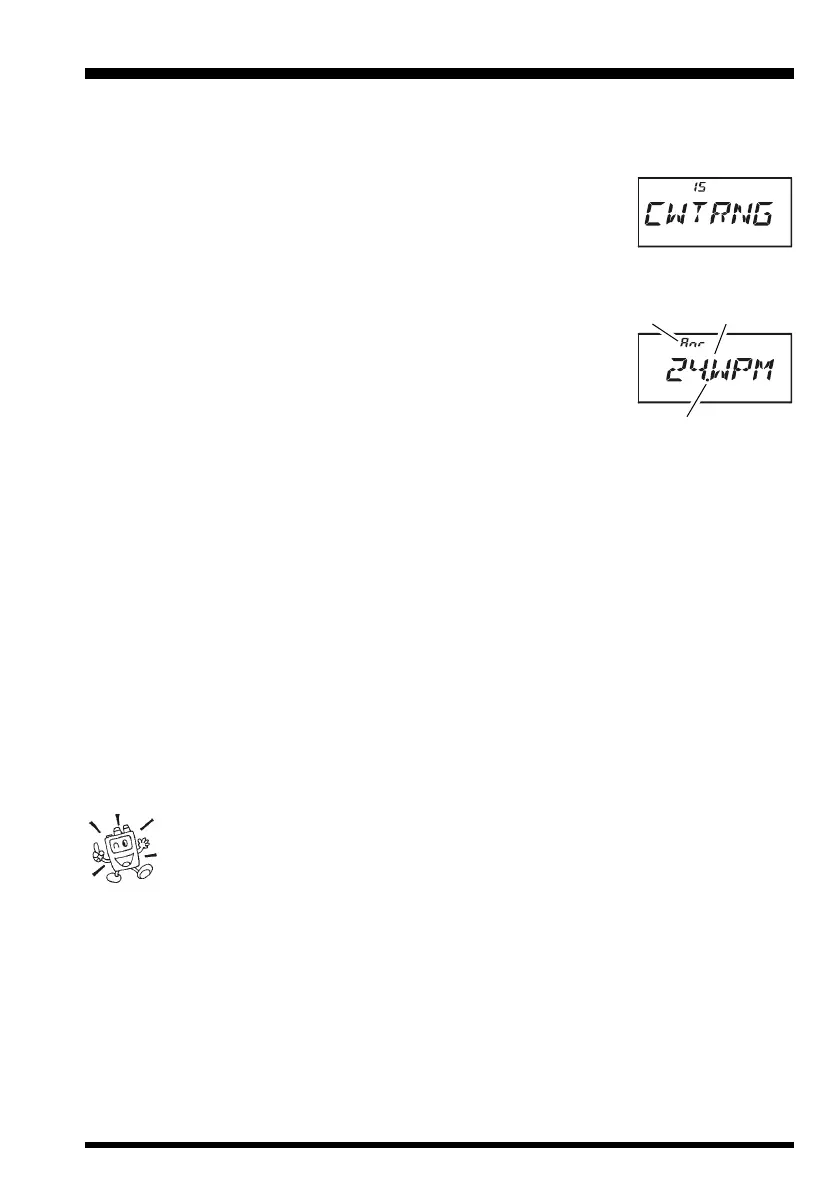
2. Rotate the DIAL knob to select Set Mode Item 15:
CWTRNGCWTRNG
CWTRNGCWTRNG
CWTRNG.
3. Press the
[
0
(
SET
)]
key momentarily to enable adjustment of
this Set Mode Item.
4. Press the
[
MODE
(
SP S
)
SQ TYP
]
key to select the Trainig mode (displayed in fine
print at the upper edge of the LCD):
AA
AA
A: Sends five Alphabet charactors only
A_rA_r
A_rA_r
A_r: Sends Alphabet charactors only (Repeatedly)
nn
nn
n: Sends five Numeric charactors only
n_rn_r
n_rn_r
n_r: Sends Numeric charactors only (Repeatedly)
AnAn
AnAn
An: Sends five Alphabet, Numeric, “?,” and “/” charactors
(Mixed)
AnrAnr
AnrAnr
Anr: Send Alphabet, Numeric, “?,” and “/” charactors (Mixed, Continuously in group
of five)
5. Rotate the DIAL knob to select the Morse speed. You may select the units of the code
speed between “WPM (Words per minute)” and “CPM: characters per minute)” by
pressing the
[
V/M
(
DW
)
MT
]
key.
6. Press the
[
BAND
(
SCN
)
BND DN
]
key to switch the flashing of the LED (white) on
and off; a “dot” by the CW speed indicates that the LED is on.
7. Press the
[
F/W
]
key to bigin generation of the code characters (CW sidetone only, the
radio does not transmit); the transmitted characters will appear on the display. If one
of the “
rr
rr
r” modes is not selected in step 4 above, press the
[
F/W
]
key to send another
code group.
8. To disable the CW Training feature, press the
[
0
(
SET
)]
key momentarily.
9. Press the PTT switch to exit to normal operation.
The “CPM” selection is based on the international “PARIS” standard, which
stipulates five characters per word.
CW TRAINING FEATURE
Trainig mode Morse Speed
TX/BUSY Indicator Status


 To Next Page