VX-6E OPERATING MANUAL78
MISCELLANEOUS SETTINGS
WAKEUP FEATURE SETUP
The Wakeup feature is similarly to the Receive Battery Saver. However, it is a newer,
more advanced feature which conserves battery life by providing a longer “sleep” time
than the regular Receive battery Saver. The Wakeup feature, once engaged, operates while
the transceiver is turned off (“
WAKEUPWAKEUP
WAKEUPWAKEUP
WAKEUP” will appear on the LCD).
To set up the Wakeup feature:
1. Press the
[
F/W
]
key, then press the
[
0
(
SET
)]
key to enter the Set mode.
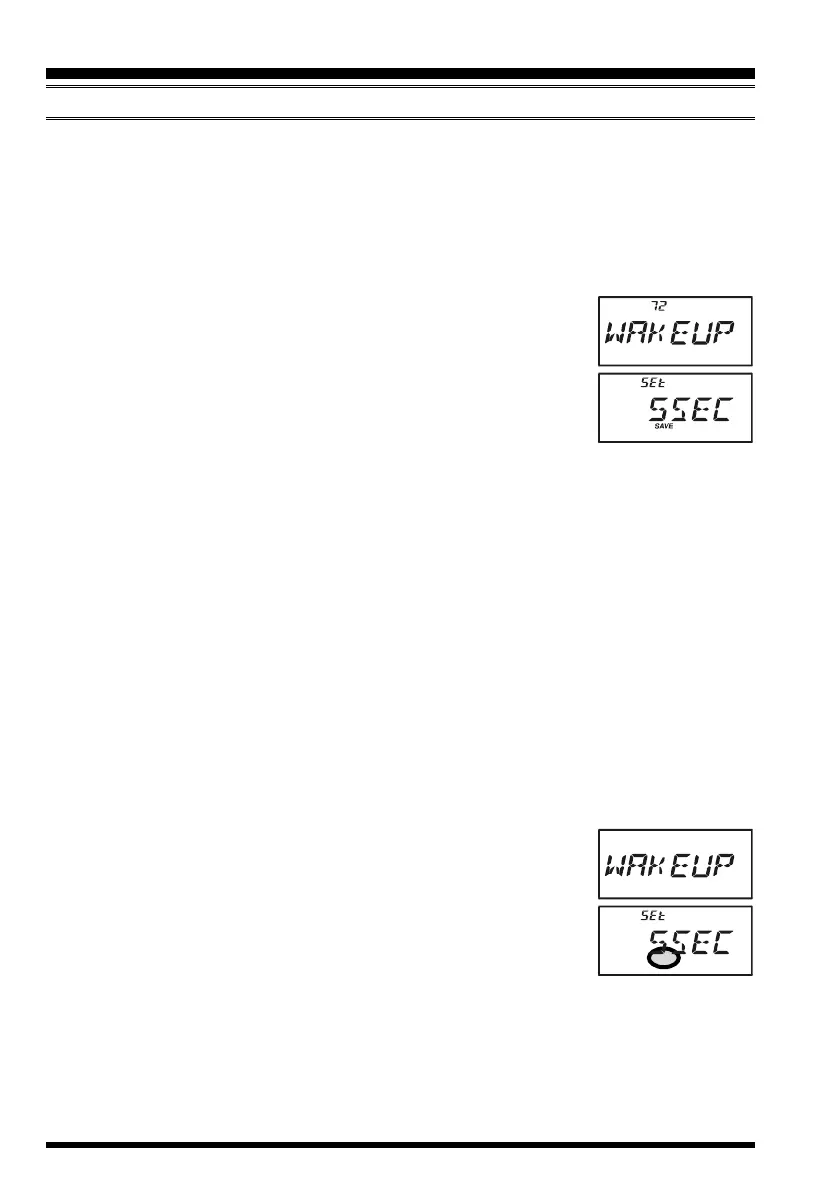
2. Rotate the DIAL knob to select Set Mode Item 72:
WAKEUPWAKEUP
WAKEUPWAKEUP
WAKEUP.
3. Press the
[
0
(
SET
)]
key momentarily to enable adjustment of
this Set Mode Item.
4. Rotate the DIAL knob to select the desired “sleep” duration.
5SEC5SEC
5SEC5SEC
5SEC/
10SEC10SEC
10SEC10SEC
10SEC/
20SEC20SEC
20SEC20SEC
20SEC/
30SEC30SEC
30SEC30SEC
30SEC:
Based on the selected time value, the radio will periodically check
the operating frequency which it was on when the radio was turned off for activity. If
a signal is received on the frequency which is strong enough to open the Squelch, the
radio will turn itself on fully. If the EAI feature is activated when the radio was turned
off, the radio also checks on the EAI frequency (Memory Channel “
EAIEAI
EAIEAI
EAI”) for activity.
EAIEAI
EAIEAI
EAI:
Checks the EAI frequency (Memory Channel “
EAIEAI
EAIEAI
EAI”) every 5 seconds. If a properly-
coded signal is received on the EAI frequency, the radio will turn itself on and then
automatically transmit in accordance with the setting of Set Mode Item 18:
EAIEAI
EAIEAI
EAI.
OFFOFF
OFFOFF
OFF:
Disables the Wakeup feature.
5. When you have made your selection, press the PTT switch to save the new setting
and exit to normal operation.
6. If you wish to disable the Wakeup feature, just repeat the above procedure, rotating
the DIAL knob to select “
OFFOFF
OFFOFF
OFF” in step 4 above.
When the radio is turned off, the Wakeup feature will be engaged,
and the “
WAKEUPWAKEUP
WAKEUPWAKEUP
WAKEUP”notition will be been on the display.
You may observe a low-level “pop” noise while the Wakeup feature
is polling; you may disable this popping by pressing the
[
MODE
(
SP
S
)
SQ TYP
]
key in step 4 above (the “SAVE” notation will disap-
pear). However, the battery life will be reduced somewhat.
You may cancel the Wakeup feature temporarily by pressing the PWR switch while the
Wakeup feature is engaged.


 To Next Page