VX-6E OPERATING MANUAL 63
timer expiration at the power level stored in that memory channel; it is NOT necessary for
the incapacitated person to press the PTT switch.
In the Continuous mode, when the VX-6E receives the CTCSS tone pair which is stored
in the Receiving Pager Code Memory (configured via Set Mode Item 45:
PAG.CDRPAG.CDR
PAG.CDRPAG.CDR
PAG.CDR) on
the frequency which is stored in Memory Channel “
EAIEAI
EAIEAI
EAI” for more than five seconds, the
radio will automatically transmit (with maximum microphone gain) continuously, until
the EAI timer expiration, at the power level stored in that memory channel; it is NOT
necessary for the incapacitated person to press the PTT switch.
Furthermore, if your call sign is stored in the radio and enabling the CW identifier via Set
Mode Item 14:
CW IDCW ID
CW IDCW ID
CW ID, the radio will transmit your callsign on the air when the EAI
feature is first engaged by the remote page, and every 10 minutes thereafter. The “callsign”
ID can be changed to any desired sequence of characters, such as a name. After sending
the callsign or name, the radio will repeatedly transmit three tones for a user-defined
period of time (between 1 and 30 minutes). The callsign or name will be transmitted every
10 minutes.
The Emergency Automatic ID (EAI) Feature requires that you (1) store the CTCSS Tone
Pair into the Receiving Pager Memory (see page 60 for procedure), and (2) store the
desired UHF coordination frequency into Memory Channel “
EAIEAI
EAIEAI
EAI” (see page 34 for pro-
cedure).
Selecting the EAI mode and its Transmit Time
1. Press the
[
F/W
]
key, then press the
[
0
(
SET
)]
key to enter the Set mode.
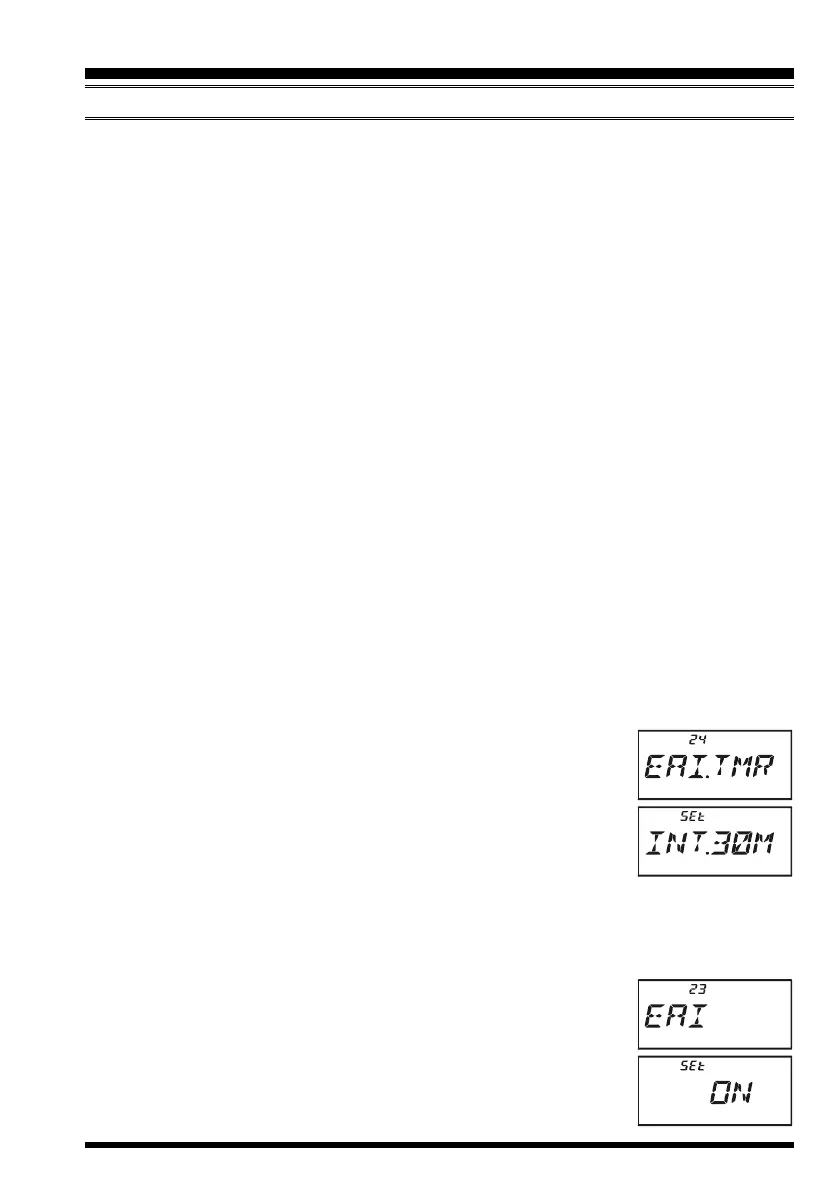
2. Rotate the DIAL knob to select Set Mode Item 24:
EAI.TMREAI.TMR
EAI.TMREAI.TMR
EAI.TMR.
3. Press the
[
0
(
SET
)]
key momentarily to enable adjustment of
this Set Mode Item.
4. Rotate the DIAL knob to select the desired EAI mode (Interval
EAI “
INTINT
INTINT
INT”or Continuous EAI “
CONCON
CONCON
CON”) and its transmit time (
11
11
1-
1010
1010
10
,
1515
1515
15,
2020
2020
20,
3030
3030
30,
4040
4040
40, and
5050
5050
50 minutes).
5. Press the PTT switch to save the new setting and exit to normal operation.
Activating the EAI feature
1. Press the
[
F/W
]
key, then press the
[
0
(
SET
)]
key to enter the Set mode.
2. Rotate the DIAL knob to select Set Mode Item 23:
EAIEAI
EAIEAI
EAI.
3. Press the
[
0
(
SET
)]
key momentarily to enable adjustment of
this Set Mode Item.
4. Rotate the DIAL knob to select “
ONON
ONON
ON” (thus activating the EAI
feature).
5. Press the PTT switch to save the new setting and exit from the
EMERGENCY FEATURE
EMERGENCY AUTOMATIC ID
(
EAI
)
FEATURE


 To Next Page