VX-6E OPERATING MANUAL 65
The ARTS™ feature uses DCS signaling to inform both parties when you and another
ARTS™-equipped station are within communications range. This may be particularly
useful during Search-and Rescue situations, where is important to stay in contact with
other members of your group.
Both stations must set up their DCS codes to the same code number, then activate their
ARTS™ feature using the command appropriate for their radio. Alert ringers may be
activated, if desired.
Whenever you push the PTT, or every 25 (or 15) seconds after ARTS™ is activated, your
radio will transmit a signal which includes a (subaudible) DCS signal for about 1 second. If
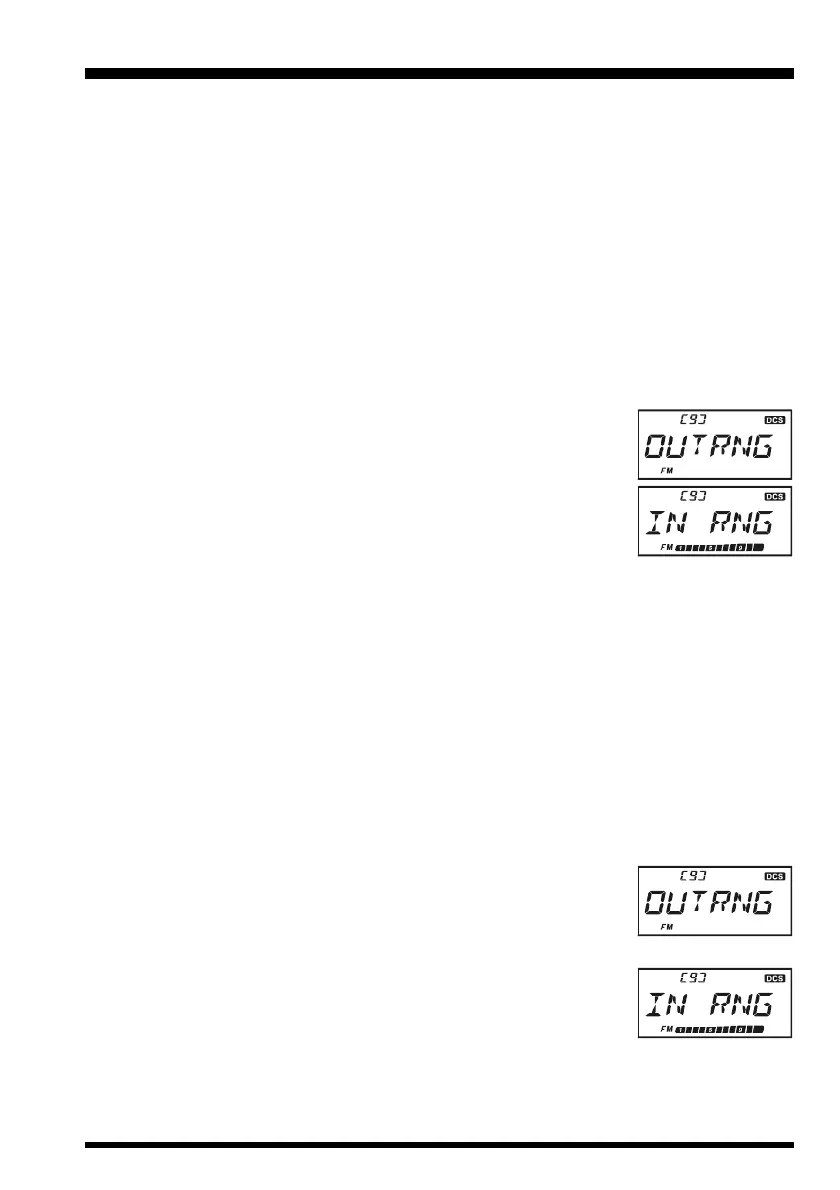
the other radio is in range, the beeper will sound (if enabled) and the display will show “
ININ
ININ
IN
RNGRNG
RNGRNG
RNG
” as opposed to the out of range
display “
OUTRNGOUTRNG
OUTRNGOUTRNG
OUTRNG
” in which ARTS™ operation begins.
Whether you talk or not, the polling every 15 or 25 seconds will
continue until you de-activate ARTS™. Every 10 minutes, more-
over, you can have your radio transmit your callsign via CW, so as to
comply with identification requirements. When ARTS™ is de-acti-
vated, DCS will also be deactivated (if you were not using it previ-
ously in non-ARTS™ operation).
If you move out of range for more than one minute (four pollings), your radio will sense
that no signal has been received, three beeps will sound, and the display will revert to
“
OUTRNGOUTRNG
OUTRNGOUTRNG
OUTRNG.” If you move back into range, your radio will again beep, and the display will
change back to the “
IN RNGIN RNG
IN RNGIN RNG
IN RNG” indication.
During ARTS™ operation, it is not possible to change the operating frequency or other
settings; you must terminate ARTS™ in order to resume normal operation. This is a safety
feature designed to prevent accidental loss of contact due to channel change, etc.
Basic ARTS
™
Setup and Operation
1. Set your radio and the other radio(s) to the same DCS code number, per the discussion
on page 28.
2. Press the
[
F/W
]
key, then press the
[
4
(
ARTS
)]
key. You will
observe the “
OUTRNGOUTRNG
OUTRNGOUTRNG
OUTRNG” display on the LCD below the operat-
ing frequency. ARTS™ operation has now commenced.
3. Every 25 seconds, your radio will transmit a “polling” call to the other station. When
that station responds with its own ARTS™ polling signal, the
display will change to “
IN RNGIN RNG
IN RNGIN RNG
IN RNG” to confirm that the other
station’s polling code was received in response to yours.
4. Press the
[
F/W
]
key momentarily to exit ARTS™ operation and resume normal func-
tioning of the transceiver.
ARTS™
(
A
UTOMATIC RANGE TRANSPONDER SYSTEM
)


 To Next Page