VX-6E OPERATING MANUAL 81
AUTOMATIC POWER-ON FEATURE
The VX-6E also includes the capability to turn itself on after a programmed time interval.
1. Press the
[
F/W
]
key, then press the
[
0
(
SET
)]
key to enter the Set mode.
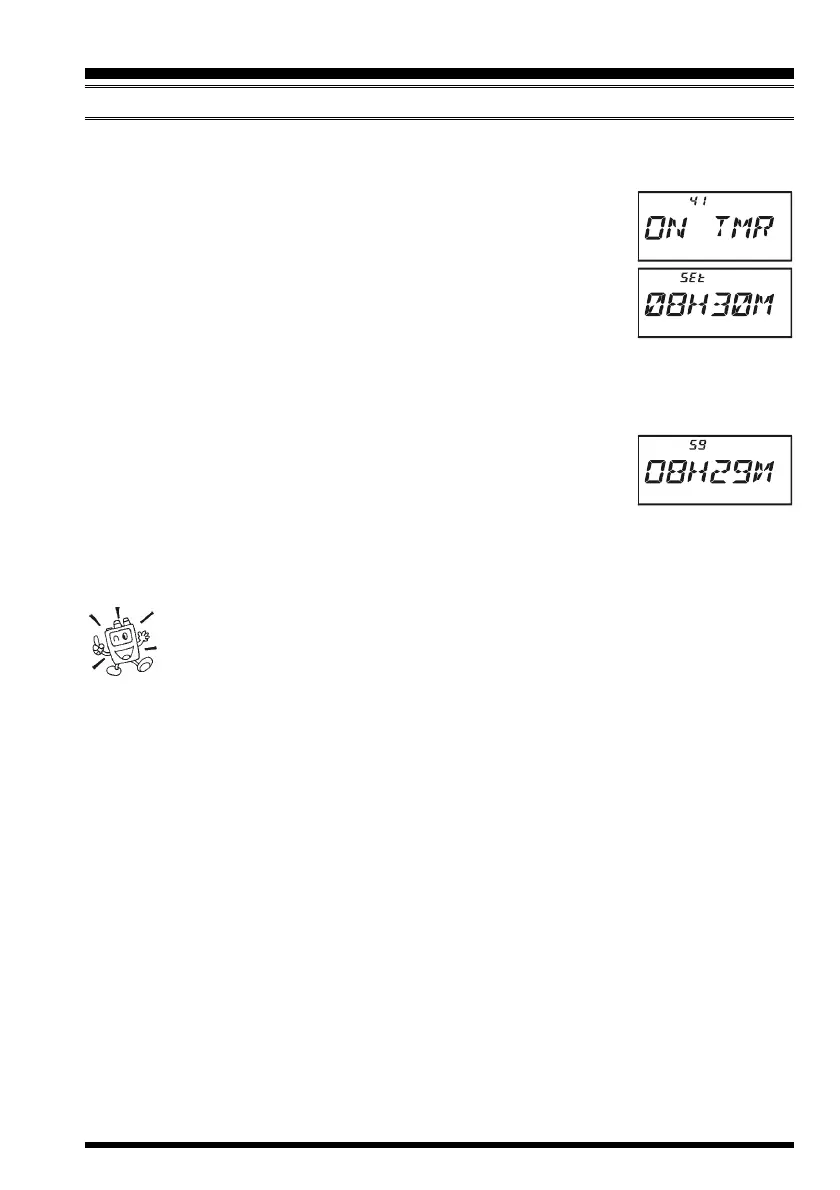
2. Rotate the DIAL knob to select Set Mode Item 41:
ON TMRON TMR
ON TMRON TMR
ON TMR.
3. Press the
[
0
(
SET
)]
key momentarily to enable adjustment of
this Set Mode Item.
4. Rotate the DIAL knob to set the desired time priod after which
the radio will automatically turn on.
Note that this is not the time of day when the radio will turn
on; it is the numbaer of hours and minutes until the radio turns on.
5. When you have made your selection, press the PTT switch to save the new setting
and exit to normal operation.
When the radio is turned off, this activates the Automatic Power-On
feature; a count-down timer in the display will show the time re-
maining until automatic switch-on.
You may cancel the Automatic Power-On feature (to turn off the radio) by pressing and
holding the PWR switch for one second while the Automatic Power-On feature is en-
gaged.
The Automatic Power-On feature will be ignored when the Wakeup feature
is activated.
MISCELLANEOUS SETTINGS


 To Next Page