VX-6E OPERATING MANUAL30
CTCSS/DCS BELL OPERATION
During CTCSS Decode or DCS operation, you may set up the VX-6E such that a ringing
“bell” sound alerts you to the fact that a call is coming in. Here is the procedure for
activating the CTCSS/DCS Bell:
1. Set the transceiver up for CTCSS Decode (“Tone Squelch”) or DCS operation, as
described previously.
2. Adjust the operating frequency to the desired channel.
3. Press the
[
F/W
]
key, then press the
[
0
(
SET
)]
key to enter the Set mode.
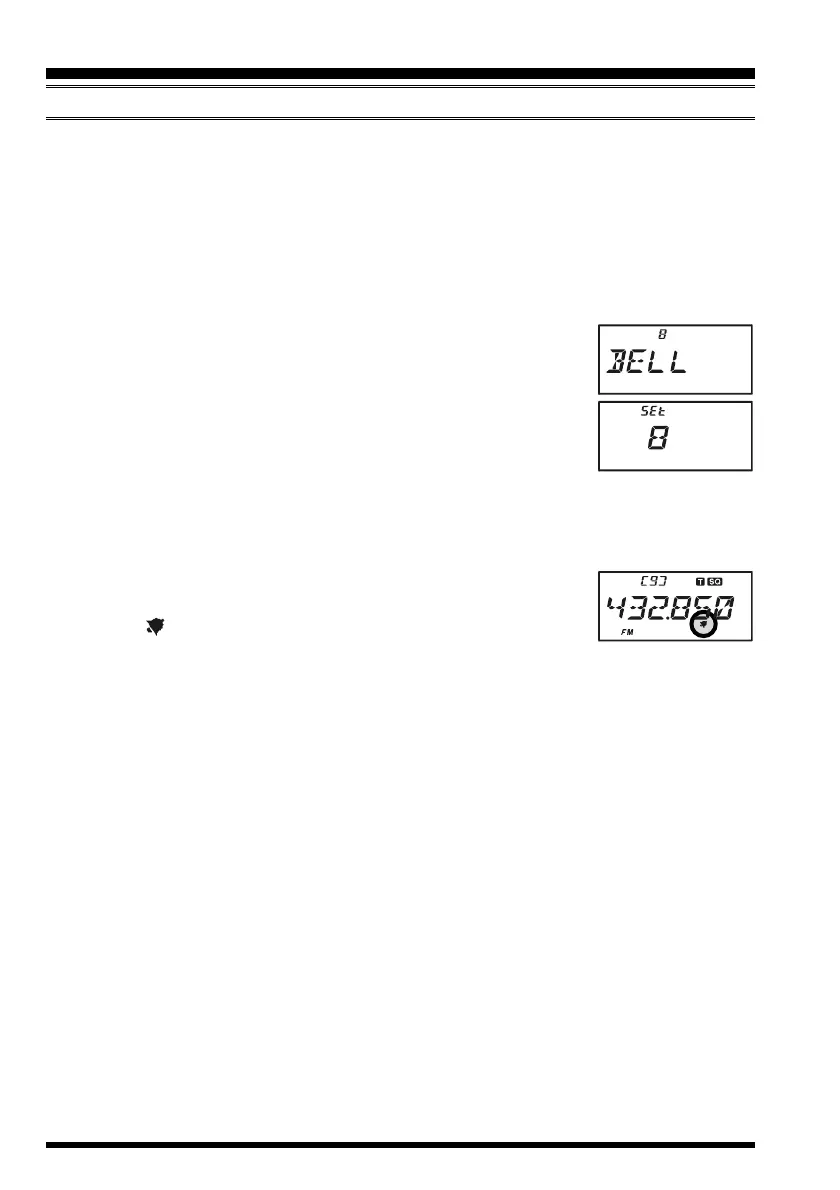
4. Rotate the DIAL knob to select Set Mode Item 8:
BELLBELL
BELLBELL
BELL.
5. Press the
[
0
(
SET
)]
key momentarily to enable adjustment of
this Set Mode Item.
6. Rotate the DIAL knob to set the desired number of rings of the
Bell. The available choices are “
11
11
1,” “
33
33
3,” “
55
55
5,” or “
88
88
8” rings,
“
CONTCONT
CONTCONT
CONT” (continuous ringing), or “
OFFOFF
OFFOFF
OFF.”
7. Press the PTT switch momentarily to save the new setting and exit to normal opera-
tion.
When you are called by a station whose transceiver is sending a CTCSS tone or DCS code
which matches that set into your Decoder, the Bell will ring in accor-
dance with this programming. When the CTCSS/DCS Bell is acti-
vated, the “ ” icon will appear at the upper right corner on the
LCD.
CTCSS/DCS OPERATION


 To Next Page