VX-6E OPERATING MANUAL 61
Activating the Enhanced Paging & Code Squelch System
1. Press the
[
F/W
]
key, then press the
[
0
(
SET
)]
key to enter the Set mode.
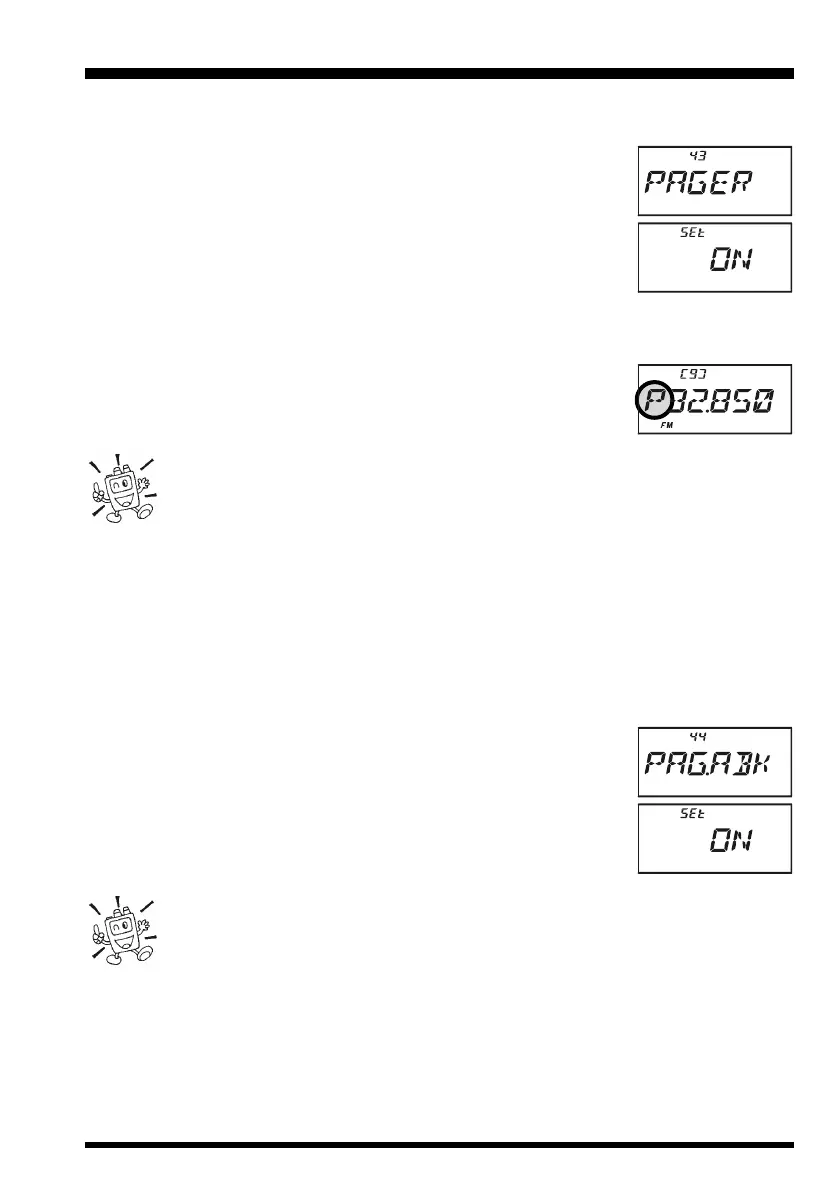
2. Rotate the DIAL knob to select Set Mode Item 43:
PAGERPAGER
PAGERPAGER
PAGER.
3. Press the
[
0
(
SET
)]
key momentarily to enable adjustment of
this Set Mode Item.
4. Rotate the DIAL knob to select “
ONON
ONON
ON.”
5. Press the PTT switch to save the new setting and activate the
Enhanced Paging & Code Squelch.
6. To disable the Enhanced Paging & Code Squelch, just repeat the above procedure,
rotating the DIAL knob to select “
OFFOFF
OFFOFF
OFF” in step 4 above.
When the Enhanced Paging & Code Squelch feature is activated, the
“
PP
PP
P
” notation will appear at the 100 MHz digit of the frequency dis-
play.
During Enhanced Paging & Code Squelch operation, you may set up the
VX-6E such that a ringing “bell” sound alerts you to the fact that a call is
coming in, as described previously. See page 30 for details.
Paging Answer Back
When you press the PTT switch to respond to a page call, the VX-6E transmits the same
CTCSS tone pair. This tone pair will open the Code Squelch of the calling station. If you
prefer, you can have the VX-6E respond to page calls automatically (“transpond”).
To enable this feature:
1. Press the
[
F/W
]
key, then press the
[
0
(
SET
)]
key to enter the Set mode.
2. Rotate the DIAL knob to select Set Mode Item 44:
PAG.ABKPAG.ABK
PAG.ABKPAG.ABK
PAG.ABK.
3. Press the
[
0
(
SET
)]
key momentarily to enable adjustment of
this Set Mode Item.
4. Rotate the DIAL knob to select “
ONON
ONON
ON.”
5. Press the PTT switch to save the new setting and exit to normal
operation.
The Paging Answer Back feature constitutes a form of “remote control” op-
eration that may be restricted to certain frequencies. U.S. users should con-
firm the current status of §97.201(b) of the FCC’s rules governing the Ama-
teur service before utilizing this feature on the 144 MHz band.
EPCS (ENHANCED PAGING & CODE SQUELCH)


 To Next Page