VX-6E OPERATING MANUAL36
MEMORY MODE
(
REGULAR MEMORY CHANNEL
)
desired label. A total of six characters may be used in the cre-
ation of a label.
9. When you have programmed a label which is under 6 charac-
ters, press the
[
0
(
SET
)]
key to confirm the label.
10. When you have completed the creation of the label, press the PTT key to save the
label and exit.
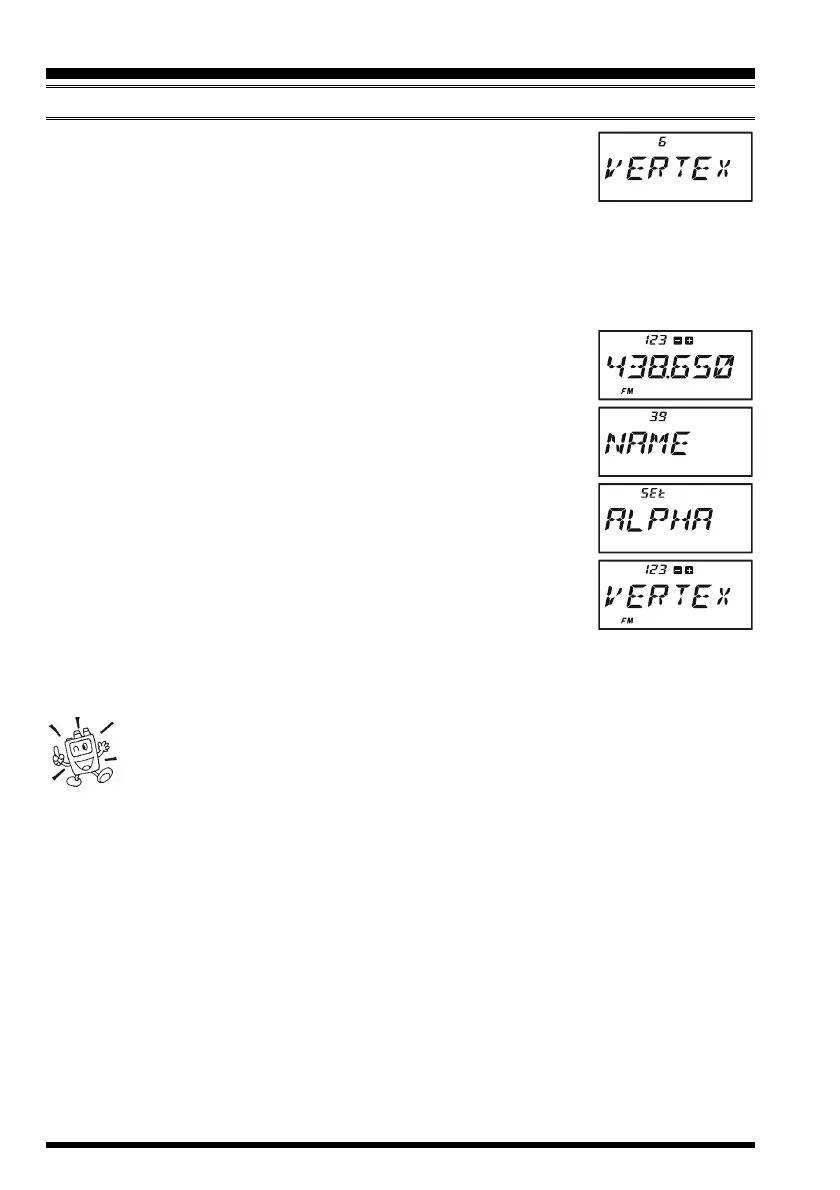
To display the alpha-numeric “Tag” (label):
1. Set the VX-6E to the “MR” (Memory Recall) mode, and recall
the memory channel on which you wish to display its label.
2. Press the
[
F/W
]
key, then press the
[
0
(
SET
)]
key to enter the
Set mode.
3. Rotate the DIAL knob to select the Set Mode Item labeled 39:
NAMENAME
NAMENAME
NAME.
4. Press the
[
0
(
SET
)]
key momentarily to enable adjustment of
this Item’s setting.
5. Rotate the DIAL knob to set this Set Mode Item to “
ALPHAALPHA
ALPHAALPHA
ALPHA”
(thus enabling the alpha-numeric display).
6. Press the PTT key to save the new setting and activate the al-
pha-numeric Tag.
To disable the alpha-numeric Tag (enabling the frequency display), just repeat the above
procedure, rotating the DIAL knob to select “
FREQFREQ
FREQFREQ
FREQ” in step 5 above.
1) While programming multiple memories with alpha-numeric “Tags” with
repetitive information, you may press the [F/W] key to copy a previous entry
of letters and numbers, and then paste these characters into another “NM
SET” register (on a different memory channel) by pressing the [V/M(DW)MT] key.
2) You may check the frequency of any Name-tagged channel by pressing the MONI
switch. Release the MONI switch, and the display returns to the alpha-numeric “Tag”
display.
LABELING MEMORIES


 To Next Page