VX-6E OPERATING MANUAL72
Operation (Accessing an FRG Node)
1. Press the
[
F/W
]
key, then press the
[
0
(
SET
)]
key to enter the Set mode.
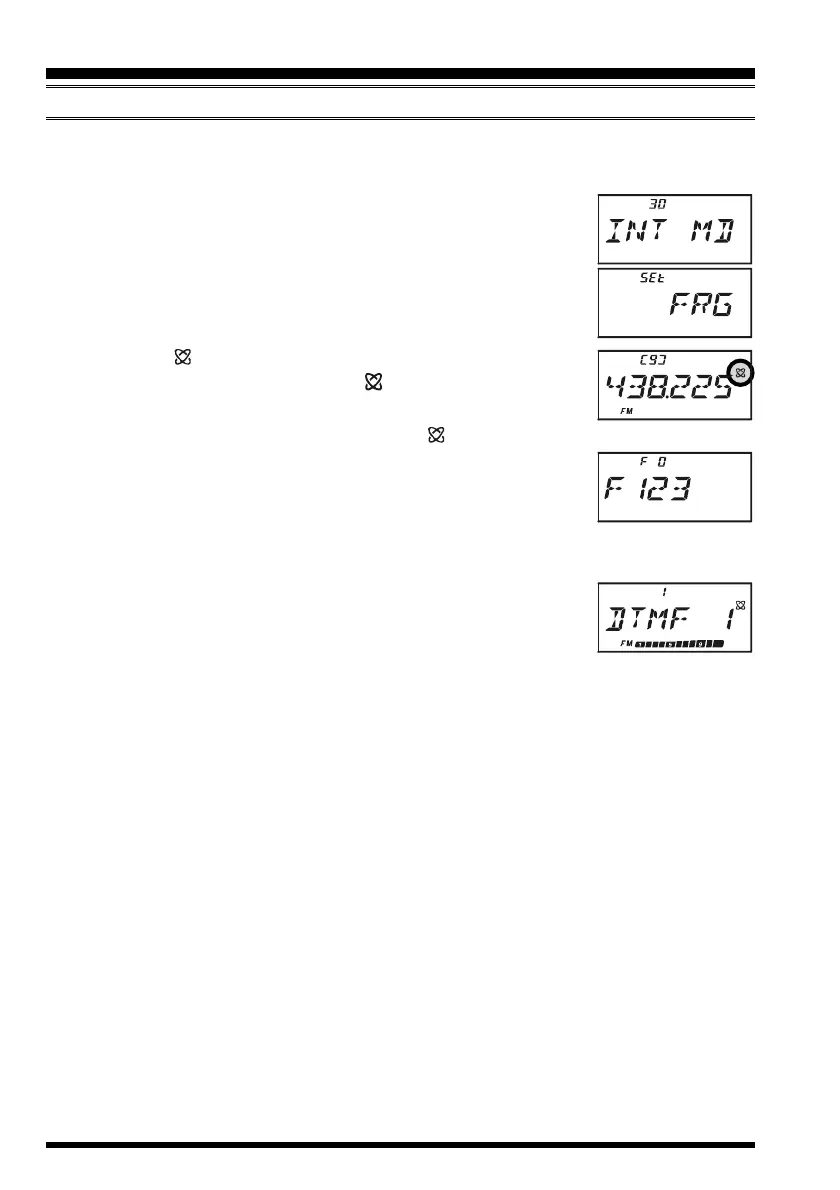
2. Rotate the DIAL knob to select Set Mode Item 30:
INT MDINT MD
INT MDINT MD
INT MD.
3. Press the
[
0
(
SET
)]
key to enable adjustment of this Set Mode
Item.
4. Rotate the DIAL knob to set this Set Mode Item to “
FRGFRG
FRGFRG
FRG” (thus
activating the “Other Internet Link System” mode).
5. Press the PTT switch to save the new settings.
6. Press the
[ (
LK
)
TXPO
]
key momentarily to activate the
Internet Connection feature. The “ ” icon will appear in the
upper right corner of the display.
7. Rotate the DIAL knob while pressing the
[ (
LK
)
TXPO
]
key to select the Internet
Memory register number (
F 0F 0
F 0F 0
F 0 ~
F63F63
F63F63
F63) corresponding to the
Internet link repeater to which you wish to establish an Internet
link, then press the PTT switch momentarily to lock in the se-
lected access number.
8. Once the Internet Connection feature is activated per step 6 above, you may now
press the
[
0
(
SET
)]
key, while you are transmitting, to send out
the selected DTMF string (to establish the link to the desired
Internet-link mode).
9. To return to the WIRES™ mode, repeat steps 1 - 5 above, selecting “
SRGSRG
SRGSRG
SRG” in step 4.
INTERNET CONNECTION FEATURE
FRG
(
“FRIENDLY RADIO GROUP”
)
MODE


 To Next Page