DTX700 Owner’s Manual
15
Setup
Setting Up for Sound
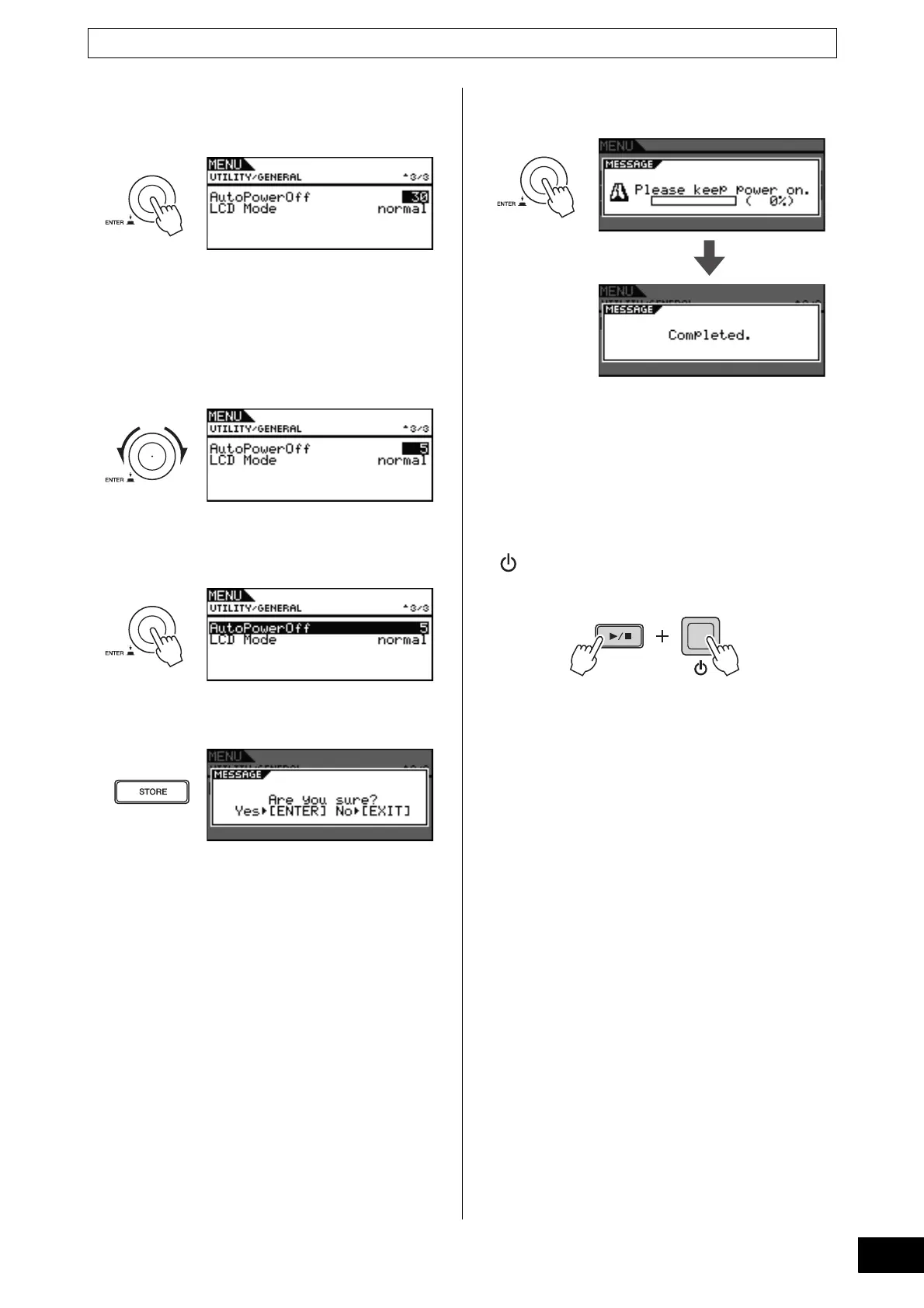
7 Press the dial.
The cursor will zoom in on the value on the right.
8 Turn the dial to set the automatic power-off
time.
The value indicates the idle time until automatic power-off
in minutes. Settings can be made in units of 5 minutes
between 5 and 30. Furthermore, you can disable the Auto
Power-Off function by selecting “off”.
9 Press the dial.
The cursor will zoom out to select the entire row.
10 Press the [STORE] button.
11 Press the dial to store your new settings.
NOTE
• The Auto Power-Off function is set to 30 minutes by
default.
Disabling the Auto Power-Off Function at
Startup
To disable the Auto Power-Off function when turning on the
DTX700, hold down the [>/
] button when you press the
(Standby/On) button. (This action sets the AutoPower-
Off parameter to “Off”.)



 To Next Page