Basic Operation
18
DTX700 Owner’s Manual
Basic DTX700 Operations
These buttons are used to change the currently selected value.
Press the [+/INC] button to increase the value by one; the [-/
DEC] button to decrease by one. If you hold down either button,
the value will change continuously. In the case of parameters
with a wide range of possible settings, you can increase them in
units of 10 by holding down the [SHIFT] button and pressing
the [+/INC] button or by holding down the [+/INC] button and
pressing the [-/DEC] button. Similarly, you can decrease in
units of 10 by holding down the [SHIFT] button and pressing
the [-/DEC] button or by holding down the [-/DEC] button and
pressing the [+/INC] button.
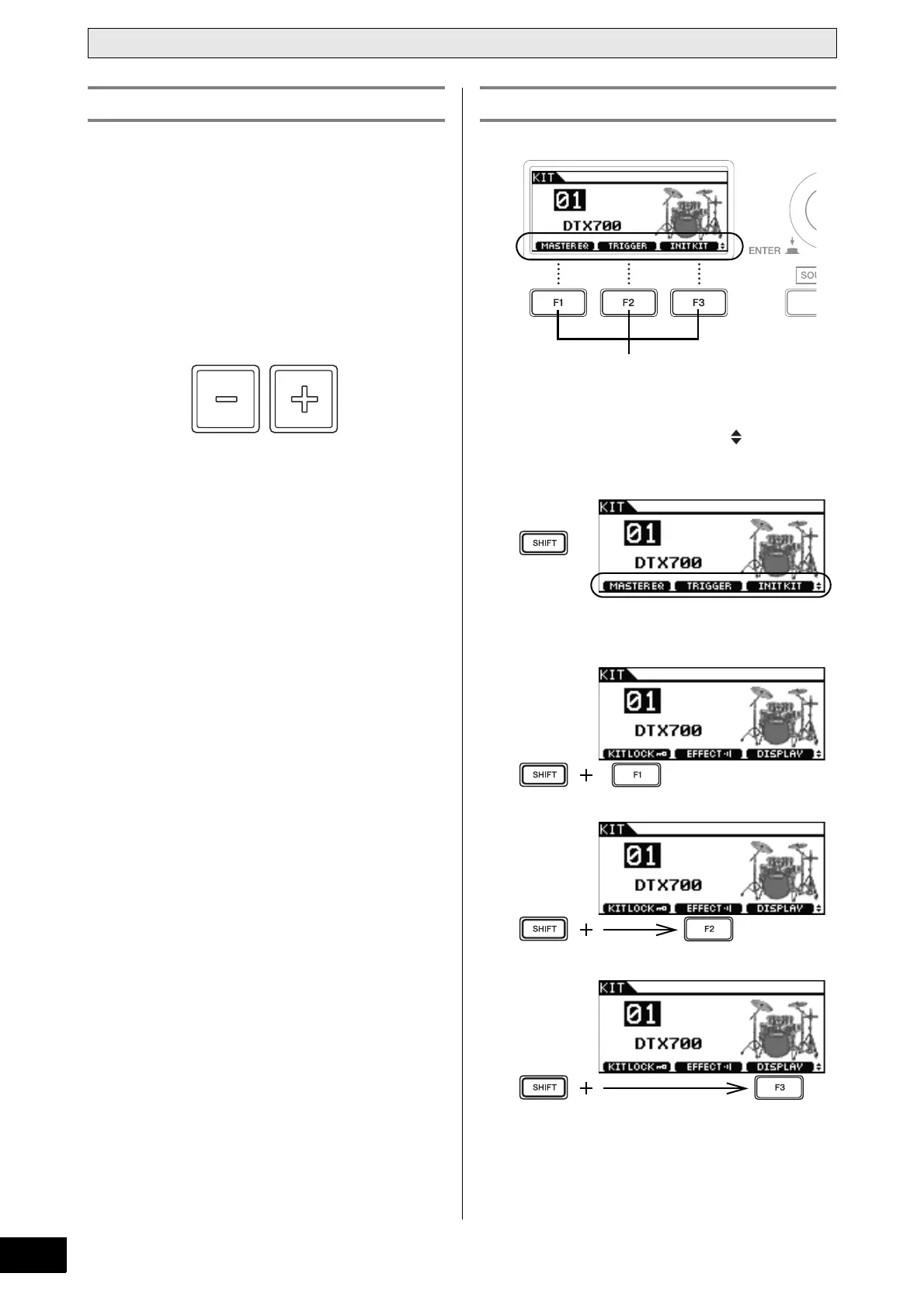
The functions that you can access by pressing the [F1], [F2],
and [F3] function buttons are displayed as inverted text at the
bottom of the display. In addition, when the symbol is
shown in the bottom right corner, you can press the [SHIFT]
button to display additional functions for each of the buttons.
To access these additional functions, hold down the [SHIFT]
button and press the corresponding button.
[-/DEC] and [+/INC] Buttons [F1], [F2] & [F3] Function Buttons



 To Next Page