Basic Operation
34
DTX700 Owner’s Manual
Building Your Own Kit
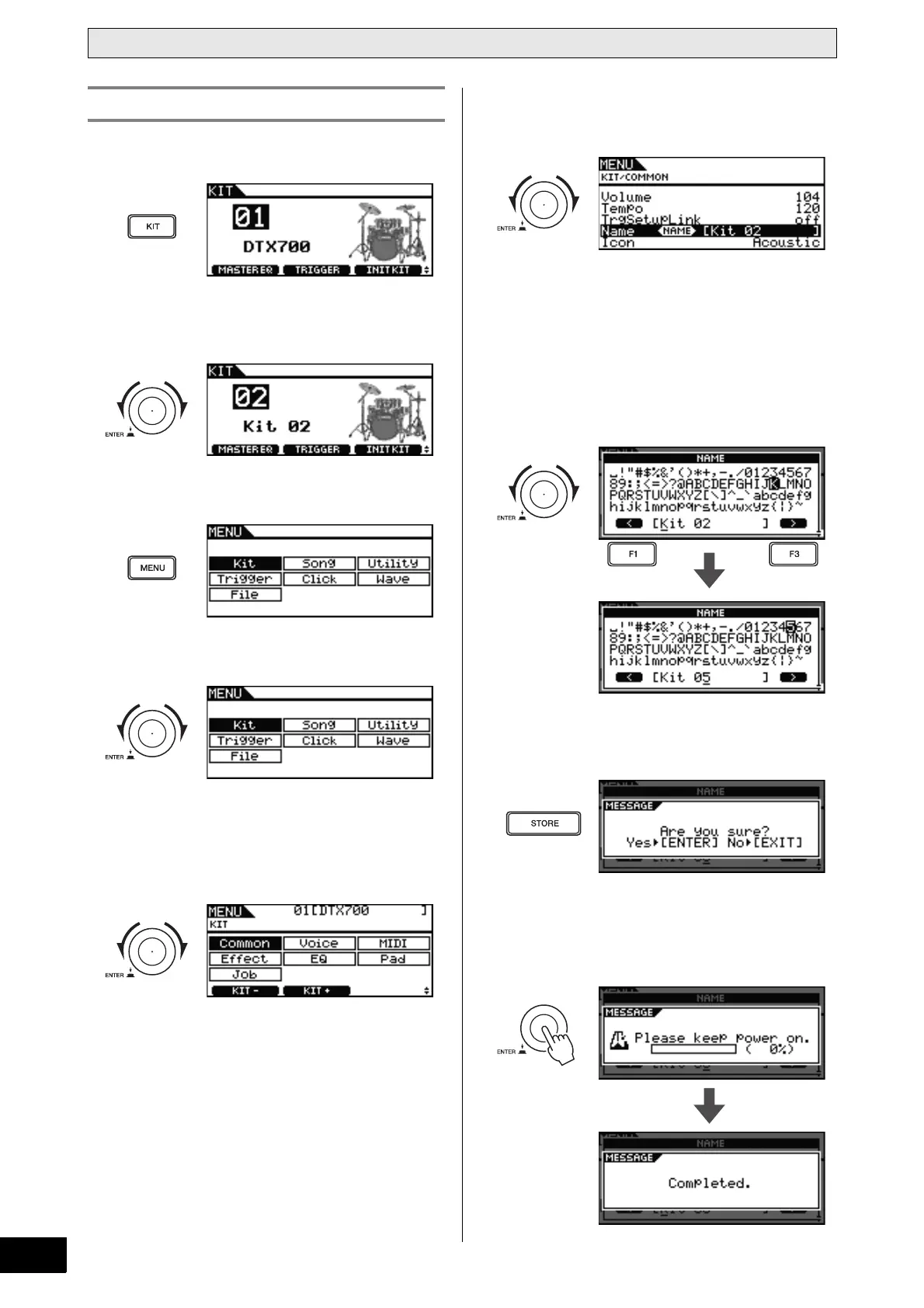
1 Press the [KIT] button.
2 Turn the dial to choose a kit that you have
built.
3 Press the [MENU] button.
4 Turn the dial to move the cursor to “Kit”.
5 Press the dial.
6 Turn the dial to move the cursor to “Com-
mon”.
7 Press the dial.
8 Turn the dial to move the cursor to the
“Name” row of the displayed list.
9 Press the dial.
10 Enter a new name for the selected kit.
A name of up to 12 characters in length can be assigned to
drum kits. Move the underline cursor to the character you
wish to change using the [F1] and [F3] buttons, and then
use either the dial or the [+/INC] and [-/DEC] buttons to
change the character.
11 When you have finished entering the name,
press the [STORE] button.
If you do not wish to store your new kit name, press the
[EXIT] button. The display will return to the previous page.
12 Press the dial to store your new kit name.
Naming an Original Kit



 To Next Page