DTX700 Owner’s Manual
31
Basic Operation
Building Your Own Kit
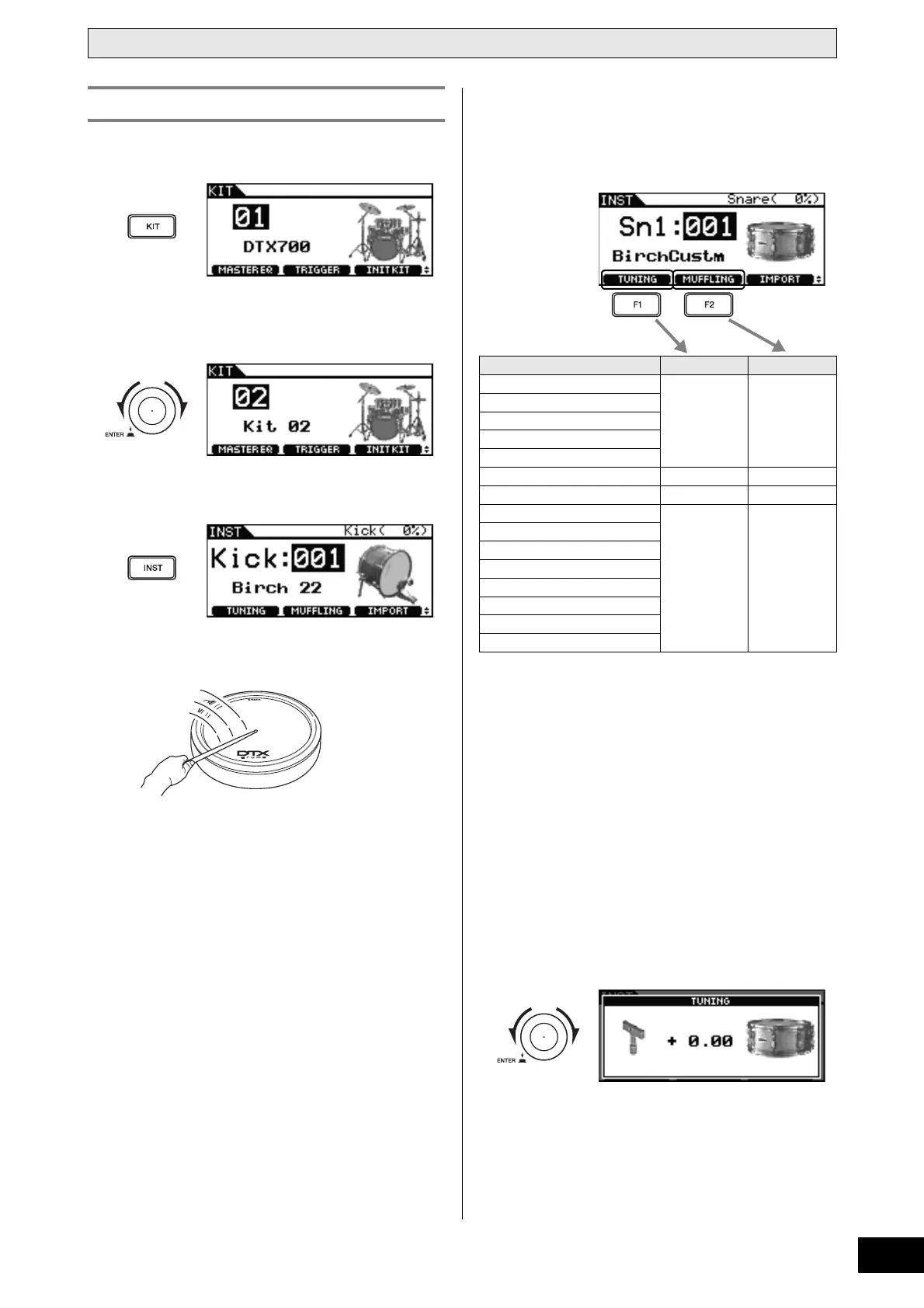
1 Press the [KIT] button.
2 Turn the dial to choose the kit you wish to
edit.
3 Press the [INST] button.
4 Hit the pad whose sound you wish to adjust.
5 Press the [F1] or [F2] button.
The functions displayed at this time depend on the type of
instrument selected.
Each of these functions is described in the following table.
Functions
• Tuning: This function allows the drum to be tuned.
•Size: This function allows the size (or diameter) to
be changed for cymbals.
• Muffling: This function adjusts the degree to which a
drum’s sound is muffled.
•Sustain: This function allows the amount of sustain to
be adjusted.
•Clutch: This function adjusts the height of the hi-hat
clutch – or in other words, the height of the
top hi-hat.
• Decay: This function allows the amount of decay to
be adjusted.
6 Turn the dial to adjust the sound.
Adjusting an Instrument’s Sound
Instrument category [F1] [F2]
Kick (kick drums)
TUNING MUFFLING
Sn1 (snares 1)
Sn2 (snares 2)
Tom1 (toms 1)
Tom2 (toms 2)
Cym (cymbals) SIZE SUSTAIN
HH (hi-hats) SIZE CLUTCH
Latn (Latin percussion)
TUNING DECAY
Asia (Asian percussion)
AfAr (African percussion)
Orch (orchestral percussion)
ElPc (electronic percussion)
EFX (effect sounds)
Mldy (melodic voices)
Wave (audio files)



 To Next Page