DTX700 Owner’s Manual
49
Basic Operation
Recording Your Performances
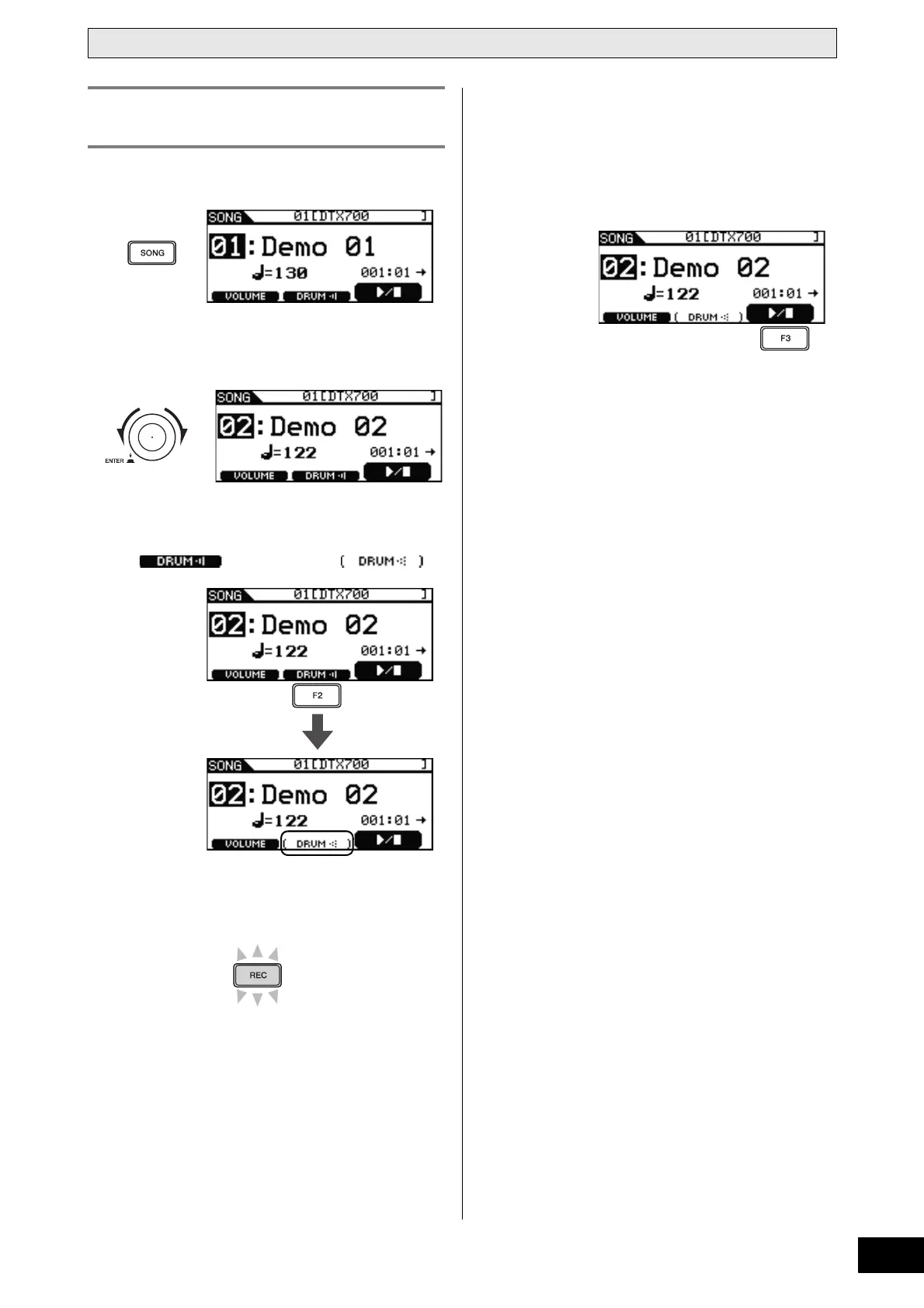
1 Press the [SONG] button.
2 Turn the dial to select the song you wish to
play along with.
3 Press the [F2] button to mute that song’s
drum part.
The icon will switch to .
4 Press the [REC] button.
The [REC] button will light in red.
5 Press the [>/
] button to start recording.
When the [>/
] button starts to flash on and off in blue,
you are ready to begin playing.
6 Press the [F3] button to start playback of the
built-in song.
7 When you have finished playing, press the
[>/
] button once again to stop recording.
The [REC] button and the [>/
] button will both turn off.
Recording Performance & Song
Together



 To Next Page