Basic Operation
16
DTX700 Owner’s Manual
Playing Demo Songs
Your DTX700 comes pre-programmed with demo songs.
Played as described below, these songs allow you to fully appre-
ciate the quality of the sound produced by the built-in tone gen-
erator.
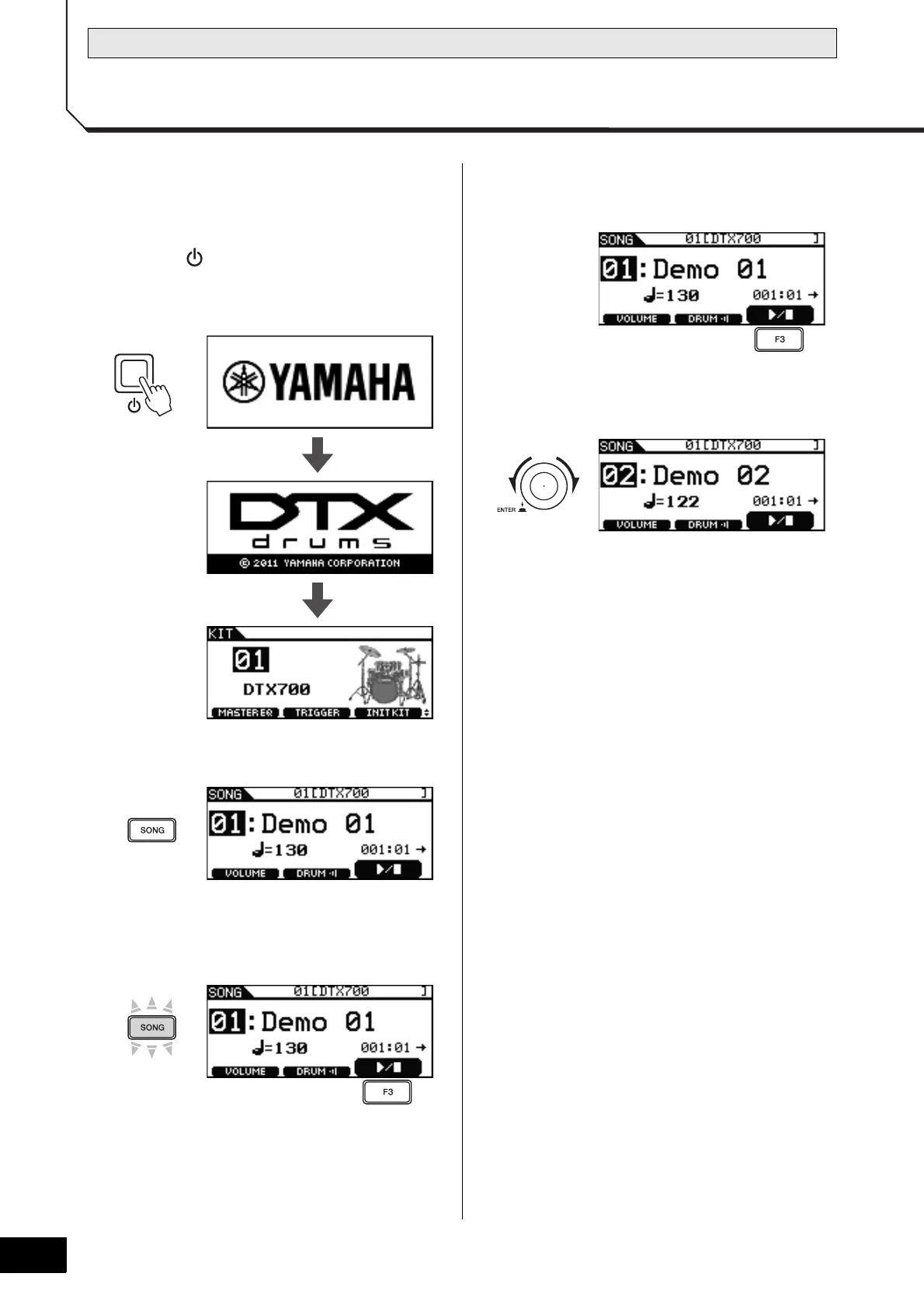
1 Press the (Standby/On) button to turn on
your DTX700.
Startup pages
2 Press the [SONG] button.
3 Press the [F3] button.
The demo song indicated on the display will start. The
[SONG] button will flash while the song is playing.
4 Press the [F3] button once again to stop the
demo song.
5 To select a different demo song, turn the dial
and repeat Steps 3 and 4.



 To Next Page