Basic Operation
28
DTX700 Owner’s Manual
Performing on Many Different Kits
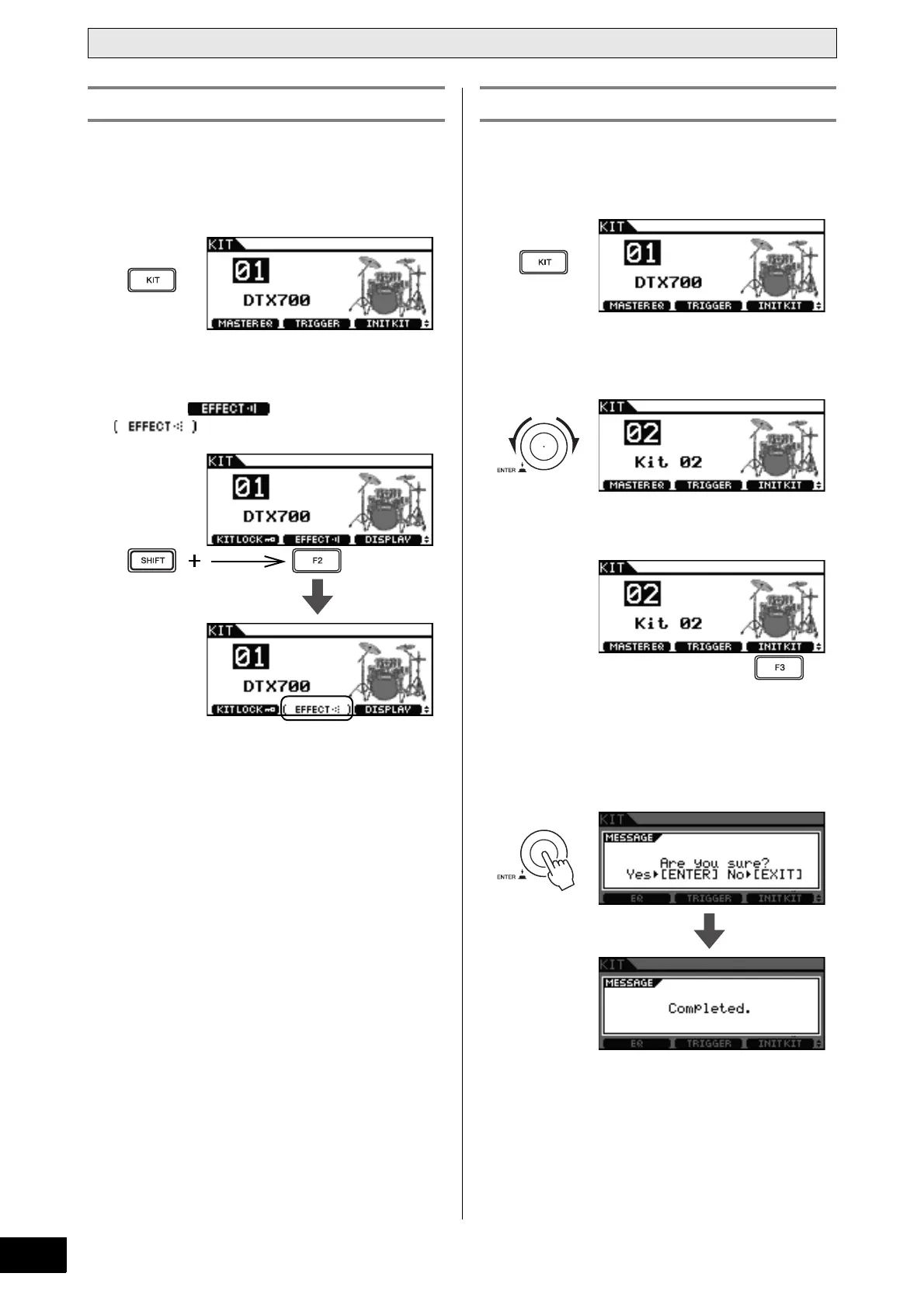
Each kit on the DTX700 is set up with reverb or another sound
effect applied by default. You can, however, easily turn off this
effect as described below.
1 Press the [KIT] button.
2 Hold down the [SHIFT] button and press the
[F2] button.
The button’s icon will become reversed
, indicating that the effect is now off.
NOTE
•You can toggle the effect on and off using the method
described in Step 2 above.
By initializing a kit as described below, you can quickly restore
its default settings.
1 Press the [KIT] button.
2 Turn the dial to select the kit you wish to ini-
tialize.
3 Press the [F3] button.
If you do not wish to initialize the kit, press the [EXIT] but-
ton to return to the previous page.
4 Press the dial to confirm that the kit is to be
initialized.
Turning Off Effects Initializing a Kit



 To Next Page