DTX700 Owner’s Manual
39
Basic Operation
Playing with Songs for Practice
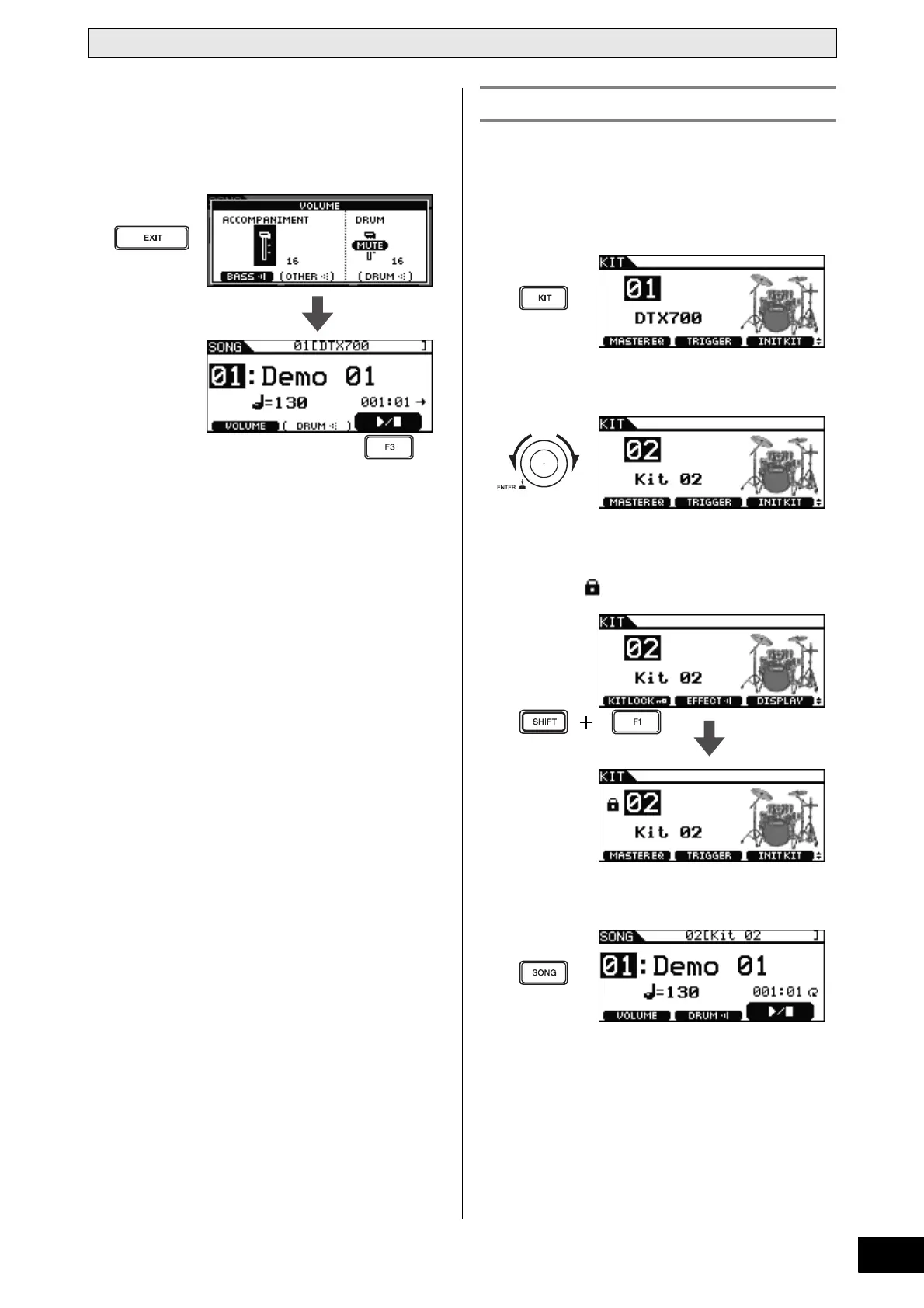
5 Press the [EXIT] button to return to the Song
page, and then press the [F3] button to start
the song.
You should now hear only the song’s bass part.
When you select a new song, your DTX700 normally chooses
the best kit for that song automatically. You can, however, use
the Kit Lock function to prevent this if you wish to keep the cur-
rent kit when practicing with different songs.
1 Press the [KIT] button.
2 Select the kit you wish to play.
3 Hold down the [SHIFT] button and press the
[F1] button.
The lock icon will be displayed beside the kit number.
4 Press the [SONG] button.
Locking a Kit



 To Next Page