Basic Operation
42
DTX700 Owner’s Manual
Turning On the Click-Track
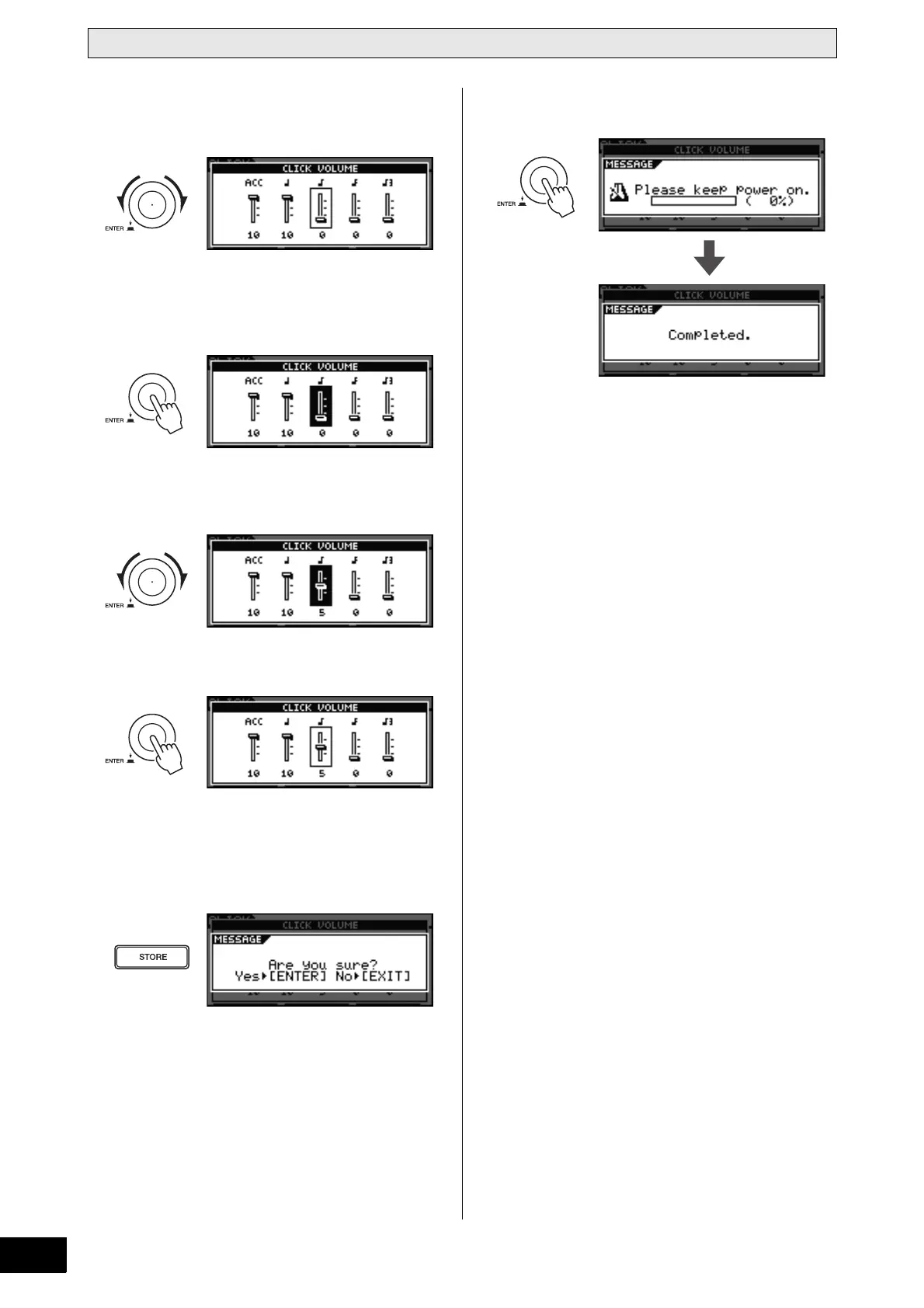
3 Turn the dial to select the click-track element
whose volume you wish to adjust.
4 Press the dial.
The selected click-track element will be displayed in
reverse.
5 Turn the dial to adjust the selected element’s
volume.
6 Press the dial.
7 To adjust the volume of other elements of the
click-track, repeat Steps 3 through 6 above.
8 Press the [STORE] button.
If you do not wish to store your new settings, press the
[EXIT] button. The display will return to the previous page.
9 Press the dial to store your new settings.



 To Next Page