Toolbar
User Guide
-
24
-
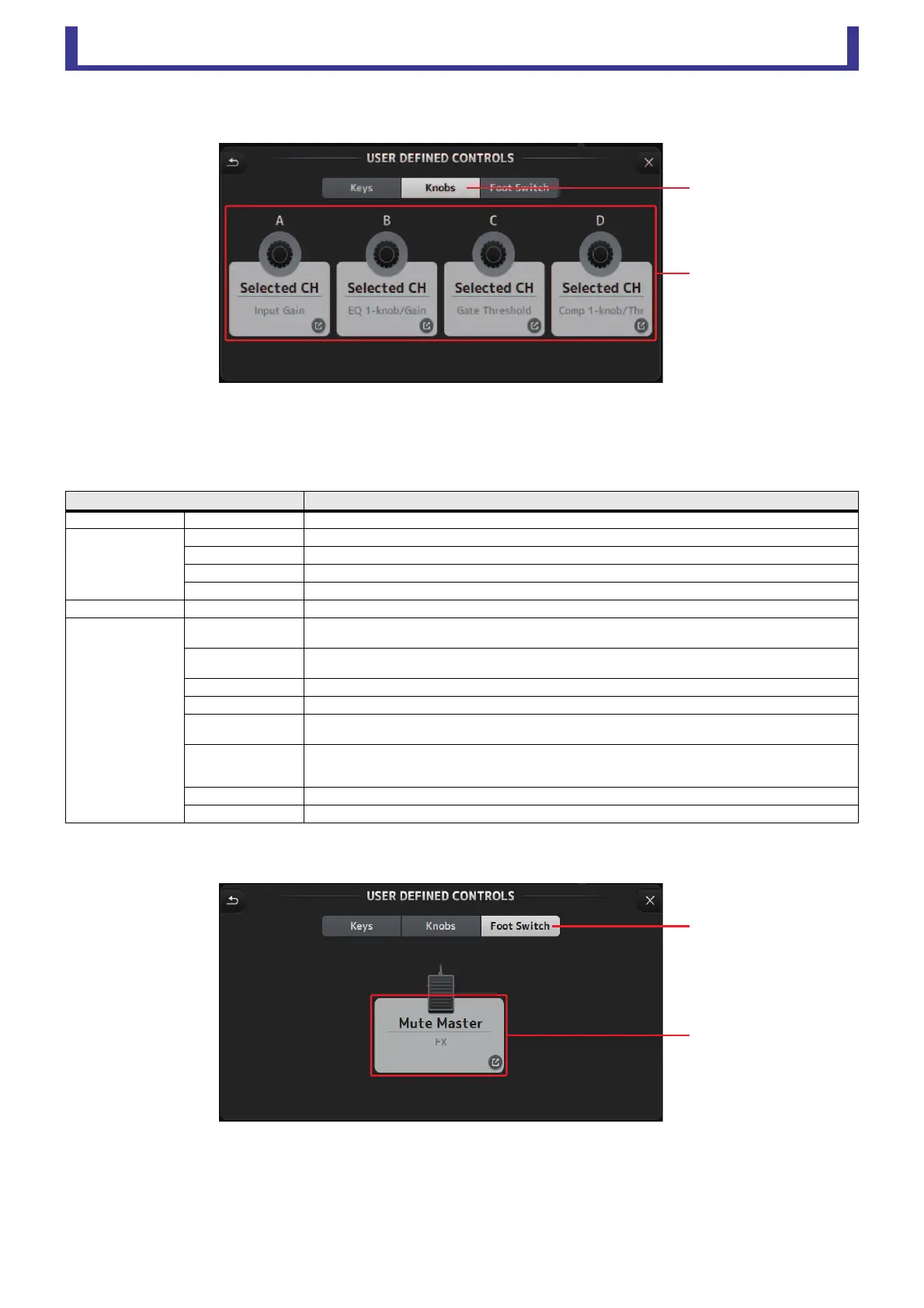
3 Knobs button
Allows you to assign features to the [USER DEFINED KNOBS] on the console's top panel.
4 Knob setup buttons
Click the desired button to display the screen that allows you to assign features to the corresponding USER DEFINED KNOB.
Features that can be assigned to USER DEFINED KNOBS
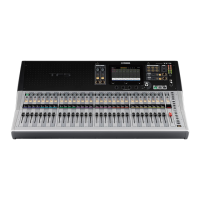
5 Foot Switch button
Allows you to assign features to the console's footswitch.
6 Foot Switch setup button
Displays the features that can be assigned to the footswitch.
Features Description
No Assign No feature is assigned.
Brightness
CH Name Adjusts the brightness of channel name.
CH Color Adjusts the brightness of the channel color indicator.
Screen Adjusts the brightness of the touch screen.
Panel Adjusts the brightness of the panel LEDs.
Monitor Level Adjusts monitor level.
Selected CH
Comp 1-knob/Thr
Adjusts 1-knob or threshold for the selected channel's COMP.
When 1-knob COMP is turned on, adjusts 1-knob; when 1-knob COMP is turned off, adjusts threshold.
EQ 1-knob/Gain
Adjusts 1-knob or gain for the selected channel's EQ.
When 1-knob EQ is turned on, adjusts 1-knob; when 1-knob EQ is turned off, adjusts gain.
EQ Frequency Adjusts EQ frequency for the selected channel.
EQ Q Adjusts EQ Q for the selected channel.
HPF
Adjusts HPF for the selected channel.
Turn the knob to adjust the frequency.
Input Gain
Adjusts analog gain or digital gain for the selected channel.
When the channel's input is an analog source, adjusts analog gain.
When the channel's input is a digital source (i.e., USB, iPad, or STIN), adjusts digital gain.
Gate Threshold Adjusts gate threshold for the selected channel.
Pan Adjusts pan or balance for the selected channel.
ճ
մ
յ
ն





 To Next Page